
Office Home and Business 2019 English APAC EM Medialess
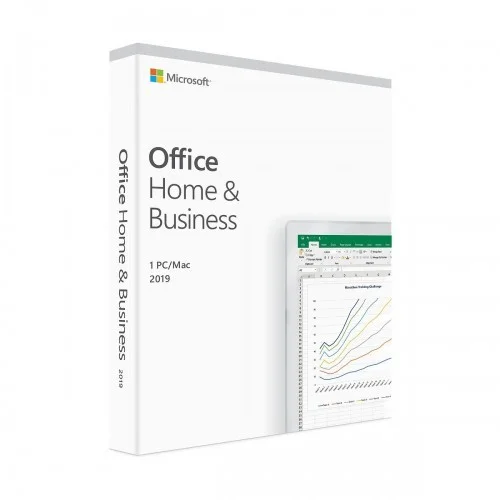
Office Home and Business 2019 English APAC EM Medialess
- Stock: In Stock
- Model: Model-12070
- Product id: 19474
21,150৳
Ex Tax: 21,150৳
Price 21,150৳ Regular Price 23,265৳ Status In Stock Product Model Office Home and Business Brand Microsoft • Word, Excel, PowerPoint, and Outlook • Product version lifetime • User limit: 1 User • English APAC EM DVD
Chat Through
Quick Compare
| Product Details | ||||
| Product | Office Home and Business 2019 English APAC EM Medialess | Xiaomi Wanbo T2 Max 450 ANSI Lumens Smart Android Portable LED Projector | Epson EcoTank L3250 A4 Wi-Fi Multifunction InkTank Printer | Canon Pixma G3010 Refillable Ink Tank Wireless All-In-One Printer |
| Image |  |
 |
 |
 |
| Price | 21,150৳ | |
|
|
| Model | Model-12070 | Wanbo T2 Max | EcoTank L3250 | Pixma G3010 |
| Brand | XIAOMI | EPSON | CANON | |
| Availability | In Stock | In Stock | In Stock | In Stock |
| Rating | Based on 0 reviews. |
Based on 0 reviews. |
Based on 0 reviews. |
Based on 0 reviews. |
| Summary | Office Home and Business 2019 English APAC EM Medialess Office Home and Business 2019 English APAC EM Medialess is One-time purchase for 1 PC or Mac for use at home or work, Classic 2019 versions of Word, Excel, PowerPoint, and Outlook, Microsoft support included for 60 days at no extra cost and Licensed for home and commercial use. It is one user limit. Here System req DVD ROM is English APAC EM DVD. Office Home and Business 2019 is for families and small businesses who want classic Office apps and email. It includes Word, Excel, PowerPoint, and Outlook for Windows 10. .. | Xiaomi Wanbo T2 Max 450 ANSI Lumens Smart Android Portable LED ProjectorThe Xiaomi Wanbo T2 Max is a compact and feature-rich smart Android portable LED projector designed for home entertainment and professional use. With 450 ANSI lumens of brightness, Full HD 1080p resolution (1920x1080), and a 2000:1 contrast ratio, it delivers sharp, vibrant visuals with rich colors and excellent clarity. Whether you’re watching movies, gaming, or delivering presentations, the T2 Max provides a high-quality viewing experience.Immersive Visuals & Adjustable ProjectionThe Wanbo T2 Max supports projection sizes from 40 to 120 inches, with an adjustable projection distance of 1.5 to 3 meters. The LED light source ensures a lamp life of up to 20,000 hours, making it a durable choice for long-term usage. The projector supports multiple video formats, including 1080p and 720p, ensuring smooth playback for various media content.Enhanced Audio & Smart FeaturesEquipped with dual 3W built-in speakers, the projector delivers clear and immersive sound, eliminating the need for external speakers in small to medium-sized rooms. It also supports multiple audio formats like MP3, FLAC, and WAV, enhancing its versatility.Seamless Connectivity & Compact DesignThe Xiaomi Wanbo T2 Max comes with USB 2.0 and power input (19V 3A), allowing easy connectivity with multiple devices such as laptops, gaming consoles, and USB drives. Its compact and portable design makes it an ideal choice for home theaters, outdoor movie nights, or business presentations... | Epson EcoTank L3250 A4 Wi-Fi Multifunction InkTank Printer Price in BDThe Epson EcoTank L3250 is a versatile A4 Wi-Fi Multifunction InkTank Printer designed for efficient printing, scanning, and copying. It features EcoTank technology, eliminating the need for traditional cartridges, making it a cost-effective solution for home and office use. This printer utilizes Inkjet (Piezoelectric) technology with an impressive resolution of 5760 x 1440 dpi, delivering sharp and vibrant prints. It offers fast printing speeds of 33 ppm (mono) and 15 ppm (color), ensuring productivity. The first print out time is just 10 seconds for mono and 16 seconds for color. The flatbed color image scanner provides a high scan resolution of 1200 x 2400 dpi, ensuring clear and detailed digital copies. The scanning speed is 11 seconds for black and 28 seconds for color. The printer also supports high-quality copying, making it a reliable all-in-one device. The L3250 supports multiple paper sizes, including A4, Legal, Letter, B5, A5, A6, and envelopes. It has a 100-sheet input capacity and 30-sheet output capacity. The printer supports USB and Wi-Fi connectivity, allowing seamless printing from PCs and mobile devices. With its high-yield ink bottles, this printer delivers up to 4,500 pages (black) and 7,500 pages (color) per refill, significantly reducing printing costs. It consumes only 12W during operation and features low power consumption in standby and sleep modes.Epson l3250 printer price in bangladeshThe Epson EcoTank L3250 is a versatile all-in-one printer offering printing, scanning, and copying functionalities. Designed for efficiency, it delivers high print yields—up to 4,500 pages for black-and-white and 7,500 pages for color prints. The printer supports borderless photo printing up to 4R size and features integrated ink tanks with designated nozzles for spill-free and error-free refilling. Wireless connectivity options, including Wi-Fi and Wi-Fi Direct, enable direct printing from smart devices. The Epson Smart Panel app allows users to manage printing functions and printer setup conveniently. The Epson EcoTank L3250 is an affordable, feature-packed multifunction printer suitable for home and office use. This A4 Wi-Fi-enabled printer offers wireless printing, scanning, and copying, making it a convenient option for those needing efficiency and versatility. In Bangladesh, the price of the Epson L3250 varies depending on the retailer and location. On average, the printer is priced between 21,000 to 22,500৳.Why choose an Epson EcoTank printer?Take the hassle out of printing with up to 14,000 pages worth of ink included in the box 1. Ultra-low-cost printing Epson EcoTank printers deliver an unbeatable 90% lower cost-per-page than competitive printers 2. Peace of mind Provide Epson quality, speed and reliability, giving you true peace of mind backed up by a 1 year standard warranty, and a 3 year extended promotional warranty. A first page can be printed fast, using less power. Running costs are reduced further due to fewer replacement parts being needed. Epson Heat-Free Technology offers improved reliability, reduced downtime and less environmental impact.Epson EcoTank L3250 A4 Wi-Fi Printer FeaturesEpson Aligned Authorized Partner.To Request Any Service Issue Related Query, Please Directly Call Epson Support on 1860 3000 1600.Wi-Fi & Wi-Fi Direct.High Yield Ink Bottles.Borderless Printing Up to 4R.Compact Integrated Tank Design.Spill-Free, Error-Free Refilling.Saves Upto 90% on Printing Costs.High-Yield Replacement Ink Bottles.Seamless Setup via Epson Smart Panel.Hassle-Free Ink Tank System & Epson Smart Panel App.Easily Integrate This Printer with Your Existing Home Set-Up, Print from Mobiles, Tablets & Laptops... | Specification: Printing Features Print Speed Approx. 5.0ipm First Printout Time Document Col: ESAT / Simplex- 5.0ipm Document B/W: ESAT/ Simplex- 8.8ipm Document Col: FPOT Ready/Simplex- 17s Document B/W: FPOT Ready/Simplex- 11s Document Col: FPOT Sleep/Simplex- 22s Document B/W: FPOT Sleep/Simplex- 14s Photo (10.16 x 15.24cm): PP-201/ Borderless 60s Resolution 4800 x 1200 dpi Display LCD (3.04 cm segment mono) Interface USB 2.0 Hi-Speed Paper Handling Sizes A4, A5, B5, Letter, Legal, 10.16 x 15.24cm, 12.7 x 17.78cm, 20.32 x 25.4cm, Envelopes (DL, COM10), Square (12.7 x 12.7cm), Business Card, Custom size (width 55 - 215.9mm, length 89 - 676mm) Types Plain Paper, High Resolution Paper (HR-101N), Photo Paper Plus Glossy II (PP-201), Photo Paper Plus Semi-Gloss (SG-201), Matte Photo Paper (MP-101), Envelope, Glossy Photo Paper "Everyday Use" (GP-508), Photo Paper Plus Glossy II (PP-208), Photo Sticker Weight Plain Paper: 64 - 105g/m2, Canon specialty paper: paperweight: 275g/m2 Photo Paper Plus Glossy II (PP-201) Output capacity A4, Letter = 50, Legal = 10 Monthly Print Volume 15000 Copying Features Copy Speed Document: Colour: sFCOT / Simplex- 24s Document: Colour: sESAT / Simplex- 3.5ipm Resolution 4800 x 1200 dpi Maximum Number of Copies 1 - 20 pages Scan Features Levels of grayscale 16 / 8-bit Scan Technology CIS (Contact Image Sensor) Resolution 600 x 1200dpi Speed Reflective: A4 Colour / 300dpi- 19s Max Document Size A4 / Letter (216 x 297mm) Physical Specification Color Black Dimensions (W x D x H) Factory configuration: 445 x 330 x 163mm Output / ADF trays extended: 445 x 533 x 260mm Weight Approx. 6.3kg Voltage AC 100 - 240V; 50 / 60Hz Warranty Information Warranty 01 Year Supplies Cartridge/ Toner Model No. Ink Bottles: GI-790 (Black, Cyan, Magenta, Yellow) Canon Pixma G3010 Refillable Ink Tank Wireless All-In-One Printer Price in Bangladesh The Canon Pixma G3010 isn’t the most compact all-in-one you’ll find. However, it is definitely one of the better-looking ones out there. The Canon Pixma G3010 comes in a nice matte-black finish that just looks classy, and just overall this feels like a better-built unit than most other printers in its price range. The buttons are all arranged on the right side of the Canon Pixma G3010, which is also where you’ll find the LCD display. Not a lot can be said about these buttons, other than the fact that they get the job done. Personally, I didn’t find myself using the buttons all that much, since almost everything on this printer can be done using a smartphone (more on that later), but the times when I did use the buttons (mostly to turn the printer on or off), the buttons felt tactile, and definitely well built. The input tray is great, since it easily folds on top of the Canon Pixma G3010 printer itself, so it can protect the internals of the Canon Pixma G3010 printer from dust — that makes it easier to store the printer when it’s not being used. The Pixma G3010 is also well designed in the way that Canon has arranged the ports on this thing. There’s the main power-input on the left-hand side of the Canon Pixma G3010 printer, and there’s a USB port on the right-hand side that you can use to create a wired connection between the Canon Pixma G3010 printer and your system. Canon Pixma G3010 Printer Review The Canon Pixma G3010 isn’t the most compact all-in-one you’ll find. However, it is definitely one of the better looking ones out there. The printer comes in a nice matte-black finish that just looks classy, and just overall this feels like a better built unit than most other printers in its price range. The buttons are all arranged on the right side of the printer, which is also where you’ll find the LCD display. Not a lot can be said about these buttons, other than the fact that they get the job done. Personally, I didn’t find myself using the buttons all that much, since almost everything on this printer can be done using a smartphone (more on that later), but the times when I did use the buttons (mostly to turn the printer on or off), the buttons felt tactile, and definitely well built. The Canon Pixma G3010 is also well designed in the way that Canon has arranged the ports on this thing. There’s the main power-input on the left hand side of the printer (which is also a reversible connector, and I love that. Brownie points to Canon), and there’s a USB port on the right hand side that you can use to create a wired connection between the printer and your system. Setting up the Pixma G3010 might seem like a mammoth task if you take a look at the included manual with its really confusing drawings. However, it’s actually not that difficult to set things up. The most important things while setting up the printer is actually installing the cartridges in the print-head, and filling up the colors — Canon provides single bottles of all the colors you’ll need to fill the printer up inside the box itself, so you can get started with printing right away... |
Related Product


Recently Viewed

