
Graphics Card Price in Bangladesh 2026
Creatus Computer, the premier Graphics Card shop in Bangladesh, has updated its price list as of 10-10-2026. With a range spanning from BDT 16,999৳ to BDT 995,000৳, they offer 857 different products. Among these, 89 items are currently in stock, of them with the best discount price.
GPU Price in BD – Buy Original Graphics Cards at Creatus Computer
A graphics card (GPU) is the component that draws everything you see on screen, from game frames and video timelines to 3D renders and AI workloads. If you are checking the latest GPU price in BD for a new gaming build, an editing workstation or an upgrade to an older PC, Creatus Computer stocks original NVIDIA GeForce RTX, AMD Radeon and Intel Arc graphics cards from trusted brands. You can compare models by VRAM, chipset and budget in one place.
Because the graphics card price in BD changes often with dollar rates, import costs and new launches, the product listing above always shows the current price and stock status. This guide explains what to look at before you buy, so you pay for the performance you actually need.
Which GPU Chipset Is Right for You: NVIDIA, AMD or Intel?
Every graphics card is built around a chip from one of three companies. Board partners such as MSI, Gigabyte, ASUS, Zotac and Sapphire then add their own cooling, clock speeds and design.
- NVIDIA GeForce RTX: The most popular choice in Bangladesh. RTX cards are strong in ray tracing and support DLSS upscaling. They also work well with creative software and AI tools that use CUDA. Current options include the RTX 50 series alongside the still-popular RTX 40 and RTX 30 cards.
- AMD Radeon RX: Often gives more raw performance and more VRAM for the money. Radeon cards support FSR upscaling and FreeSync. The newer RX 9000 series, including the RX 9060 XT and RX 9070 XT, has improved ray tracing a lot.
- Intel Arc: A value-focused option for budget and mid-range builds. Arc A-series and B-series cards offer generous VRAM and good media encoding. That makes them attractive for 1080p gaming and streaming.
Graphics Card Tiers by Use Case
The easiest way to narrow down the GPU price in BD is to start with what you will use the card for and the monitor resolution you play or work on.
| Tier | Best For | Typical VRAM | Example Series |
|---|---|---|---|
| Entry-level | eSports titles, office multi-display, light editing | 4GB – 8GB | RX 580, Arc A380, RTX 3050 |
| Mainstream | 1080p high settings, streaming, YouTube editing | 8GB – 10GB | RTX 5050, RTX 5060, RTX 4060, Arc B570, RX 9060 XT |
| Upper mid-range | 1440p gaming, 4K video editing, 3D work | 12GB – 16GB | RTX 5070, RTX 5070 Ti, RX 9070 XT, Arc A770 |
| High-end | 4K gaming, heavy rendering, AI and deep learning | 16GB – 24GB+ | RTX 4080, RTX 4090 and above |
You can jump straight to popular series pages such as the RTX 5060 graphics card, the RTX 5070 graphics card or the RX 9070 XT graphics card collection.
Key Specs to Check Before Buying a Graphics Card
1. VRAM (Video Memory)
VRAM holds textures and frame data. 8GB is the practical minimum for modern 1080p gaming. 12GB to 16GB is safer for 1440p, high-resolution textures and video editing. Our 8GB graphics card section is a good starting point for balanced builds.
2. Memory Type and Bus Width
Newer memory types move data faster. GDDR7 is faster than GDDR6X, and GDDR6X is faster than GDDR6. A wider memory bus, such as 192-bit or 256-bit versus 128-bit, also increases bandwidth. Two cards with the same VRAM can therefore perform very differently.
3. Upscaling and Ray Tracing Support
DLSS (NVIDIA), FSR (AMD) and XeSS (Intel) render the game at a lower resolution and then upscale it intelligently. This can raise frame rates a lot. If you want realistic lighting in newer games, check the card's ray tracing capability.
4. Power Requirement (TDP) and PSU
Every GPU lists a recommended PSU wattage and the connectors it needs, such as 8-pin or 12V-2x6. Many GPU problems are actually weak power supply problems. Check the PSU before you buy, and if it is too weak, pair the card with a reliable unit from our power supply range.
5. Card Size and Cooling
Dual and triple-fan cards run cooler and quieter, but they are longer and thicker. Measure the free space in your cabinet first. Heavy cards should be paired with a GPU support bracket to prevent sag over time.
6. Motherboard and Display Compatibility
Modern cards use PCIe 4.0 or 5.0 slots but remain backward compatible with older PCIe versions. Also match the display outputs (HDMI 2.1, DisplayPort) to your monitor. This matters most if you plan to use a high refresh rate gaming monitor.
Popular Graphics Cards at Creatus Computer
Here are some models buyers often shortlist across different budgets:
- PELADN RX 580 8GB Dual Fan Gaming Graphics Card – A budget-friendly way to move up from integrated graphics for eSports and light gaming.
- MSI GeForce RTX 3050 VENTUS 2X 6GB OC – An entry RTX card with DLSS support in a compact dual-fan design.
- ZOTAC GAMING GeForce RTX 5050 SOLO 8GB – A newer-generation RTX card for 1080p gaming in small-form-factor builds.
- SPARKLE Intel Arc B570 Eclipse OC 10GB – Extra VRAM and strong media encoding for gamers who also stream.
- Yeston Radeon RX 9060 XT GAEA 8GB – AMD's latest RDNA 4 architecture with PCIe 5.0 support for modern mainstream gaming.
- Gunnir Intel Arc A770 Tri 16GB – A large 16GB frame buffer for editors and 3D hobbyists on a budget.
Why the GPU Price in BD Keeps Changing
Graphics card prices in Bangladesh depend on the USD exchange rate, import duties, global chip supply and new product launches. When a new generation arrives, older models often get cheaper. Sometimes they sell out instead. Brand editions also affect price: an overclocked triple-fan model costs more than a basic dual-fan version of the same chip. For that reason, it is better to decide on the performance tier first and then compare brands and coolers within that tier.
Building a Complete PC Around Your GPU?
A graphics card performs best in a balanced system. Pair it with a compatible motherboard, enough RAM and a quality PSU. Use our PC Builder tool to check compatibility and plan your full setup. If you prefer a ready system, explore our pre-configured gaming PC builds.
Why Buy Your Graphics Card from Creatus Computer?
- Original, brand-new GPUs from NVIDIA, AMD and Intel board partners
- A wide range from entry-level to flagship, all in one catalog
- Easy filtering by brand, chipset, VRAM and memory type
- Price and stock updated regularly on each product page
- Guidance from our team to help you choose a compatible card
Frequently Asked Questions
What is the GPU price in BD right now?
The GPU price in BD ranges from affordable entry-level cards to premium flagship models. The final price depends on the chipset, VRAM, brand and cooler design. Because prices change with exchange rates and stock, check the listing on this page for the latest graphics card price in BD.
Which graphics card is best for gaming in Bangladesh on a budget?
For budget 1080p gaming, cards like the RTX 3050, RTX 5050, Intel Arc B570 or RX 9060 XT offer good value. If you mainly play eSports titles, an RX 580 or Arc A380 is enough.
How much VRAM do I need in a graphics card?
8GB is the minimum recommended for modern 1080p gaming. 12GB to 16GB is better for 1440p gaming, video editing and 3D work. 16GB or more suits 4K gaming and AI workloads.
Is NVIDIA or AMD better for gaming?
Both are good choices. NVIDIA leads in ray tracing, DLSS and creative-app support. AMD often offers more performance and VRAM for the price. Choose based on your budget, the games you play and the software you use.
What power supply do I need for my graphics card?
Check the recommended PSU wattage on the GPU's product page. Most entry-level cards run fine on a quality 450W–550W PSU. Mid-range cards usually need 600W–750W, and high-end cards may need 850W or more. Always make sure the PSU has the right power connectors.
Will a new graphics card work with my old motherboard?
In most cases, yes. Modern PCIe 4.0 and 5.0 graphics cards are backward compatible with PCIe 3.0 slots. Before buying, confirm that your case has enough space and your power supply can handle the card.

Graphics Card

- GPU Clock: 2000 MHz
- Memory Clock: 15.5 Gbps
- 6GB 96-bit GDDR6
- DirectX 12 Ultimate
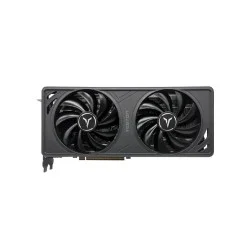
- Core Clock: Boost up to ~2.6 GHz
- Memory Speed: 20Gbps
- Bus Interface: PCI Express 5.0
- Output Interface: 2x DisplayPort, 1x HDMI
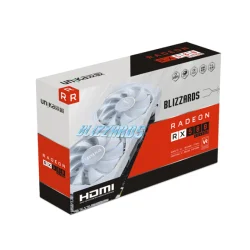
- Type: GDDR5
- Core Clock Boost: 1244 MHz
- CUDA Cores: 2048
- Memory Clock: 7000MHz

- Graphics Ram Size: 8G
- Graphics Ram: GDDR5
- Core Frequency: 1244MHz
- Memory Clock Speed: 7000MHz
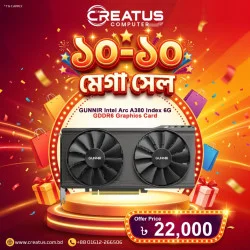
8 Xe Cores, 128 XMX Engines
Xe HPG Microarchitecture
96-Bit Memory Interface
Interface: HDMI 2.0, DisplayPort 2.0
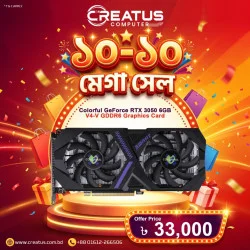
Video Memory: 6GB GDDR6, Memory Bandwidth: 168 GB/s
Core Clock: Base: 1042 MHz; Boost: 1470 MHz
CUDA Cores: 2304, Memory Clock: 14 Gbps
Display Outputs: 1x DisplayPort, 1x HDMI, 1x DVI
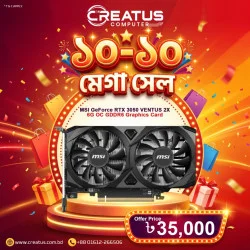
NVIDIA® GeForce RTX™ 3050
INTERFACE: PCI Express® Gen 4 x16 (uses x8)
Boost: 1492 MHz
MEMORY: 6GB GDDR6
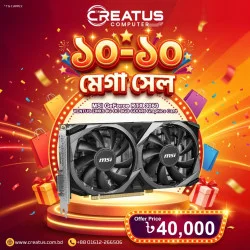
8GB GDDR6 memory for smooth gaming
Boost clock up to 1807 MHz
HDMI 2.1 supports 4K@120Hz
Dual-fan cooling with VENTUS 2X design
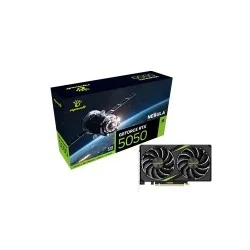
- Video Memory: 8GB GDDR6, Memory Clock: 20 Gbps
- Core Clock: Base: 2317 MHz; Boost: 2572 MHz
- CUDA Cores: 2560, Memory Bandwidth: Up to 320 GB/s
- Display Outputs: 3x DisplayPort, 1x HDMI
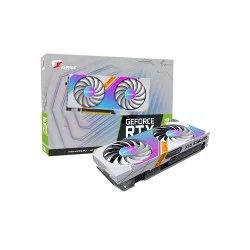
- Core Clock Base:1552Mhz; Boost:1777Mhz
- One-Key OC Base:1552Mhz; Boost:1822Mhz
- Memory Speed Grade: 14Gbps
- Video Output: HDMI + DP + DL-DVI
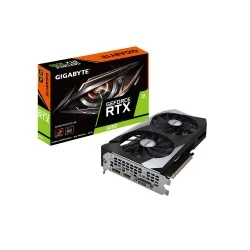
- Core Clock: 1792 MHz (Reference Card: 1777 MHz)
- Memory Clock: 14000 MHz
- Memory Bus: 128 bit
- Output: 1xDP1.4, 1xHDMI 2.1, 1xDual-Link DVI-D
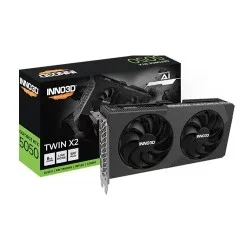
- Memory Clock: 28Gbps, Cuda Cores: 3840
- Boost Clock (MHz): 2527MHz, Base Clock (MHz): 2280MHz
- Minimum System Power Requirement(W): 550W
- Standard Display Connectors: 3x DisplayPort 2.1b, 1x HDMI 2.1b
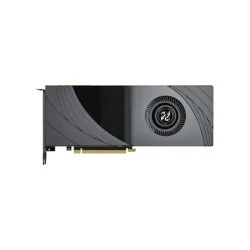
- Memory Type: GDDR6
- CUDA Cores (Nvidia): 2944
- Memory Clock: 14000MHz
- Memory Bus (Bit): 256bit
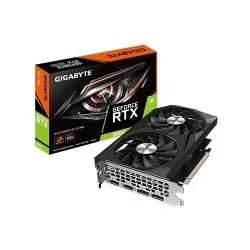
- Chipset: NVIDIA GeForce
- Core Clock: 1792 MHz
- Digital max resolution: 7680x4320
- Output: DP1.4a*2, HDMI 2.1*2
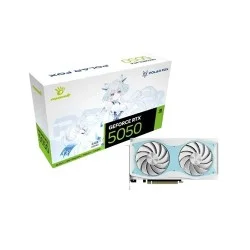
- Video Memory: 8GB GDDR6, Memory Clock: 20 Gbps
- Core Clock: Base: 2317 MHz; Boost: 2602 MHz
- CUDA Cores: 2560, Memory Bandwidth: Up to 320 GB/s
- Display Outputs: 3x DisplayPort, 1x HDMI
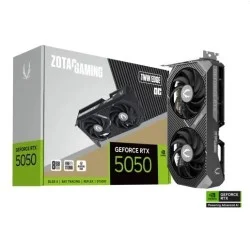
- GPU Architecture: NVIDIA Blackwell architecture and DLSS 4
- Memory: 8GB GDDR6, 128-bit, high-speed performance
- Cooling System: IceStorm 2.0 dual-fan with wide heatsink
- Design: Compact Twin Edge form factor for SFF builds
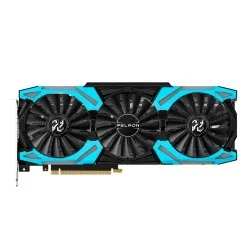
- Memory Type: GDDR6
- CUDA Cores (Nvidia) 3072
- Memory Clock: 1650MHz
- Memory Bus (Bit): 256bit
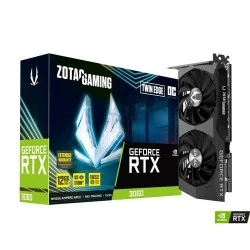
- 2nd Gen Ray Tracing Cores
- 3rd Gen Tensor Cores
- IceStorm 2.0 Advanced Cooling
- Active Fan Control with FREEZE Fan Stop
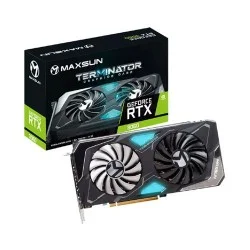
- Core frequency: Up to 1320 MHz
- Core Boost frequency: Up to 1807 MHz
- Memory: 12GB/192-bit GDDR6
- Output: 1x HDMI, 3x DisplayPort
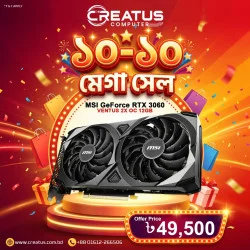
3584 CUDA Cores
12GB of GDDR6 VRAM
Ampere Architecture
Boostable up to 1807 MHz
