Best Desktop PC Price In Bangladesh – Find the Best Computer for You
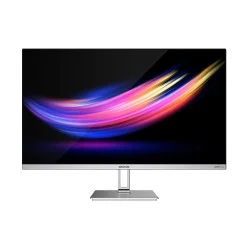
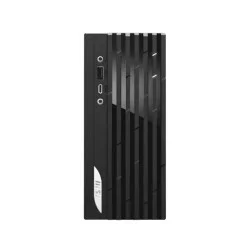
A desktop PC is a powerful and reliable computing solution designed for home, office, or gaming use. Compared to laptops, desktops offer superior performance, efficient cooling, and easier hardware upgrades, making them ideal for long-term productivity and customization. Whether for video editing, programming, gaming, or professional work, desktops provide flexibility to choose the right configuration for your needs. In Bangladesh, desktop PC prices range from BDT 17,000৳ to BDT 743,500৳, catering to students, professionals, and high-end gamers. Popular brands such as HP, Dell, ASUS, and Lenovo deliver dependable pre-built systems, while custom-built PCs allow full hardware control. With the right setup, you can enjoy exceptional speed, multitasking efficiency, and long-lasting performance — a perfect investment for any workspace.
Most Popular PC Brands in Bangladesh
Bangladesh has a wide range of trusted PC brands offering high-quality desktops, laptops, and gaming systems. Leading names like HP, Dell, Lenovo, Asus, Acer,
MSI, and Apple dominate the market for their performance, reliability, and after-sales service. Local users also prefer brands like Gigabyte and Intel for custom-built desktop PCs. These brands provide powerful processors, advanced graphics, and durable designs suitable for students, professionals, and gamers. With options for every budget, the most popular PC brands in Bangladesh continue to deliver innovation, speed, and long-term value for both personal and business use.
Different Types of Desktop PCs Available in Bangladesh
Desktop PCs are still the top choice for users who need reliable performance, powerful hardware, and upgrade flexibility. In Bangladesh, a wide range of desktops are available for various needs — from gaming and office work to multimedia and design. Each type offers unique advantages in terms of power, design, and usability.
Branded Desktop PC
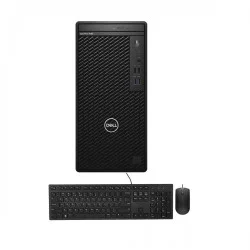
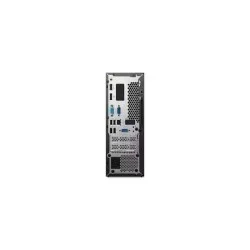
Branded desktop computers from HP, Dell, Lenovo, Asus, Acer, and MSI are known for their stability, warranty coverage, and build quality. These pre-built systems are ideal for offices, educational institutions, and home users who prefer ready-to-use solutions. Branded desktops usually come with genuine Windows, efficient cooling, and long-term service support, making them a dependable choice for professional use.
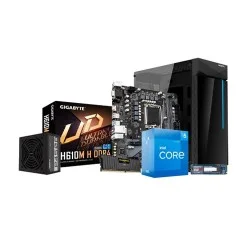
Custom-Built Desktop PC
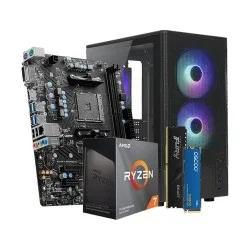
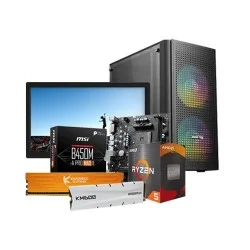
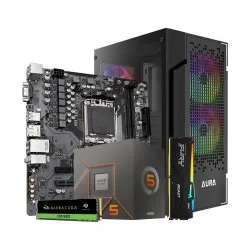
Custom-built PCs are popular among gamers, professionals, and enthusiasts who want full control over specifications. Users can select components such as processor, graphics card, motherboard, RAM, and storage based on performance and budget. Custom desktops are more flexible for future upgrades and can deliver higher performance compared to pre-built systems in the same price range.
Gaming Desktop PC
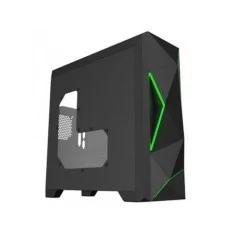
Gaming desktops are designed for top-tier performance, featuring high-end Intel Core or AMD Ryzen processors, NVIDIA GeForce or AMD Radeon graphics cards, and RGB casings for stylish builds. These PCs handle demanding games, streaming, and creative tasks such as video editing or 3D rendering. In Bangladesh, gaming desktops are available across all budget segments, from entry-level setups to powerful eSports configurations.
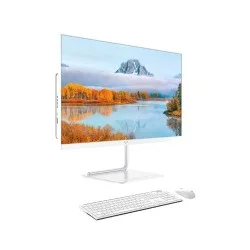
All-in-One (AIO) Desktop PC
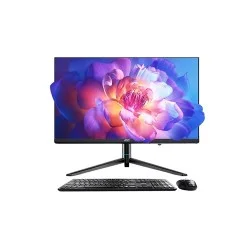
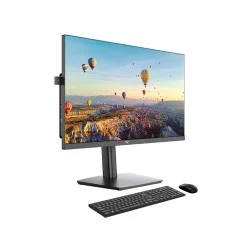
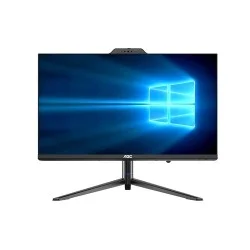
All-in-One desktops combine the monitor and CPU in one sleek body, saving desk space and reducing cable clutter. These PCs are perfect for home users, offices, and schools that prefer simple and elegant setups. AIO desktops often feature touchscreen displays, wireless keyboards, and efficient performance for everyday computing tasks.
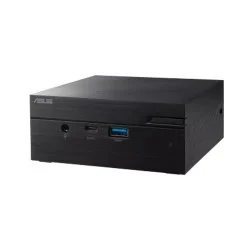
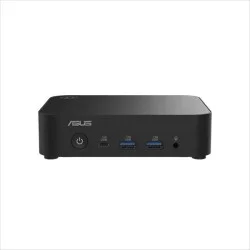
Mini PC
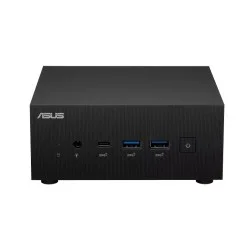
Mini PCs are compact, energy-efficient systems suitable for light computing, streaming, or business use. Despite their small size, many models provide fast SSD storage, Wi-Fi connectivity, and quiet operation. Mini PCs are ideal for users with limited space or those who need a secondary system.
Key features of a PC in Bangladesh
- Processor (CPU): Powers the system with Intel Core or AMD Ryzen processors, ensuring fast, stable, and efficient performance for daily tasks.
- RAM (Memory): Offers 4GB–32GB capacity, enabling smooth multitasking, faster application performance, and efficient data management for all users.
- Storage (HDD/SSD): Choose between 1TB HDD for capacity or SSDs (256GB–1TB) for faster boot times and improved responsiveness.
- Graphics Card (GPU): Integrated or dedicated (NVIDIA/AMD) GPUs deliver enhanced visuals for gaming, editing, and professional design work.
- Motherboard: Central hub connecting components with stable performance, expansion slots, and multiple USB connectivity options.
- Monitor Display: Available in Full HD, IPS, or 4K resolutions, offering clear visuals and high refresh rates for smooth viewing.
- Power Supply Unit (PSU): Provides 300W–750W stable output, ensuring consistent power delivery to protect critical PC components.
- Cooling System: Efficient air or liquid cooling maintains optimal temperatures, preventing overheating during prolonged or intensive use.
- Operating System: Supports Windows 10/11 or Linux platforms, tailored to user preferences and system requirements.
- Ports & Connectivity: Includes USB 3.0, HDMI, LAN, Wi-Fi, and Bluetooth for seamless device pairing and fast data transfer.
Here is a Comparison Price Table of Desktop PC
| Name |
Key Features |
Price (৳) |
Used For |
| Dell OptiPlex 7020 Core i7 12th Gen Tower |
Intel Core i7-12700 (up to 4.90 GHz), 8GB DDR5 4800MHz, 512GB PCIe NVMe SSD, Intel UHD 730, Dell Keyboard & Mouse |
92,500 |
Business, multitasking, professional work |
| Dell OptiPlex 7020 Core i3 12th Gen Tower |
Intel Core i3-12100 (up to 4.30 GHz), 8GB DDR5 5600MHz, 512GB PCIe NVMe SSD, Intel UHD 730, Dell Keyboard & Mouse |
53,000 |
Office use, browsing, light productivity |
| HP Pro Tower 280 G9 MT Core i5 14th Gen |
Intel Core i5-14500 (2.6–5.0 GHz), 8GB DDR5 RAM, 512GB SSD, HP Keyboard & Mouse |
78,500 |
Business tasks, smooth office performance |
| HP Pro Tower 280 G9 MT Core i3 14th Gen |
Intel Core i3-14100 (3.5–4.7 GHz), 8GB DDR5 RAM, 512GB SSD, HP Keyboard & Mouse |
63,500 |
General office work, students, home use |
| Acer Veriton MT M4690G Core i3 14th Gen |
Intel Core i3-14100 (up to 4.70 GHz), 8GB RAM, 512GB M.2 NVMe SSD, Built-in WiFi, BT, Speaker, Acer Keyboard & Mouse |
53,500 |
Small office, home users, students |
| Dell OptiPlex Tower 7020 Plus Core i7 14th Gen |
Intel Core i7-14700 (up to 5.4 GHz), 8GB RAM, 512GB PCIe NVMe SSD, Intel UHD 770, Dell Keyboard & Mouse |
102,500 |
Heavy multitasking, corporate use |
| Budget PC With AMD Ryzen 5 7500F |
Ryzen 5 7500F, MSI B650M-B DDR5 Motherboard, 16GB DDR5 6000MHz RAM, 1TB NVMe SSD |
79,000 |
Gaming entry-level, content creation |
| AMD Ryzen 7 7800X3D Gigabyte PC |
Ryzen 7 7800X3D, Gigabyte B850M WF6E Motherboard, 16GB DDR5 7200MHz RAM, 1TB NVMe SSD |
243,300 |
High-end gaming, rendering, 3D workloads |
| Budget PC With AMD Ryzen 9 9950X |
Ryzen 9 9950X, MSI MPG X870E Motherboard, 32GB DDR5 6000MHz RAM, 1TB NVMe SSD |
155,900 |
Extreme gaming, video editing, heavy workloads |
Factors to Consider When Buying a Desktop PC
To get the best price-to-performance ratio, it is essential to weigh a few options, as the price is directly related to them. These factors, largely, are the generation of technology, energy efficiency, and computational capacity. Lastly, optional features, PC upgradability, and expansion accessories can slightly alter your initial budget.
RAM
The next most significant factor in desktop PC price & performance is RAM & storage. A high-performance RAM kit will load programs faster, and a larger capacity on your Desktop RAM will help run multiple apps simultaneously. The latest DDR5 RAM will cost more than DDR4 RAM desktops. DDR5 is relatively new, and opting for DDR4 RAM can save a significant amount from the projected PC build price.
Storage
The permanent storage for a Desktop PC is provided by either HDD or SSD. Solid-state drives are many times faster than HDDs and can also cost a little more. Using an SSD on a Desktop PC for the boot partition is recommended to load any program quickly. M.2 SSD is the latest SSD technology with the highest read/write speeds.
Graphics Card
For generating the visual outputs, a Desktop PC may or may not come with an integrated GPU, in which case a dedicated GPU steps into the picture. A dedicated GPU is also called a graphics card. Graphically demanding workloads, like a Gaming desktop PC, will also need a dedicated GPU.
Power Supply
The Power Supply Unit of a desktop computer is one of the crucial components since clean and surge-free electricity is key to PC health. PSU standards are rated with a certification called the 80 Plus Certificate, the bare minimum for a quality power supply. While a quality PSU will enhance the longevity of the system with optimum power delivery, a non-certified PSU can pose a potential hazard to the computer. Brands like Antec, Corsair, and Asus bring some of the best PSUs available in the market.
Brand Reputation
Brand reputation is one of the crucial factors when it comes to Desktop PC prices. Brand value can alter the price of a Desktop PC component or a prebuilt brand PC at the same time. Many reputed tech giants manufacture personal computers and PC components, such as ASRock, Gigabyte, Asus, Corsair, Antec, Lenovo, Lian Li, Cooler Master, NZXT, etc. These are some of the reputed PC component brands for performance and customized desktops.
Display Quality
The display quality of a PC plays a significant role in the PC experience. If you are buying a PC monitor along with the new system, try going with LED displays. The most sought feature of a desktop monitor is the resolution refresh rate. You will find impressive Gaming monitors with up to 244Hz refresh rates for premium prices, while 60-100 Hz desktop monitor prices are fairly affordable. On the display resolution, Full HD (1920x1080; FHD) resolution is the bottom line. Going higher than that, such as 2.5K or 4K UHD, will significantly increase the desktop computing experience.
The Best E-commerce Shop to Order the Product of Your Choice
Creatus Computer has always prioritized its customers and has launched e-commerce shops in addition to physical stores to ensure better customer service. The goal was to meet the needs of more customers in the shortest possible time. Since then, we have topped the list as the best e-commerce shop in Bangladesh. Our website has a comprehensive search option to find the desired product. Our website features a unique PC maker so you can create a custom PC with your desired components.
We are the best Desktop shop in Bangladesh, and we have the best prices around. We have everything you need to build or upgrade your PC, including motherboards, processors, graphics cards, Desktop Ram, Laptop Ram and more. So if you’re looking for the best deals on PCs and computer parts, shop at Creatus Computer today.
Gaming PC Price in Bangladesh
Gaming PC prices in Bangladesh vary significantly based on components and brand. Entry-level gaming PCs can start around BDT 50,000, while mid-range models may range from BDT 80,000 to BDT 150,000. High-end systems with powerful CPUs, GPUs, and ample RAM can exceed BDT 200,000. Factors such as availability of parts, import taxes, and currency fluctuations affect prices. To get the best value, consider local retailers or online platforms for deals and compare specifications. It's essential to balance performance needs with budget constraints when investing in a gaming PC.
Computer Full Set Price in Bangladesh
The cost of a full computer set, encompassing the CPU, monitor, keyboard, and mouse, depends on various factors including brand, performance, and intended use. Basic sets, ideal for everyday tasks, offer affordable solutions with entry-level specifications. Mid-range options provide enhanced performance for multitasking and more demanding applications. High-end full sets feature advanced components, high-resolution monitors, and additional features, catering to gamers and professionals. Variations in local market conditions, component availability, and brand reputation all influence the overall investment. It's important to evaluate different models and configurations to ensure you receive the best value for your needs.
Branded Pc Price in Bangladesh
Branded PCs varies significantly based on factors like brand, specifications, and intended use. Entry-level models from established brands such as HP, Dell, and Lenovo offer affordable solutions for everyday tasks. Mid-range options deliver enhanced performance and features suitable for more demanding applications. High-end brand PC, designed for gaming or professional work, come with advanced components and higher price points. Brand reputation, build quality, and customer support also play crucial roles in pricing. To ensure the best value, it’s important to compare models and consider long-term reliability and service availability.
Budget PC Price in Bangladesh
A budget PC is designed to provide essential computing functions at an affordable price. These systems typically feature entry-level processors, modest amounts of RAM, and basic storage options, making them suitable for everyday tasks such as web browsing, word processing, and streaming. While they may not offer high-end performance or advanced features, budget PCs are a cost-effective choice for students, home users, or small businesses with minimal computing needs. Despite their lower cost, many budget PCs come from reputable brands, ensuring reliability and support. Choosing the right budget PC involves balancing performance needs with cost, and considering factors like warranty and customer service.
Factors to Consider When Buying a Desktop PC
To get the best price-to-performance ratio, it is essential to weigh a few options, as the price is directly related to them. These factors, largely, are the generation of technology, energy efficiency, and computational capacity. Lastly, optional features, PC upgradability, and expansion accessories can slightly alter your initial budget.
RAM
The next most significant factor in desktop PC price & performance is RAM & storage. A high-performance RAM kit will load programs faster, and a larger capacity on your Desktop RAM will help run multiple apps simultaneously. The latest DDR5 RAM will cost more than DDR4 RAM desktops. DDR5 is relatively new, and opting for DDR4 RAM can save a significant amount from the projected PC build price.
Storage
The permanent storage for a Desktop PC is provided by either HDD or SSD. Solid-state drives are many times faster than HDDs and can also cost a little more. Using an SSD on a Desktop PC for the boot partition is recommended to load any program quickly. M.2 SSD is the latest SSD technology with the highest read/write speeds.
Graphics Card
For generating the visual outputs, a Desktop PC may or may not come with an integrated GPU, in which case a dedicated GPU steps into the picture. A dedicated GPU is also called a graphics card. Graphically demanding workloads, like a Gaming desktop PC, will also need a dedicated GPU.
Power Supply
The Power Supply Unit of a desktop computer is one of the crucial components since clean and surge-free electricity is key to PC health. PSU standards are rated with a certification called the 80 Plus Certificate, the bare minimum for a quality power supply. While a quality PSU will enhance the longevity of the system with optimum power delivery, a non-certified PSU can pose a potential hazard to the computer. Brands like Antec, Corsair, and Asus bring some of the best PSUs available in the market.
Brand Reputation
Brand reputation is one of the crucial factors when it comes to Desktop PC prices. Brand value can alter the price of a Desktop PC component or a prebuilt brand PC at the same time. Many reputed tech giants manufacture personal computers and PC components, such as ASRock, Gigabyte, Asus, Corsair, Antec, Lenovo, Lian Li, Cooler Master, NZXT, etc. These are some of the reputed PC component brands for performance and customized desktops.
Display Quality
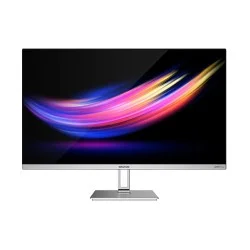
The display quality of a PC plays a significant role in the PC experience. If you are buying a PC monitor along with the new system, try going with LED displays. The most sought feature of a desktop monitor is the resolution refresh rate. You will find impressive Gaming monitors with up to 244Hz refresh rates for premium prices, while 60-100 Hz desktop monitor prices are fairly affordable. On the display resolution, Full HD (1920x1080; FHD) resolution is the bottom line. Going higher than that, such as 2.5K or 4K UHD, will significantly increase the desktop computing experience.
Creatus Computer is the best E-commerce Shop to Order this Product of Your Choice
Creatus Computer has always prioritized its customers and has launched e-commerce shops in addition to physical stores to ensure better customer service. The goal was to meet the needs of more customers in the shortest possible time. Since then, we have topped the list as the best e-commerce shop in Bangladesh. Our website has a comprehensive search option to find the desired product. Our website features a unique PC maker so you can create a custom PC with your desired components.
We are the best Desktop shop in Bangladesh, and we have the best prices around. We have everything you need to build or upgrade your PC, including motherboards, processors, graphics cards, Desktop Ram, Laptop Ram and more. So if you’re looking for the best deals on PCs and computer parts, shop at Creatus Computer today.
What is the price range of desktop PCs in Bangladesh?
Desktop PC prices in Bangladesh range from BDT 17,000৳ to BDT 743,500৳, depending on specifications and brand.
Which processor is best for a desktop PC?
Intel Core i5, i7, and AMD Ryzen 5, 7 processors offer excellent performance for work, gaming, and multitasking.
Are gaming desktop PCs available in Bangladesh?
Yes, gaming PCs with powerful GPUs and cooling systems are available for smooth, lag-free performance.
What monitor size is best for a desktop PC?
A 21-inch to 27-inch Full HD or IPS monitor provides a great balance between clarity and comfort.
What storage options are available in desktop PCs?
You can choose between HDDs for capacity and SSDs for faster speed and performance.