
DDR5 RAM Price in Bangladesh 2026
Creatus Computer, the premier DDR5 RAM shop in Bangladesh, has updated its price list as of 10-10-2026. With a range spanning from BDT 18,500৳ to BDT 75,000৳, they offer 28 different products. Among these, 21 items are currently in stock, of them with the best discount price.
DDR5 RAM Price in BD – Genuine DDR5 Ram Available at Creatus Computer
Are You Looking for the current DDR5 RAM price in BD? Creatus Computer stocks genuine DDR5 desktop memory from Kingston, Corsair, G.Skill, TEAM, and Apacer — covering everyday multitasking builds, gaming rigs, and content-creation workstations. Every module listed here is sourced from authorized distributors and backed by official brand warranty, so whether you're assembling a fresh Intel or AMD build or upgrading an existing DDR5 platform, you'll find a kit that matches your motherboard and workload.
DDR5 has matured a lot since its early days in the local market. Kits are more affordable, XMP/EXPO profiles are more reliable across boards, and mainstream capacities like 16GB and 32GB are now the practical sweet spot for most builders in Bangladesh rather than a premium afterthought reserved for high-end workstations.
How DDR5 Actually Differs From DDR4
The jump to DDR5 isn't just a marketing refresh — the internal architecture changed. Each DDR5 module splits into two independent 32-bit sub-channels instead of DDR4's single 64-bit channel, which improves how the memory controller queues and serves requests, particularly under multi-threaded workloads. Operating voltage also drops from DDR4's typical 1.2V down to around 1.1V on DDR5, which contributes to lower heat output and better power efficiency, especially noticeable on laptops and always-on workstation builds.
On-die ECC (error correction) is another quiet upgrade in DDR5 — even non-ECC desktop DDR5 modules include on-die error correction at the chip level, improving reliability at higher densities and clock speeds. None of this shows up as a flashy spec on a product page, but it's part of why DDR5 scales more gracefully to higher capacities and speeds than DDR4 ever did.
What to Consider Before Buying DDR5 RAM in Bangladesh
DDR5 isn't a single product — speed, capacity, kit configuration, and even latency timings all affect real-world performance differently depending on what you're building. Here's what actually matters when choosing:
- Capacity: 16GB is the practical baseline for gaming and daily multitasking. 32GB (often as a 2x16GB kit) suits content creators, developers running virtual machines, and anyone future-proofing a build for the next few years.
- Speed (MHz): Ranges from 4800MHz up to 6200MHz+ in this lineup. Mid-range speeds (5600–6000MHz) offer the best balance of price and performance for most Intel and AMD platforms, while anything above that mainly benefits enthusiasts running tuned XMP/EXPO profiles.
- CAS Latency (CL): A lower CL number at the same frequency generally means slightly faster response times. It's a smaller factor than raw speed or capacity, but worth comparing when two kits are otherwise similar.
- Single stick vs dual-channel kit: Running two matched sticks in dual-channel mode gives noticeably better bandwidth than one larger single stick — worth prioritizing over raw single-module capacity whenever your budget allows.
- Platform compatibility: DDR5 only works with DDR5-supported motherboards — confirm your board's memory slot type before ordering. If you're building fresh, check our motherboard range and processor lineup for DDR5-ready platform combinations.
- RGB vs non-RGB: Purely cosmetic — doesn't affect performance, but pairs well with tempered-glass casing builds if aesthetics matter to you.
- Heat spreader design: Helps with sustained performance under heavier overclocked profiles, though DDR5's lower operating voltage already keeps thermals fairly manageable compared to older RAM generations.
- Warranty coverage: Most reputable DDR5 kits carry lifetime warranty from the manufacturer — always confirm this is honored locally before purchase.
Recommended DDR5 RAM by Use Case
| Use Case | Recommended Capacity | Suggested Speed |
|---|---|---|
| Everyday use / Office multitasking | 16GB | 5200–5600MHz |
| Gaming builds | 16GB (dual-channel preferred) | 5600–6000MHz |
| Content creation / Video editing | 32GB | 5600–6000MHz |
| Software development / Virtual machines | 32GB | 5600–6000MHz |
| Overclocking / Enthusiast builds | 32GB | 6000MHz+ |
Popular In-Stock DDR5 RAM Options at Creatus Computer
Here are some of our current in-stock picks across different speed and capacity tiers:
- Kingston FURY Beast 16GB 5600MHz DDR5 Desktop RAM — a reliable, widely compatible entry point for most DDR5 builds, ideal for first-time DDR5 upgraders.
- Corsair VENGEANCE RGB 16GB DDR5 6000MHz CL36 Desktop RAM — strong XMP support with RGB lighting for gaming builds that also want a bit of visual flair.
- TEAM T-Force Delta RGB 16GB DDR5 6000MHz CL30 Desktop Ram — solid mid-range performance with wide-angle RGB lighting and a reinforced PMIC cooling design.
- G.Skill Trident Z5 RGB 32GB DDR5 5600MHz Desktop RAM — aimed at enthusiasts who want higher capacity with tuned latency and a distinctive heat-spreader design.
- Corsair VENGEANCE 32GB (2x16GB) DDR5 6000MT/s CL28 Memory Kit — a tight-latency dual-channel kit built for demanding multitasking, creative workloads, and high-refresh gaming.
- Kingston FURY Beast 32GB DDR5 6000MHz CL30 RGB Desktop RAM — high-capacity option with Intel XMP 3.0 and AMD EXPO support, well-suited for professional and content-creation rigs.
All of these are currently in stock and ship with full manufacturer warranty, so you don't need to worry about availability delays once you place an order.
Comparing DDR5 Brands: Kingston vs Corsair vs G.Skill vs TEAM
Kingston FURY is generally the safest starting point — widely available, consistent QC, and easy to find replacement parts or support for locally. It's a good fit if you want dependable performance without spending time tuning profiles manually.
Corsair Vengeance and Dominator Platinum lines tend to have stronger XMP profile support across a wider range of motherboards, along with the option to manage lighting and profiles through Corsair's iCUE software — useful if you're already invested in a Corsair ecosystem for your casing fans or power supply.
G.Skill Trident Z5 leans more toward enthusiasts and overclockers. It's typically priced at the higher end of the 32GB tier but offers tighter factory-tuned latencies for users chasing every bit of extra performance.
TEAM Group (T-Force Delta) sits in a competitive middle ground — RGB-heavy designs at reasonable price points, making it popular among budget-conscious gaming builds that still want the aesthetic.
DDR5 vs DDR4 — Which One Should You Buy?
If you already have a DDR4-based motherboard, upgrading to DDR5 isn't a simple RAM swap — it requires a compatible board and CPU platform, since DDR5 and DDR4 are not interchangeable (different pin layout, different physical slot). For builders sticking with an existing DDR4 setup, our DDR4 RAM range remains a cost-effective option that avoids a full platform rebuild. But if you're starting a new build from scratch, especially on current-generation Intel or AMD platforms, DDR5 is the more future-proof choice and is increasingly the default — and sometimes the only supported option — on new motherboards.
Installing DDR5 RAM: A Few Practical Tips
DDR5 modules use a different notch position than DDR4, so they physically won't fit in a DDR4 slot — there's no risk of accidentally installing the wrong generation. When installing, always populate the slots recommended in your motherboard manual for dual-channel mode (usually the second and fourth slots from the CPU, though this varies by board). After installation, enter your BIOS and enable XMP (Intel) or EXPO (AMD) to run the memory at its rated speed — DDR5 kits typically boot at a lower default JEDEC speed until this profile is manually enabled.
Why Buy DDR5 RAM from Creatus Computer
Creatus Computer is a long-standing PC component retailer in Dhaka with physical branches at Multiplan Centre and IDB Bhaban. Beyond DDR5 memory, we stock the full range of components needed for a complete build — processors, motherboards, and more — so you can plan a compatible DDR5 platform from one place instead of piecing it together across multiple vendors. Every module comes with genuine manufacturer warranty, and our team can help confirm compatibility with your specific motherboard before you order, whether you're buying online or visiting one of our branches in person.
Frequently Asked Questions
Is DDR5 RAM compatible with a DDR4 motherboard?
No. DDR5 and DDR4 use different physical slots and pin layouts and are not cross-compatible. You'll need a motherboard that explicitly supports DDR5 memory.
How much DDR5 RAM do I need for gaming?
16GB in a dual-channel configuration is sufficient for the vast majority of current games. 32GB is only necessary if you're also running heavy background applications, streaming software, or multiple virtual machines alongside gaming.
Does higher DDR5 speed (MHz) significantly improve gaming performance?
The gains are usually modest and depend heavily on the game engine and your CPU/GPU pairing. A faster GPU or processor will typically move the needle more than jumping from 5600MHz to 6000MHz RAM.
Should I buy a single stick or a dual-channel kit?
A dual-channel kit (two matched sticks) is almost always the better choice over a single stick of the same total capacity, since it takes advantage of your motherboard's dual-channel memory architecture for better bandwidth.
Do RGB DDR5 modules perform better than non-RGB ones?
No — RGB lighting is purely cosmetic and has no impact on speed, latency, or stability. Choose based on specs first, aesthetics second.
Is it worth upgrading from DDR4 to DDR5 right now?
If you're already on a capable DDR4 platform for everyday use or gaming, the practical performance gain from switching to DDR5 alone is often small relative to the cost of a new motherboard and CPU. It makes more sense as part of a full platform upgrade rather than a standalone swap.
Do I need to enable anything after installing DDR5 RAM?
Yes — enter your motherboard's BIOS and enable the XMP (Intel) or EXPO (AMD) profile. Without it, DDR5 modules typically run at a lower default JEDEC speed rather than their rated frequency.
DDR5 RAM
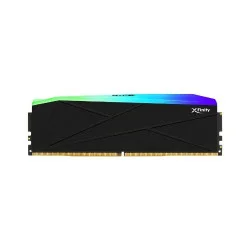
Type: DDR5, Capacity: 8GB
Frequency: 6000MHz
Latency: CL36
LED Lighting: RGB
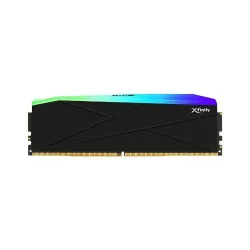
Type: DDR5, Capacity: 8GB
Frequency: 6000MHz, Latency: CL30
LED Lighting: Vibrant RGB
Profile: Intel XMP and AMD EXPO
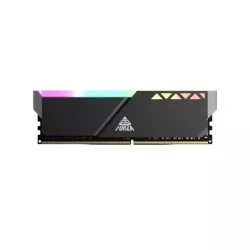
- Memory Type: DDR5
- Capacity: 16GB
- Operating Voltage: 1.20V~ 1.45V
- Form Factor: U-DIMM
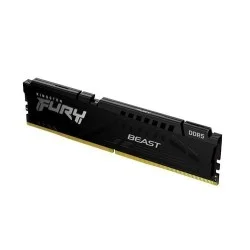
-
- Improved Stablility For Overclocking
- Intel XMP 3.0-Ready And Certified
- Plug N Play At 4800MHz
- Low-Profile Heat Spreader Design
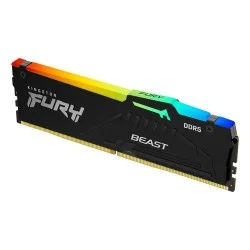
- Frequency: 5600MHz
- Operating voltage: 1.25 V
- Type: Pin 288
- Cas Latency: CL40-40-40
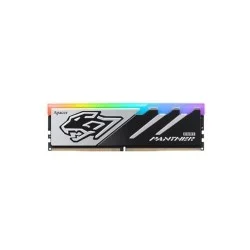
- Capacity: 16 GB
- Type: DDR5
- Frequency: 6000MHz
- CAS Delay Value: CL38
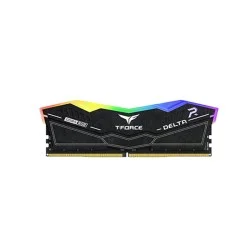
- RGB Colors & 120° Ultra-Wide Lighting
- Supports Intel XMP3.0 for One-Click Overclocking
- Strengthened PMIC Cooling Design
- Latency: CL38-38-38-78 1.25V
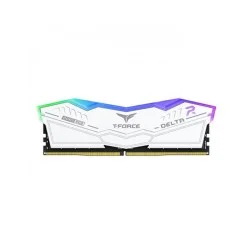
- Ultra-Fast 6000MHz Speed
- Sleek White Design with RGB Lighting
- Intel 600 Series Compatibility
- 32GB Capacity with DDR5 Technology
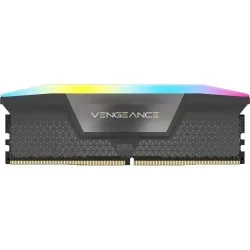
- Capacity: 16GB
- Frequency: DDR5 6200MHz
- Form Factor: 288-Pin
- Voltage & Cas Latency: 1.40V/C36
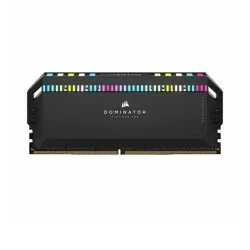
- Type: DDR5
- Capacity: 16 GB
- Frequency: 5600MHz
- Heat Sink Color: Black
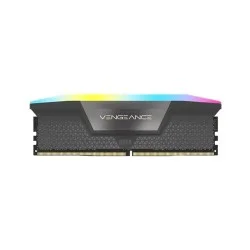
- Capacity: 16GB
- Frequency: DDR5 6000MHz
- Form Factor: 288-Pin
- Voltage & Cas Latency: 1.40V/C36
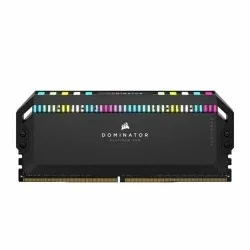
- Size: 16GB, Speed: 5200MHz DDR5
- Built-in voltage regulation
- Tested Latency: 40-40-40-77
- Optimized for the latest Intel DDR5 motherboards
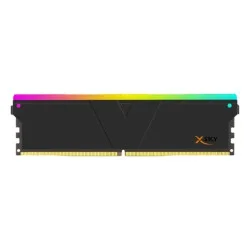
Capacity: 16GB DDR5
Frequency: 6000MHz
Latency: CL36-36-36-96
Lighting: RGB LED
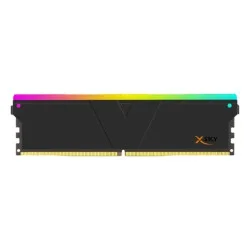
Type: DDR5, Capacity: 16GB
Frequency: 6000MHz, Latency: CL28
Voltage: 1.4V, Profile: AMD E.X.P.O
LED Lighting: Vibrant RGB
Capacity: 16GB, Type: DDR5
Frequency: 6000MHz
CAS Latency: CL30-38-38-96
Voltage: 1.35V, Profile: AMD E.X.P.O
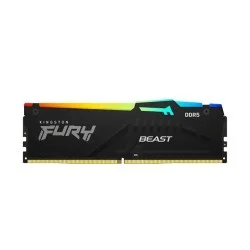
- Tested Voltage: 1.4V
- Tested Speed: 6000MHz
- Tested Latency: CL30-36-36
- Capacity: 16GB, Memory Type: DDR5
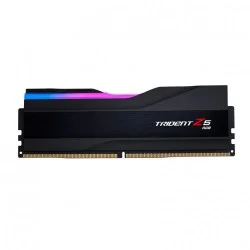
- Memory Type: DDR5, Tested Speed: 5600MHz
- Tested Latency: 36-36-36-89
- Tested Voltage: 1.25V
- Unbuffered, Non-ECC
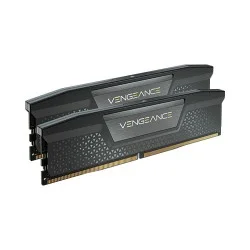
- • Memory Type: DDR5 • Memory Size: 32GB (2x16GB) • Tested Latency: 38-38-38-84 • Tested Voltage: 1.25
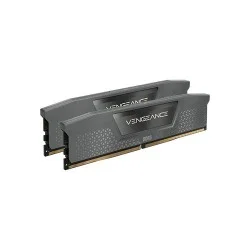
- Memory Size 32GB (2x16GB
- Package Memory Format DIMM
- Package Memory Pin 288
- Memory Type DDR5
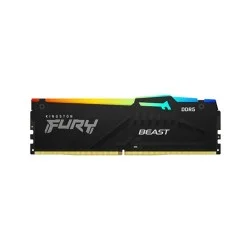
- Frequency: 6000MHz
- Cas Latency: CL30-36-36
- Operating voltage: 1.4 V
- Intel XMP 3.0 and AMD EXPO 1.1 Compatible
