
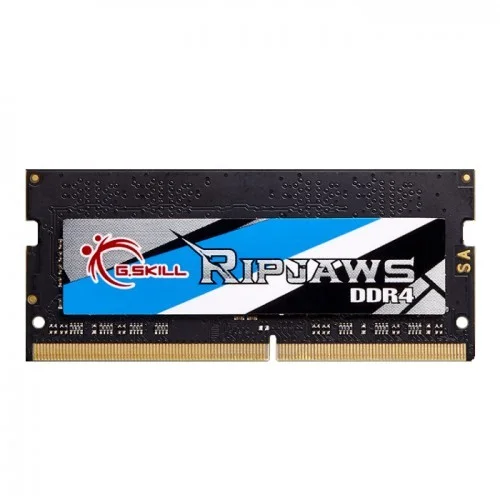
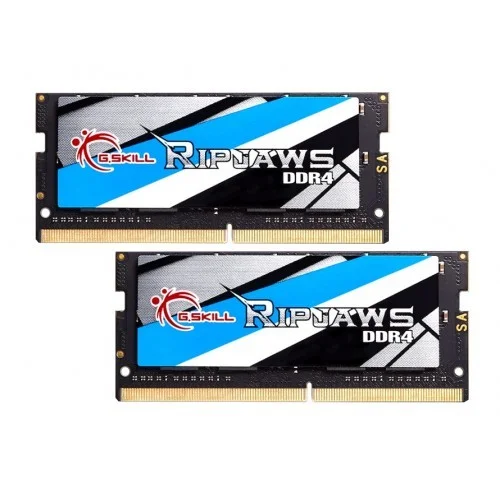
G.Skill Ripjaws SO-DIMM 16GB 2400MHz DDR4L Laptop Ram
Out Of Stock


G.Skill Ripjaws SO-DIMM 16GB 2400MHz DDR4L Laptop Ram
- Stock: Out Of Stock
- Model: G.Skill Ripjaws SO-DIMM
- Product id: 19394
- 16GB 2400MHz DDR4 Capacity
- CAS Latency: 16-16-16-39
- Form Factor: SO-DIMM
- DRAM Voltage: 1.20V
Chat Through
Quick Compare
| Product Details | ||||
| Product | G.Skill Ripjaws SO-DIMM 16GB 2400MHz DDR4L Laptop Ram | Adata 4GB DDR3 1333MHz Desktop Ram | OCPC VS 8GB DDR3 1600MHz Desktop RAM | DATO 8GB DDR4 3200MHz Desktop RAM |
| Image |  |
 |
 |
 |
| Price | |
|
|
|
| Model | G.Skill Ripjaws SO-DIMM | Adata 4GB DDR3 1333MHz | VS 8GB | 8GB DDR4 |
| Brand | G.SKILL | ADATA | OCPC | Dato |
| Availability | Out Of Stock | In Stock | In Stock | In Stock |
| Rating | Based on 0 reviews. |
Based on 0 reviews. |
Based on 0 reviews. |
Based on 0 reviews. |
| Summary | G.Skill Ripjaws SO-DIMM 16GB 2400MHz DDR4L Laptop Ram Feel The Boost In Speed With G.Skill Ripjaws 2400MHz! Designed For The Latest Generation Of 6th Gen Intel® Core™ Processors, This Memory Kit Is The Ideal System Upgrade And Provides Faster Data Transfer And Higher Energy Efficiency Than Ever. Additionally, The Automatic Overclocking Feature Delivers Instant Performance Boost Without Any Manual Adjustments To BIOS Settings. Experience A New Standard Of Speed With Ripjaws DDR4 SO-DIMM Today! Auto-Overclocking No More Messing Around With Manual BIOS Settings. G.SKILL Ripjaws DDR4 SO-DIMM Series Feature Auto-Overclocking. Once You Install The Memory, Qualified Systems Will Automatically Detect The Rated Overclock Speed And You Can Instantly Enjoy The Performance Boost. It’s That Easy. Designed For Ultra Performance And Reliability Built Only With Specially Screened Components, Hand-Picked From G.SKILL’s Rigorous And Highly Selective Binning Process, Every Single Memory Kit Is Prudently Tested To Guarantee Maximum Performance And Reliability Assurance. Designed For The Latest 6th Gen Intel® Core™ Processors The G.Skill Ripjaws 2400MHz Is Compatible With The Latest 6th Gen Intel® Core™ Processor On Laptops And Small Form Factor PCs That Support DDR4 SO-DIMM Memory. It Is One Of The Easiest And Most Cost-Effective Ways To Upgrade Your PCs, No Matter For Gaming Or Working. More Power Efficient Requiring Only 1.2V, The G.Skill Ripjaws 2400MHz Reduces Power Consumption And At The Same Time, Lowers Heat Output That Helps Your Systems Run Cooler, More Stable, And More Efficient. G.Skill Ripjaws SO-DIMM 16GB 2400MHz DDR4L Laptop Ram Review It doesn’t matter if you’re a programmer, avid gamer, or a content developer. Maybe all you do with your PC is access an email account. In any case, RAM can make an enormous difference in the speed of your system. But especially for people who want to have more than two or three windows open at a time. Fortunately, picking laptop RAM isn’t much tougher than picking any other type of RAM. Swapping components inside your laptop might sound like a pretty intimidating and potentially challenging experience, but you don’t actually need any special experience to install laptop RAM. In most cases, installing RAM into your laptop is only marginally more difficult than installing it into a desktop. Which is about as difficult as connecting some Lego blocks. However, you do need to check a few boxes to ensure you end up with everything you expect. First and foremost, you should ask yourself, how much is enough? A good way to gauge how much RAM you need is by looking at the system requirements for the programs you want to run. But if you don’t have those in mind, there are also some pretty good rules of thumb you can follow. For instance, the average person really only needs about 8GB of RAM. With that much at your disposal, you should be able to play essentially any game, and operate essentially any consumer grade computer program. But moving to 16GB does help in a couple of ways. For starters, it means you can keep many more applications open. For instance, a video streamer could load their streaming software, a videogame they’re playing, and an internet browser to watch their stream in real time. That eats up a lot of RAM, but with 16GB, even a power-user like an internet streamer shouldn’t encounter any limits. It’s only people who are doing development work who really might need more than 16GB. For those people, it’s often possible to expand up towards 32GB. But keep in mind, in addition to your laptop having a finite number of RAM slots, there is a limit to the quantity of RAM you can have inside your operating system. Those limits are typically up around 32GB, so you don’t have to overthink them. Specification: Ram Capacity 16GB (16GBx1) Memory Type DDR4 Bus-Speed 2400MHz Memory Platform SO-DIMM Number-of-Pin 16-16-16-39 Voltage 1.20v Warranty Lifetime .. | Adata 4GB DDR3 1333MHz Desktop Ram The Adata 4GB DDR3 1333MHz Desktop Ram module is a 512Mx72 bits 4GB(4096MB) DDR3-1333(CL9)-9-9-24 SDRAM memory module. The SPD is programmed to JEDEC standard latency 1333Mbps timing of 9-9-9-24 at 1.35V. Adata 4GB DDR3 1333MHz module is composed of eight-teen 256Mx8 bits CMOS DDR3 SDRAMs in FBGA package and one 2Kbit EEPROM in 8pin TDFN package on a 240pin glass–epoxy printed circuit board. Adata 4GB DDR3 1333MHz module is a Dual In-line Memory Module and intended for mounting onto 240-pins edge connector sockets. Synchronous design allows precise cycle control with the use of system clock. Data I/O transactions are possible on both edges of DQS. Range of operating frequencies, programmable latencies and burst lengths allow the same device to be useful for a variety of high bandwidth, high-performance memory system applications. Adata 4GB DDR3 1333MHz Desktop Ram Review Purchased this for an older Biostar motherboard mATX. Was not sure it would match its predecessor memory of the same bandwidth and speed etc. But it did and now I have 8 gigs of solid working memory. Boosted system performance significantly. Would recommend! Good memory at a good price. Despite it's different look, it perfectly matched the other 4GB ADATA stick with heat spreader that I had, allowing me to easily upgrade my workstation to 8GB. Working at 1333MHz @ 9-9-9-24 with no issues. As other reviews already state, this RAM does its' job. The price is great, and despite being a lower frequency than other choices there isn't a performance difference. This is great RAM for cheap, I'd recommend it to anyone. Specifications Power supply (Normal): VDD & VDDQ = 1.35V (1.283V to 1.45V) Backward-compatible to VDD=+1.5V+-0.075V MRS Cycle with address key programs - CAS Latency (6,7,8,9) - Burst Length (BL):8 and 4 with Burst Chop(BC) Bi-directional, differential data strobe (DQS and /DQS) Differential clock input (CK, /CK) operation DLL aligns DQ and DQS transition with CK transition Double-data-rate architecture; two data transfers per clock cycle 8 independent internal bank Internal (self) calibration: Internal self calibration through ZQ pin (RZQ:240 ohm±1%) Auto refresh and self refresh Average Refresh Period 7.8us at lower then TCASE 85°C, 3.9us at 85°C < TCASE ≤ 95°C 8-bit pre-fetch. On Die Termination using ODT pin. On-board I2C temperature sensor with integrated serial presence-detect (SPD) EEPROM. EEPROM software write protect. Lead-free products are RoHS Compliant .. | OCPC VS 8GB DDR3 1600MHz Desktop RAM The OCPC VS 8GB DDR3 1600MHz Desktop RAM is a dependable and budget-friendly memory upgrade designed for users who want smoother performance without spending too much. In Bangladesh, many desktop users still rely on DDR3-based systems for office work, study, freelancing, and light creative tasks. This RAM is an ideal solution to breathe new life into older PCs, improving speed, responsiveness, and multitasking capability.At creatus, we understand the needs of Bangladeshi users who want affordable yet reliable hardware. That is why this OCPC RAM is a popular choice for students, office employees, freelancers, and small business users who want stable performance for daily computing tasks. Stable Performance for Everyday Computing With a capacity of 8GB, this DDR3 RAM is perfect for handling daily workloads smoothly. Whether you are browsing multiple tabs, working on Microsoft Office, attending online classes, or using lightweight software, this memory module ensures your system does not slow down easily.In Bangladesh, many users experience slow PCs due to insufficient memory. Upgrading to this OCPC 8GB RAM significantly reduces lag, improves loading speed, and allows better multitasking. It is especially useful for users who work with accounting software, online browsing, Zoom meetings, and basic editing tasks. 1600MHz Speed for Smooth System Response The 1600MHz frequency ensures stable and consistent performance for DDR3-based systems. While it may not match modern DDR4 or DDR5 speeds, it is optimized for older motherboards, making it a perfect upgrade option.This speed improvement helps in faster application switching, quicker boot times, and smoother overall system responsiveness. For users in Bangladesh looking for a cost-effective upgrade instead of replacing the entire PC, this RAM is a practical solution available at creatus. Energy Efficient and Stable Operation Operating at 1.5V, this memory module is designed to maintain energy efficiency while delivering stable performance. Lower power consumption means less heat generation, which contributes to better system longevity and stability.This is especially important for users in Bangladesh where desktops often run for long hours in offices, shops, and home environments. Stable temperature and reliable operation ensure that your system performs consistently without unexpected crashes or slowdowns. Designed for Compatibility and Easy Upgrade The OCPC VS 8GB DDR3 RAM is a non-ECC, unbuffered memory module, making it compatible with most standard desktop motherboards that support DDR3 RAM. This ensures a hassle-free installation process without complicated setup requirements.Many Bangladeshi users prefer simple plug-and-play upgrades, and this RAM fits perfectly into that requirement. Whether you are upgrading an old office computer or improving a home desktop, installation is straightforward and user-friendly.At creatus, we always recommend checking motherboard compatibility before purchase, but in most DDR3-supported systems, this RAM works smoothly without issues. Perfect Choice for Budget PC Upgrades in Bangladesh For users who want to upgrade their system without investing in a completely new PC, this OCPC RAM is a smart and economical choice. It delivers noticeable performance improvement at a reasonable price point, making it highly popular in the Bangladeshi market.Students can run study applications more smoothly, office users can multitask efficiently, and freelancers can handle daily workloads without frustration. Even light gaming and multimedia usage become more enjoyable with improved system memory.creatus ensures that customers get genuine products with proper warranty support, making your purchase more secure and trustworthy. Reliable Brand with Lifetime Warranty Support OCPC is known for producing stable and reliable memory products, and this model continues that reputation. The lifetime warranty provides long-term peace of mind, ensuring that your investment remains protected.In Bangladesh, warranty and product authenticity are major concerns for buyers. That is why purchasing from trusted sellers like creatus ensures you receive original products with proper after-sales support. Why Choose OCPC VS 8GB DDR3 RAM? This RAM is designed for users who want simple, effective, and affordable performance upgrades. It is not a high-end gaming memory but an excellent solution for improving older desktop systems.Key benefits include smoother multitasking, faster application response, reduced system lag, and improved stability. For users upgrading on a budget in Bangladesh, this is one of the most practical choices available at creatus. OCPC VS 8GB DDR3 1600MHz RAM Price in Bangladesh The price of OCPC VS 8GB DDR3 1600MHz Desktop RAM in Bangladesh may vary depending on stock availability and market conditions. However, at creatus, we aim to provide competitive pricing along with genuine product assurance and reliable service.If you are planning to upgrade your desktop, this RAM offers excellent value for money and is widely recommended for older DDR3 systems across Bangladesh. Final Thoughts The OCPC VS 8GB DDR3 1600MHz Desktop RAM is a smart upgrade for anyone looking to improve their PC performance without spending too much. It is stable, efficient, and perfectly suited for everyday computing needs in Bangladesh.Whether you are a student, office worker, or casual user, this RAM ensures better performance and smoother multitasking. With reliable support from creatus, you also get the confidence of buying an authentic product with warranty protection. Frequently Asked Questions (FAQ) 1. Is OCPC VS 8GB DDR3 RAM compatible with all desktop PCs in Bangladesh? It is compatible with most desktops that support DDR3 memory. However, users should always check motherboard compatibility before purchasing. 2. What is the warranty of OCPC VS 8GB DDR3 1600MHz RAM? This RAM comes with a lifetime warranty, ensuring long-term reliability and peace of mind for users in Bangladesh. 3. Can this RAM improve my old PC performance? Yes, upgrading to 8GB DDR3 RAM significantly improves multitasking, system speed, and overall performance for older desktop computers... | DATO 8GB DDR4 3200MHz Desktop RAMUpgrade your laptop’s speed and multitasking power with the DATO 8GB DDR4 3200MHz Desktop RAM. Designed for users who need a reliable and efficient memory upgrade, this RAM module offers the perfect balance between performance and affordability. Whether you're a student, casual user, or professional, this RAM can help boost system responsiveness and overall computing performance.With a total capacity of 8GB, the DATO DDR4 RAM is ideal for handling everyday tasks such as web browsing, document editing, streaming, and light gaming. Running at a bus speed of 3200MHz (PC4-25600), it ensures faster data transfer rates, reduced load times, and smoother multitasking compared to older memory modules. This single 8GB UDIMM module fits seamlessly into laptops with available memory slots and supports DDR4 technology. With 288 pins, it ensures stable connectivity and performance. The module is registered and non-ECC (Error-Correcting Code), which is suitable for most laptops that require standard, non-server-grade memory.The DATO 8GB DDR4 module is a reliable and cost-effective upgrade for laptops that are struggling with slow performance or limited RAM capacity. It improves system responsiveness, supports faster boot times, and enhances your overall computing experience.If you're searching for a budget-friendly 8GB DDR4 3200MHz Desktop RAM in Bangladesh, the DATO module is a smart pick. Whether you're upgrading an old device or adding more memory for multitasking, this RAM provides solid performance and great value.Key Features8GB DDR4 UDIMM module3200MHz high-speed performanceNon-ECC and registered288-pin standardCompatible with most DDR4-supported laptops.. |
Related Product


Recently Viewed

