
Asus Phoenix GeForce GTX 1050Ti 4GB GDDR5 Graphics Card
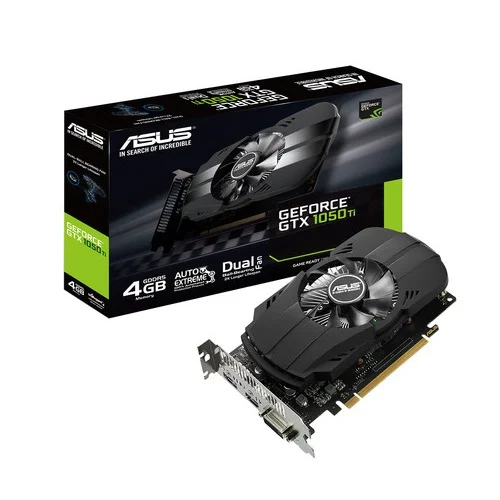
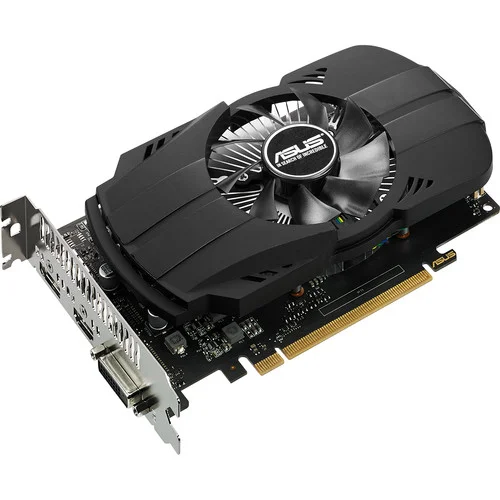
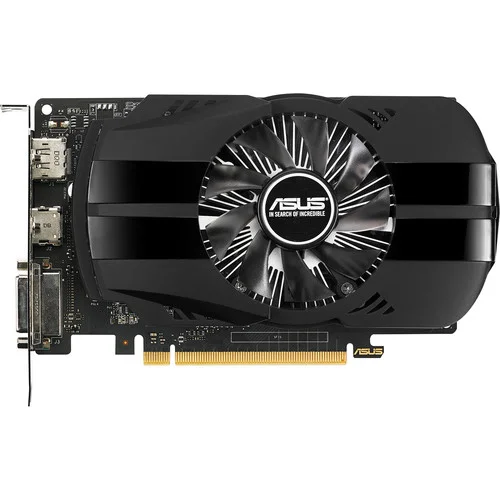
Out Of Stock


Asus Phoenix GeForce GTX 1050Ti 4GB GDDR5 Graphics Card
- Stock: Out Of Stock
- Model: Asus Phoenix GeForce GTX 1050Ti
- Product id: 22981
- MPN: PH-GTX1050TI-4G
- Industry Only Auto-Extreme Technology with Super Alloy Power II
- NVIDIA ANSEL
- Dual-ball Bearing Fan
- Easy plug and play gaming
Chat Through
Quick Compare
| Product Details | ||||
| Product | Asus Phoenix GeForce GTX 1050Ti 4GB GDDR5 Graphics Card | Gigabyte GT 710 2GB DDR3 Graphics Card | OCPC GeForce GT 730 4GB DDR3 Graphics Card | Colorful GeForce GTX 1630 Mini 4GD6-V GDDR6 Graphics Card |
| Image |  |
 |
 |
 |
| Price | 0৳ | |
|
|
| Model | Asus Phoenix GeForce GTX 1050Ti | GV-N710D3-2GL | GT 730 | GeForce GTX 1630 Mini 4GD6-V |
| Brand | ASUS | GIGABYTE | OCPC | COLORFUL |
| Availability | Out Of Stock | In Stock | In Stock | In Stock |
| Rating | Based on 0 reviews. |
Based on 0 reviews. |
Based on 2 reviews. |
Based on 1 reviews. |
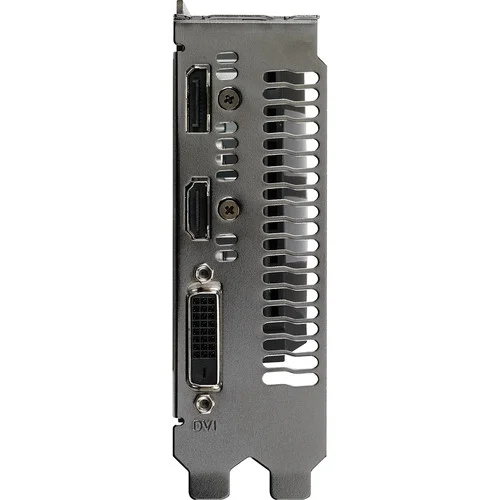
| Summary | Asus Phoenix GeForce GTX 1050Ti 4GB GDDR5 Graphics Card Asus Phoenix GeForce GTX 1050Ti 4GB Graphics Card Asus Phoenix GeForce GTX 1050Ti Graphics Card Provides Major Improvements In Performance, Memory Bandwidth, And Power Efficiency Over Its Predecessor, The Maxwell Architecture. Asus Phoenix GeForce GTX 1050 Ti Front Panel Of The Card Features A Variety Of Outputs Including DisplayPort 1.4 Output, One HDMI 2.0b Output, And One DVI-D Dual-Link Output. Asus Phoenix GeForce GTX 1050Ti Graphics Card Is Not Just About High-Resolution Gaming; Computationally Intensive Programs Can Utilize The GPU's 768 Cores To Accelerate Tasks Using CUDA Or Other APIs.This Asus Phoenix GeForce GTX 1050Ti Graphics Card Features One Dual Ball-Bearing Fan. With Reduced Friction, It Also Runs Smoother, Further Improving Card Lifespan And Cooling Efficiency. Asus Phoenix GeForce GTX 1050Ti Comes Equipped With A Dual Ball-Bearing Fan For A 2X Longer Card Lifespan And Exclusive Auto-Extreme Technology With Super Alloy Power II Components For Superior Stability. Asus Phoenix GeForce GTX 1050Ti Also Has GPU Tweak II With XSplit Gamecaster That Provides Intuitive Performance Tweaking And Real-Time Streaming. It Provides Best Experience In Games Such As Overwatch, Dota 2, CS Go And League Of Legend. NVIDIA Ansel With Ansel, Gamers Can Compose The Gameplay Shots They Want, Pointing The Camera In Any Direction And From Any Vantage Point Within A Gaming World. They Can Capture Screenshots At Up To 32 Times The Screen Resolution, And Then Zoom In Where They Choose Without Losing Fidelity. With Photo-Filters, They Can Add Effects In Real-Time Before Taking The Shot. And They Can Capture 360-Degree Stereo Photospheres For Viewing In A VR Headset Or Google Cardboard. The Best For Your Compact Build Asus Phoenix GeForce GTX 1050Ti Comes Equipped With A Dual Ball-Bearing Fan For A 2X Longer Card Lifespan And Exclusive Auto-Extreme Technology With Super Alloy Power II Components For Superior Stability. Asus Phoenix GeForce GTX 1050 Ti Also Has GPU Tweak II With XSplit Gamecaster That Provides Intuitive Performance Tweaking And Real-Time Streaming. It Provides Best Experience In Games Such As Overwatch, Dota 2, CS Go And League Of Legend. CUDA With CUDA, NVIDIA Allows Applications To Hand Off CPU-Intensive Tasks To The GPU. Your GPU Is No Longer Just Used For Rendering Graphics, But It Can Provide Teraflops Of Floating Point Performance And Accelerate Application Tasks, From Real-Time Video Rendering To Fluid Dynamics Simulation. CUDA Is Used In Many Applications And Games. Dual-Ball Bearing Fan. 2X Longer Lifespan Without The Problem Of Oil Drying Common In Sleeve-Bearing Fans, The Dual-Ball Bearing Fan On ASUS Phoenix GeForce® GTX 1050 Ti Lasts 2X Longer. With Reduced Friction, It Also Runs Smoother, Further Improving Card Lifespan And Cooling Efficiency. G-SYNC Ready When Used With A Monitor That Has G-SYNC Hardware Installed, The Monitor's Refresh Rate Will Sync And Lock With The Graphics Card's Output Frame Rate. Establishing This Sync Removes Tearing And Stuttering Which Can Result From Conventional Fixed Screen Refresh Rates, Especially Important For Gaming In Stereoscopic 3D. An Additional Benefit Of G-SYNC Is Reduced Lag So Gamers Will Benefit From The Improved Command Response Time As Well. NVIDIA GPU Boost 3.0 Boosts The Card's Clock Speed In Real-Time Based On The Target Temperature. If The Card Is Running Below The Set Target Temperature, GPU Boost 3.0 Will Increase The Clock Speed To Improve Performance. The Target Temperature Can Be Reset Depending On Your Preference So You Can Have The Card Run More Quietly For Everyday Tasks And Older Games, And Run At Full Tilt During Intense High-Resolution Gaming Sequences. Asus Phoenix GeForce GTX 1050Ti 4GB GDDR5 Review When Asus Phoenix GeForce GTX 1050Ti was newly installed in the beginning of December it worked great. But as time went by it began acting up, everything I'd do on photoshop was getting slower and slower. It would take sometimes two minutes or so to open images on a simple printing program. Finally today (March 3, 2020) it crashed and there was no recovery. I should have returned it when I suspected something was going awry but I thought maybe there was something wrong with the computer. Now I'm out of luck. Installed my old card and everything works as it should. --- UPDATE: After a few months of waiting I had heard there was an update to this graphics card so I decided to reinstall it and give it a try. After installing the new update the card has worked flawlessly ever since. It would crash every 20 hours or so before but now it has not crashed once. Hopefully the update removed the problems my card was experiencing and I can trust it while doing photoshop projects. Originally a one star rating, I would have gone lower if I could have, I bumped the star rating up to four stars. Four stars only because I want to wait several more months to see if the problems have been permanently fixed. --- UPDATE: Bumped my rating to five star. Since the update the card has never crashed, and is working perfectly and faster than ever. I bought this to replace an ATI era hd 4850 video card. Yes the video card from the year 2008 if I remember correctly. Anyway I knew even buying a budget card would be a massive improvement. After all the ATI 4850 only came out with 512MB of ram! Yes thats right MB not GB. Moving forward after looking online for a new video card I was sticker shocked. I guess something called bitcoin mining has made the demand for video cards crazy high right now. the Date is 4/5/2018 at the time I'm writing this. However I needed a video card and I didn't want to sell my soul for one. So after realizing the 1060 was just too much I settled for the 1050 ti over the 1050. The reason.... I wanted 4gb of ram.... not the 2gb that comes with non Ti version. I have been burned by not buying enough ram but never by buying too much. So I did a search and it seemed that the 1050 ti series seems to be higher in price over their MSRP due to this mining stuff going on. However this card seemed to be the best bang for the buck and I have heard of ASUS before since I have owned many of their motherboards and knew they made quality products. I installed the card with little issue and loved the fact I didn't have to use an external power cord for the video card like the ATI Radeon 4850 used. Amazing isn't it that a card with almost 4 times the ram and many many times the computing power over my old card didn't even need the amount of power my old 2008 4850 card needed. Good job Nvidia! Anyway now I can play (WOT) World of Tanks at over 100fps using almost the highest settings. The new maps in Patch 1.0 look amazing with this card. I plan on loading more games once I find my Steam password again. However I am pleased even though this is not a barn burner video card it plays many games perfectly fine even though you might not be able to play them at maximum video settings. Extremely pleased with this card. It went into a roughly 6 year old Asus desktop, running 32GB of DDR3, with an FX8300 processor all powerted by a 300 watt psu. I've slowly modded the old rig up over the years, adding more ram, nice fans and a slightly better GPU before this - but it had recently become quite obvious that its gaming prowess was lacking. Asus Phoenix GeForce GTX 1050Ti replaced a passively cooled ASUS GT1030 2 gig card. One of my biggest reasons in choosing both the old 1030 and current 1050 have been to avoid upgrading the power supply from the original 300 watt unit. At 6 years old and running an old processor and old slow ram there was only so much. I wanted to invest in the old rig. Asus Phoenix GeForce GTX 1050Ti only game I play on PC is iRacing. The old 2 gig card was lucky to hit 80FPS with the graphics severely turned down. The new card will easily run double that on the same graphics settings and has no issues running 100+ FPS on much better graphics than I'm used to. I play on a 27" MSI monitor, running 1080P and 120hz. Long story short, I'm not sure I could have got a better card for my needs and it has greatly enhanced my gaming experience. I've always had great luck with Asus and will likely continue using their products for the foreseeable future. Specification Video Memory Specifications Type GDDR5 Size 4GB Resolution Digital Max Resolution:7680x4320 Core Clock GPU Boost Clock : 1392 MHz GPU Base Clock : 1290 MHz Memory Clock 7008 MHz BUS Type PCI Express 3.0 Memory Interface 128-bit CUDA Cores 768 Interface Display Port Yes x 1 (DisplayPort 1.4) HDMI Yes x 1 (Native) (HDMI 2.0b) DVI Yes x 1 (Native) (DVI-D) HDCP Yes (2.2) Power Specifications Recommended PSU 300W Display Option Multi Display 3 Application Programming Interfaces OpenGL 4.5 Physical Specifications Dimensions 19.2 x 11.1 x3.7 Centimeter Warranty Manufacturing Warranty 2 Years .. | Gigabyte GT 710 2GBGigabyte GT 710 2GB DDR3 Graphics Card Gigabyte GT 710 2GB DDR3 Graphics Card Powered by NVIDIA GeForce GT 710 GPU Integrated with the first 2048MB DDR3 memory and 64-bit memory interface Core Clock: 954MHz Features Dual-link DVI-D / D-Sub / HDMI Support PCI Express 2.0 x8 bus interface Recommended system power supply requirement: 300W Gigabyte GT 710 2GB DDR3 Review Gigabyte GT 710 easy to physically install. Gigabyte GT 710 instructions failed to mention the BIOS. My monitor did not work at first because when I booted, it was plugged into the new card. I pressed "delete" a few times hoping the computer would open BIOS so i could shut down, plug back into the onboard video card and then enter BIOS to disable the onboard video, and default to the PCIe slot. Once I did that, we were in business. Someone who is not familiar with BIOS might suspect the card does not work...don't forget to change your BIOS when you use onboard video card BEFORE you install the card. Once I got past that hiccup, it was fine. What i do NOT like is these companies now send a card without a CD or installation software and drivers. Not everyone has internet these days Yes hard to believe, But i purchased this for someone who has a home desktop computer, when i installed the card i was stunned that there were NO drivers or installation disk in the box. Companies are getting so cheap. I had to drive home over 40 miles D/L the software place it on a CD drive back to install the software for the card to run. Totally ridiculous. Gigabyte GT 710 card on the other hand works great now that i have it installed., Make sure you install the software that comes with the video card. The windows default software technically works... but it is no good. Use the included software and then check for updates to assure you have the video card running at its best. Installation of software and drivers took forever. Once installed ran machine for about an hour. Next use was online gaming where this crashed and sent me to a black screen after only 10 minutes of online online multiplayer gaming. It has been returned and my older BFG 550 Ti is back in running like a champ. Specification: Graphics Card Memory Size 2 GB Graphics Engine GeForce® GT 710 Core Clock 954 MHz (Standard: 954 MHz) Memory Type DDR3 Card size H=21 L=144 W=68 mm Memory Clock v2.0 1600 MHz II v1.0 1800 MHz II Warranty 2 Years .. | OCPC GeForce GT 730 4GB DDR3 Graphics CardThe OCPC GeForce GT 730 4GB DDR3 Graphics Card is an excellent entry-level GPU designed for everyday computing, multimedia, and light gaming. Featuring 4GB DDR3 memory, it ensures smooth video playback, reliable performance, and support for popular applications. With HDMI, DVI, and VGA outputs, it offers wide compatibility with different monitors and systems. Its compact design makes it ideal for small form factor PCs, while low power consumption ensures efficiency without requiring an external power connector. Perfect for office work, casual gaming, and HD video streaming, the GT 730 is a budget-friendly upgrade for enhanced graphics performance.Main Features of OCPC GeForce GT 7304GB DDR3 memory for reliable performanceHDMI, DVI, and VGA outputs for multi-display supportCompact design suitable for small casesLow power consumption, no extra connector requiredIdeal for everyday tasks and HD video playbackCompatible with major operating systemsSupports DirectX and OpenGL technologiesFeatures and BenefitsSmooth Visuals: 4GB memory ensures better multitasking and video playback.Connectivity Options: HDMI, DVI, and VGA support multiple monitors.Compact Build: Fits easily in small desktops and office PCs.Energy Efficient: Runs without external power, saving energy.Budget-Friendly: Affordable choice for entry-level users.HD Ready: Handles high-definition videos with ease.Reliable Brand: Backed by OCPC’s trusted quality.Why Choose OCPC GeForce GT 730?The OCPC GeForce GT 730 4GB DDR3 Graphics Card is the perfect balance of affordability, reliability, and performance for office use, multimedia, and light gaming.Why Buy from Creatus Computer?Creatus Computer guarantees genuine products, best prices in Bangladesh, warranty support, and excellent after-sales service for every customer.FAQQ1: Can the GT 730 run modern games?A1: It can handle light and older games but is not designed for heavy gaming.Q2: Does it need external power?A2: No, it runs efficiently without additional power connectors.Q3: Is it good for dual monitors?A3: Yes, it supports multiple displays via HDMI, DVI, and VGA... | Colorful GeForce GTX 1630 Mini 4GD6-V GDDR6 Graphics CardThe Colorful GeForce GTX 1630 Mini 4GD6-V is a compact and powerful GDDR6 graphics card that delivers exceptional performance and visuals for gamers and multimedia enthusiasts. This graphics card is designed to fit into small form factor systems while still packing a punch in terms of gaming capabilities. With its compact dimensions of 183x127x39mm, it's perfect for those looking to build a compact gaming PC without sacrificing performance. At the heart of this graphics card is the GDDR6 memory with a 4GB capacity, offering fast and responsive performance for your gaming needs. The 12Gbps memory clock ensures smooth and lag-free gameplay, allowing you to immerse yourself in the latest games with stunning graphics. The 64-bit BUS type and 512 CUDA cores contribute to the card's ability to handle demanding graphics tasks and deliver an exceptional gaming experience. The Colorful GeForce GTX 1630 Mini boasts a core clock with a base speed of 1740MHz, which can boost up to 1785MHz. This means you can enjoy smooth gameplay in your favorite titles without stuttering or frame drops. It supports modern gaming technologies and is ready for the latest DirectX 12.1 and OpenGL 4.6, ensuring compatibility with the latest games and software. In terms of connectivity, the card offers a versatile set of ports and connectors. It features 1x DisplayPort, 1x HDMI, and 1x DL-DVI port, allowing you to connect to a variety of displays and peripherals, making it a versatile solution for your gaming and multimedia needs. Despite its compact size and impressive performance, the Colorful GeForce GTX 1630 Mini is power-efficient, with a recommended PSU of just 400W and a power consumption of 75W. This makes it a suitable choice for smaller PC builds that need to maintain energy efficiency.Colorful GeForce GTX 1630 Mini 4GD6-V Graphics Card FeaturesGDDR6 Memory: The graphics card is equipped with 4GB of GDDR6 memory, providing high-speed and responsive performance for gaming and multimedia tasks.Impressive Clock Speeds: With a base clock of 1740MHz and a boost clock of 1785MHz, this graphics card offers swift and smooth performance, ensuring lag-free gameplay and responsive graphics rendering.High Memory Clock: The card features a memory clock speed of 12Gbps, facilitating rapid data transfer between the GPU and memory for seamless gaming experiences.CUDA Cores: The Colorful GeForce GTX 1630 Mini is equipped with 512 CUDA cores, which are responsible for parallel processing and significantly enhance its ability to handle complex graphics workloads.Versatile Connectivity: It comes with a range of ports and connectors, including 1x DisplayPort (DP), 1x HDMI, and 1x DL-DVI port, allowing you to connect to various display options and peripherals.Compact Form Factor: The card is designed in a compact form factor with dimensions of 183x127x39mm, making it ideal for small form factor PC builds where space is limited.Power Efficiency: It's a power-efficient graphics card with a recommended PSU of just 400W and a power consumption of only 75W, which is great for energy-conscious users and small PC builds.Modern API Support: The Colorful GeForce GTX 1630 Mini supports the latest graphics APIs, including DirectX 12.1 and OpenGL 4.6, ensuring compatibility with the latest games and software.Warranty: Colorful offers a generous 3-year warranty, giving you peace of mind and ensuring the longevity and reliability of your investment in this graphics card.Compact Gaming Power: Despite its small size, this graphics card delivers a powerful gaming experience, making it suitable for gamers who want high-quality graphics without the need for a full-sized GPU.Excellent Price-Performance Ratio: This card provides a cost-effective solution for gamers and content creators looking for a balance between price and performance, making it a great choice for budget-conscious builds... |
Related Product


Recently Viewed


27,000৳
Ex Tax:27,000৳
