Menu
Your Cart

TP-Link Router

TP-Link Router
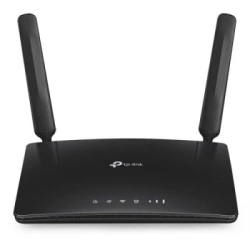
    • Signal Rate5GHz: 11a 54M: -74dBm 11ac HT20: -67dBm 11ac HT40: -64dBm 11ac HT80 : -60dBm 11n HT20: -71dBm 11n HT40: -70dBm
    • 2.4G: 11g 54M: -76dBm 11n HT20: -73dBm 11n HT40: -67dBm
8,000৳
Ex Tax:8,000৳
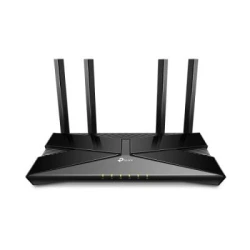
    • Data Rate: 1201 Mbps (5 GHz, 11ax) 300 Mbps (2.4 GHz, 11n)Compatible with 802.11a/b/g/n/ac Wi-Fi standards
    • Antenna: 4× Fixed Omni-Directional Antennas
    • Button: WPS/Wi-Fi On/Off Button, Reset Button, Power On/Off Button
    • Frequency: 2.4GHz and 5GHz
8,350৳
Ex Tax:8,350৳
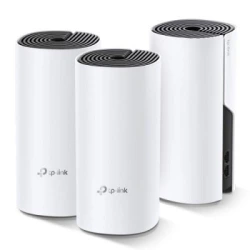
    • Data Rate: 300 Mbps on 2.4 GHz867 Mbps on 5 GHz
    • Antenna: 2 internal dual-band antennas per Deco unit
    • Button: 1 Reset button on the undersideFrequency2.4 GHz and 5 GHz
9,000৳
Ex Tax:9,000৳
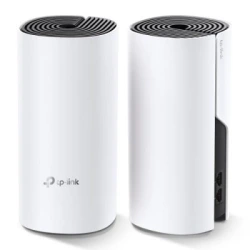
TP-Link Deco M4 (2 Pack) Whole Home Mesh Wi-Fi System AC1200 Dual-band Router
Save: 289৳ (3%)
  • •  Deliver Wi-Fi to an area of up to 3,800 square feet •  connect up to 100 devices •  Frequency: 2.4 GHz, 5 GHz •  Speed up to 1200 Mbps
9,000৳ 9,289৳
Ex Tax:9,000৳
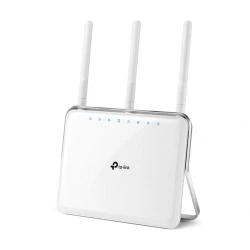
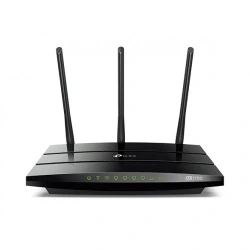
    • nterface: 4 10/100/1000Mbps LAN Ports,
    • nterface: 1 10/100/1000Mbps WAN Port
    • nterface: 1 USB 3.0 Port + 1 USB 2.0 Port
    • nterface: Button WPS/Reset Button,
    • Network Standard: IEEE 802.11ac/n/a 5GHz
    • Network Standard: IEEE 802.11b/g/n 2.4GHz
    • Encryption: 64/128-bit WEP, WPA/WPA2, WPA-PSK/WPA-PSK2 encryption
    • Ports: 4 x LAN Ports,
    • Ports: 1 x WAN Port
    • Ports: 1 x USB 3.0 Port
    • Ports: 1 x USB 2.0 Port
10,100৳
Ex Tax:10,100৳
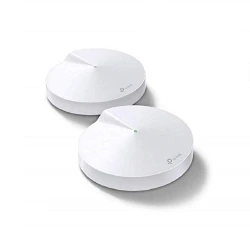
    • Antenna: 4 internal antennas per Deco unit
    • Button:1 Reset button on the underside
    • Frequency: 2.4 GHz and 5 GHz
    • Wireless: Yes
    • Interface2: LAN/WAN Gigabit Ethernet Ports
12,890৳
Ex Tax:12,890৳
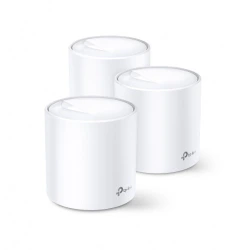
  • •  Speed: 574 Mbps at 2.4 GHz + 1201 Mbps at 5 GHz •  4× Internal Antennas •  Wi-Fi Dead Zone Killer •  Robust Parental Controls
15,480৳
Ex Tax:15,480৳
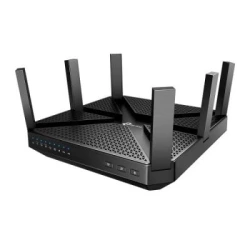
    • Interface: 1x 10/100/1000 WAN4x 10/100/1000 LAN1x USB 2.0 1x USB 3.0
    • Network Standard: 802.11a/b/g/n/ac, 802.3ab
20,490৳
Ex Tax:20,490৳
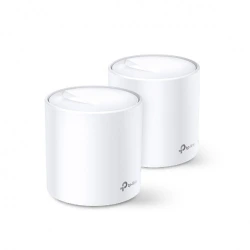
  • •  SPEED: 574 Mbps at 2.4 GHz + 2402 Mbps at 5 GHz •  6 Streams •  Seamless Roaming •  4× Internal Antennas
20,500৳
Ex Tax:20,500৳
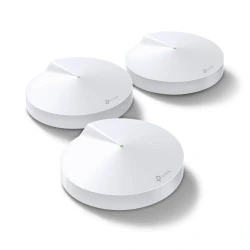
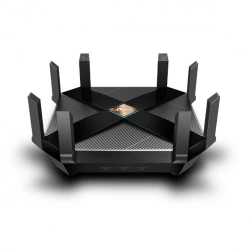
    • Speed: 1148 Mbps at 2.4 GHz + 4804 Mbps at 5 GHz
    • 4x Larger Capacity
    • Lightning-Fast Connections
    • 8 high-gain external antennas
29,500৳
Ex Tax:29,500৳
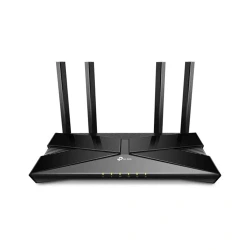
TP-Link Archer AX15 AX1500 Dual Band Gigabit WiFi 6 Router
Out Of Stock
  • 5 GHz: 1201Mbps, 2.4 GHz: 300Mbps
  • Supports MU-MIMO and OFDMA
  • 1× Gigabit WAN Port, 4× Gigabit LAN Ports
  • Beamforming, High-Power FEM, 4T4R
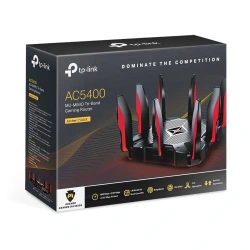
TP-Link Archer C5400X AC5400 MU-MIMO Tri-Band Gaming Router
Out Of Stock
    • Data Rate: 5400Mbps (2167 + 2167 + 1000)
    • Antenna: 8 external and detachable antennas
    • Button1x Power
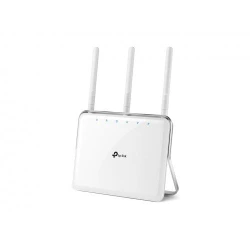
TP-Link Archer C7 AC1750 Wireless Dual Band Gigabit Router
Out Of Stock
    • Frequency: 2.4GHz and 5GHz
    • Interface: 1 x WAN & 4 x LAN ports
    • DIM: 9.6W x 6.4D x 1.3H in
TP-Link Archer C8 AC1750Mbps Dual Band Gigabit Wireless Router
Out Of Stock
    • Frequency: 2.4GHz and 5GHz
    • Interface: 1 x WAN & 4 x LAN ports
    • DIM: 8.7W x 3.4D x 6.6H in
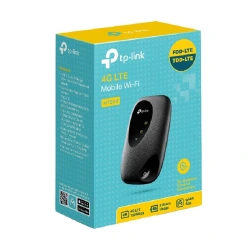
Tp-link M7200 4G 150 Mbps LTE Mobile Wi-Fi Router
Discontinued
  • •  Model: Tp-link M7200 •  Share up to 10 devices simultaneously •  2000mAh battery for 8 hours of usage •  Supports 4G FDD/TDD-LTE
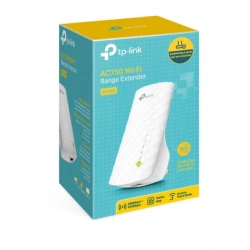
TP-Link RE200 AC750 Wi-Fi Range Extender
Up Coming
    • Dual band speeds up to 750Mbps
    • Frequency: 2.4GHz & 5GHz
    • Power Consumption: About 6.5W
    • Transmit Power: < 20 dBm
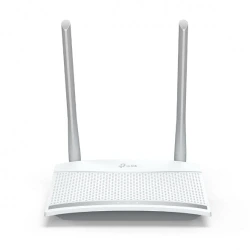
Tp-Link TL-WR820N 300Mbps Wireless N Speed Router
Out Of Stock
    • Button: WPS/Reset Button
    • Frequency: 2.412~2.472GHz
    • Wireless: Wireless Functions Enable/Disable Wireless Radio, WMM, Wireless Statistics
    • Interface: 2 10/100Mbps LAN Ports 1 10/100Mbps WAN Port
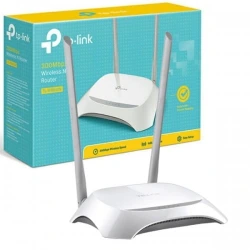
TP-Link TL-WR840N 300Mbps Wireless Router
Out Of Stock
  •  
    • Interface: 1 x WAN port, 4 x LAN ports
    • Frequency: 2.4GHz
    • Wireless Security: 400 sq. meter
    • External Power Supply: Windows 2000/XP/Vista TM, Windows 7, Windows 8, Windows 8.1, Windows 10 or Mac OS or Linux-based operating system
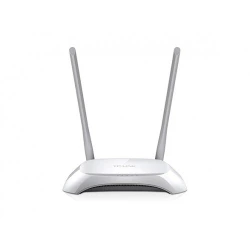
     
TP-Link TL-WR840N V2 300Mbps Wireless Router
Out Of Stock
    • Speed: 300Mbps
    • Frequency: 2.4GHz 2.4GHz
    • Interface: 1 x WAN & 4 x LAN ports
Showing 21 to 40 of 53 (3 Pages)

Securing Your Network for TP-Link Router Users

Users of TP-Link routers need to safeguard their network to keep it safe from unauthorized access and cyberattacks. Start by changing the default login credentials and turning on strong encryption methods like WPA2 or WPA3. Utilize features like MAC address filtering to restrict the devices that are permitted to connect to your network. Regularly update your router's firmware to address any security vulnerabilities. Install a robust firewall and activate intrusion detection systems for additional security. Consider creating a guest network to further isolate guest devices from your main network. To offer total defense against any threats, get antivirus software and monitor network activity.

Types of TP-Link Router

To satisfy various networking needs, TP-Link offers a large selection of routers. Their Dual-Band Routers offer versatility by supporting both 2.4GHz and 5GHz bands. Tri-band routers enhance network performance even more by adding a fifth 5GHz band. Gigabit routers provide high-speed Ethernet connectivity. Your home or place of business will have better coverage thanks to mesh routers. While VPN routers give security for remote access priority, MU-MIMO routers optimize network efficiency.

Dual-Band Router

These routers provide you the ability to balance network coverage and performance since they run on both the 2.4GHz and 5GHz frequency bands. They work well in homes and businesses with several linked devices and modest internet consumption.

Tri-Band Router

Three frequency bands are available on tri-band routers: two 5GHz bands and one 2.4GHz band. These configurations are perfect for high-traffic situations with lots of devices since they lessen congestion and increase network efficiency.

Gigabit Router

When compared to regular routers, gigabit routers offer greater data transmission speeds since they allow gigabit Ethernet connections. Demanding tasks like massive file transfers, online gaming, and streaming high-definition entertainment are appropriate for them.

Mesh Router

Mesh routers are made up of several components that cooperate to form a single, seamless Wi-Fi network that covers your entire house or place of business. They are ideal for big venues or multi-story structures because they remove dead zones and offer constant connectivity throughout.

VPN Router

Virtual Private Network (VPN) features are pre-installed on VPN routers, enabling users to create secure online connections. They are perfect for companies or people that value data protection since they offer improved privacy and security for distant network access.

MU-MIMO Router

In crowded settings, MU-MIMO (Multi-User, numerous Input, Multiple Output) routers enhance network performance by facilitating simultaneous communication with numerous devices. They are made to withstand the rigors of today's multi-user, networked office and home environments.

Antennas of TP-Link Router

1 Antenna

TP-Link routers with a single antenna provide basic Wi-Fi coverage, which makes them perfect for small spaces like studio apartments or single rooms. They may have a limited range, but they are usually inexpensive, compact, and easy to install.

2 Antenna

Wi-Fi coverage and signal strength are improved by routers with two antennas over those with just one. Their enhanced connectivity across many rooms makes them suitable for small to medium-sized homes or offices.

3 Antenna

Three-antenna TP-Link routers offer improved Wi-Fi performance and coverage, making them ideal for medium-to large-sized homes or workplaces. Better stability and dependability are provided by them, guaranteeing uninterrupted communication for several devices at once.

4 Antenna

Four-antenna routers offer superior Wi-Fi performance and coverage, making them the perfect choice for big houses, multi-story buildings, or locations with significant network traffic. They offer the highest level of stability and dependability, guaranteeing continuous connectivity for many devices across the premises.

TP-Link Router for Specific Needs

Router for Gamers

Specialized routers made to satisfy the needs of gamers are available from TP-Link. In order to reduce latency and deliver a fluid gaming experience, these routers usually include cutting-edge technologies like MU-MIMO, QoS (Quality of Service) optimization for gaming traffic prioritization, and high-speed Wi-Fi connectivity. TP-Link gaming routers provide dependable performance for fans of online gaming thanks to its adjustable settings and strong security measures.

Router for Home

Home-use TP-Link routers provide dependable Wi-Fi coverage, simple setup, and intuitive user interfaces. These routers are available in many variants to accommodate varying house sizes and usage situations, ranging from standard internet surfing to high-definition streaming and integration with smart homes. They are the best options for contemporary homes because of features like guest networks, parental controls, and connection with TP-Link smart home appliances.

Router for Office/Business

Three key features of TP-Link routers designed for office or corporate settings are stability, security, and scalability. They include features like strong administration capabilities to effectively manage numerous people and devices, sophisticated firewall security, and VPN compatibility for safe remote access. TP-Link business routers offer dependable performance and wide coverage, guaranteeing uninterrupted connectivity and increased productivity in corporate environments.

Data Speed of TP-Link Router

To satisfy various networking needs, TP-Link routers offer a variety of data speeds. Models with up to 150Mbps of speed support provide basic connectivity suitable for occasional internet browsing and light use. Routers with speeds ranging from 151Mbps to 300Mbps work well for moderate usage and HD multimedia streaming. Higher-speed versions ranging from 301Mbps to 1000Mbps may be able to manage large file transfers and other demanding tasks, while routers with speeds of 1001Mbps and above provide exceptionally fast connectivity for several devices and high-bandwidth applications.

Best TP-Link Router Shop in Bangladesh From Creatus Computer

Creatus Computer stands as Bangladesh's largest retail destination for Desktop, Laptop, Monitor, Networking, Gadget, and Gaming. Visit any of our branches for unbeatable deals on your preferred TP-Link Router. Additionally, our extensive range of products and services is available on the Creatus Computer online store. Choose from a variety of payment methods and enjoy hassle-free EMI options. Our delivery network spans across Bangladesh, ensuring nationwide coverage. Shop with us for convenience, reliability, and exceptional value.

FAQs

Q: How do I set up my TP-Link router for the first time?

A: To set up your TP-Link router, connect it to your modem and power it on. Then, access the router's web-based setup page by entering its IP address into a web browser. Follow the on-screen instructions to configure your network settings, including Wi-Fi name and password.

Q: How can I update the firmware on my TP-Link router?

A: You can update the firmware of your TP-Link router by accessing the router's web interface and navigating to the firmware upgrade section. Download the latest firmware from the TP-Link website and follow the instructions to install it.

Q: What should I do if I experience slow internet speed on my TP-Link router?

A: Slow internet speeds may result from various factors such as interference, outdated firmware, or ISP issues. Troubleshoot by optimizing router placement, checking for firmware updates, and minimizing interference from other devices.

Q: Can I set up a guest network on my TP-Link router?

A: Yes, TP-Link routers often feature a guest network option, allowing visitors to access the internet without accessing your main network. Enable this feature through the router's web interface and set a separate SSID and password for the guest network.

Q: How can I secure my TP-Link router from unauthorized access?

A: Secure your TP-Link router by changing the default login credentials, enabling WPA2/WPA3 encryption, disabling remote access, and regularly updating firmware. Additionally, consider using strong passwords, enabling firewall protection, and limiting access to specific devices through MAC address filtering.