Oscoo ssd price in bd – What You Should Know Before Upgrading in 2026
So you are looking up the OSCOO SSD price in BD. Good instinct. Storage upgrades are, honestly, one of the most underrated ways to get more out of a machine — and OSCOO has quietly built a decent reputation for itself in the Bangladeshi market, particularly among users who do not want to spend a lot but still expect real improvement over a traditional hard drive.
This guide breaks down everything worth knowing before you buy.
Why OSCOO Has Gained Ground in Bangladesh
It is not magic. OSCOO SSDs use NAND flash memory, which means no spinning disk, no mechanical read head, and no waiting five minutes for Windows to load on a cold boot. The practical difference — especially if you have been using a 5400 RPM laptop HDD — can feel like you have bought a new machine.
A few things appear to explain why OSCOO specifically has found a market here:
- Boot times drop noticeably, often to under 15 seconds on a mid-range laptop
- Applications open without that maddening pause before the window appears
- On laptops, the lower power draw may extend battery life by a meaningful margin
- Installation is straightforward — no specialist tools, no complicated setup
It is not the flashiest brand on the shelf. But for users who want a practical, no-nonsense upgrade without paying premium brand prices, it tends to do the job.
The Three Types — And Why the Difference Actually Matters
OSCOO makes SSDs in three form factors. Picking the wrong one for your system is a common and avoidable mistake.
SATA SSD (2.5 Inch)
This is the version that replaces a standard laptop hard drive. If your laptop has a 2.5-inch drive bay — most machines from 2010 to 2019 do — a SATA SSD will slide right in. Speed is capped by the SATA III interface at around 550 MB/s read, which is still several times faster than a spinning disk. A solid starting point for older systems.
Good fit for: Students, office users, anyone on an aging laptop
M.2 SATA SSD
Same speed ceiling as the 2.5-inch version, but in a much smaller stick format that plugs directly into an M.2 slot on the motherboard. No data cable. No power cable. Cleaner inside the case. Worth choosing if your board has the slot available.
Good fit for: Slim laptops, compact desktop builds
M.2 NVMe SSD
This one operates over PCIe lanes rather than the SATA bus, which changes the speed conversation entirely. Sequential reads on an NVMe drive can run three to five times faster than SATA. Whether that translates into a noticeable day-to-day difference depends on your workload — for general office use, probably not dramatically. For game loading, large file transfers, or video editing? The gap becomes hard to ignore.
Good fit for: Gamers, video editors, anyone moving large files regularly
Model Breakdown by Capacity
OSCOO SSD 128GB (SATA)
Entry point. If your current system boots off a mechanical hard drive and you primarily use it for documents, browsing, and light applications, 128GB gives you what you actually need — speed — without paying for storage space you will never fill. The trade-off is obvious: 128GB fills up faster than you might expect once Windows and a few programs are installed.
Key specs: SATA III, stable sequential read/write, low idle power draw
Best suited to: Basic office builds, older laptops being given a second life
OSCOO SSD 256GB (SATA)
The sweet spot for most everyday users. Enough room for the OS, standard software, and a reasonable amount of files, while delivering the same speed improvement as the 128GB version. The extra capacity means you are less likely to find yourself constantly managing storage.
Key specs: SATA III, balanced read/write performance, energy-efficient operation
Best suited to: Students, general laptop users, office professionals
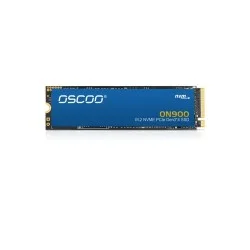
OSCOO SSD 512GB (NVMe)
Where performance genuinely shifts. The jump from SATA to NVMe is most obvious here — this is the model that handles game libraries, video project files, and software like Adobe Premiere without the storage becoming a bottleneck. If you are checking the OSCOO SSD price in BD and wondering whether the NVMe premium is worth it, the answer depends almost entirely on what you are running. For heavy use, yes.
Key specs: PCIe Gen3 M.2 NVMe, high sequential speeds, compatible with modern AM4 and Intel boards
Best suited to: Gamers, designers, content creators, power users
OSCOO NVMe SSD Comparison Table
| Model |
Capacity |
Interface |
Series |
Performance Level |
Best For |
| OSCOO ON900 128GB |
128GB |
PCIe Gen3 M.2 NVMe |
ON900 |
Entry Level |
Office, Study, Basic Use |
| OSCOO ON900 256GB |
256GB |
PCIe Gen3 M.2 NVMe |
ON900 |
Mid Entry |
Office, Gaming, Multitasking |
| OSCOO ON900 512GB |
512GB |
PCIe Gen3 M.2 NVMe |
ON900 |
Mid–High |
Gaming, Editing, Heavy Use |
| OSCOO ON901 512GB |
512GB |
PCIe NVMe M.2 |
ON901 |
High Performance |
Professional Work, Gaming |
| OSCOO ON900 1TB |
1TB |
PCIe Gen3 M.2 NVMe |
ON900 |
High End |
Gaming, 4K Editing, Storage Heavy Tasks |
Where to Buy — And Why It Actually Matters
Knowing the OSCOO SSD price in BD is only half the equation. Where you buy from shapes whether the warranty means anything, whether the product is genuine, and what happens if something goes wrong.
Creatus Computer has established itself as a reliable option for OSCOO products in Bangladesh. They operate both a physical store and an online platform, which at minimum means you have a real point of contact if an issue comes up — not just a chat box that disappears.
What they offer with OSCOO purchases:
- Verified genuine stock
- Official warranty coverage
- Pricing updated regularly to reflect market conditions
- In-store technical guidance if you are unsure which model fits your build
- After-sales support that does not end at checkout
They also carry a wider range of components — GPUs, monitors, RAM, peripherals — so it is a practical place to compare options if you are building or upgrading a full system.
Creatus Computer also provides premium hardware including RTX 5060 Price in BD, RTX 5070 Price in BD, MSI Monitor Price in BD, MSI B450M A PRO Price in BD, Kingsman RAM Price in BD, Gaming Controller Price in BD, and MCHOSE Jet Keyboard Price in BD for gamers and professionals. From entry-level setups to high-end gaming builds, everything is available in one platform. Creatus Computer ensures competitive pricing, authentic products, and excellent after-sales support, making it a trusted destination for all computer accessories in Bangladesh.
FAQ - Oscoo SSD price in bd
1. What is the OSCOO SSD price in BD?
OSCOO SSD price in BD starts from around 4,500৳ depending on capacity and type.
2. Why buy OSCOO SSD from Creatus Computer?
Creatus Computer offers genuine OSCOO SSD with warranty, best price, and trusted service.
3. What are the key features of OSCOO SSD?
OSCOO SSD offers fast boot time, stable performance, and improved system speed.
4. Is OSCOO SSD good for gaming and editing?
Yes, it provides fast data transfer and smooth performance for gaming and editing tasks. Particularly the NVMe models. They are not competing with Samsung 980 Pro benchmarks, but they handle game loading and asset streaming well for the majority of titles played in Bangladesh.
5. Which OSCOO SSD capacity should I choose?
Choose 128GB/256GB for basic use and 512GB+ for gaming or heavy workloads.
6. Is an OSCOO SSD meaningfully better than an HDD?
Yes, without qualification. The gap in everyday responsiveness is substantial. Boot times, application loading, file transfers — all improve significantly. It is one of the highest-impact upgrades available for an aging machine.
7. Do OSCOO SSDs carry warranty coverage in Bangladesh?
When purchased through authorized retailers like Creatus Computer, yes. Always confirm warranty terms at point of purchase.
8. 128GB or 256GB — which should I get?
If you are even slightly unsure, get the 256GB. The 128GB fills up faster than people expect. The price difference is small; the frustration of running out of space is not.