
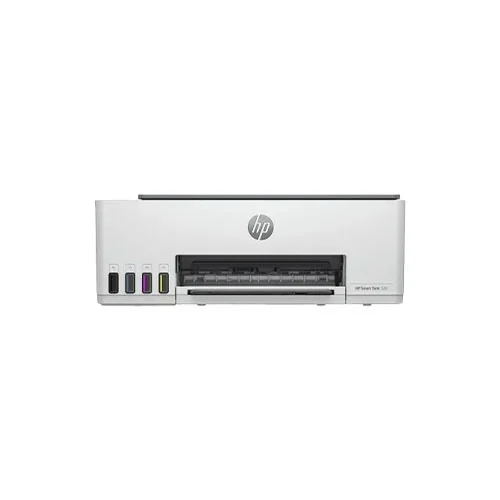
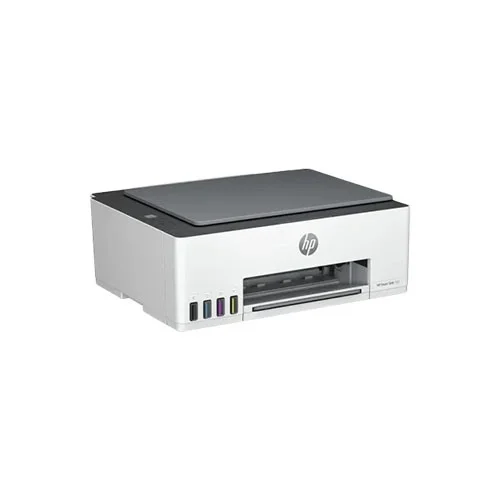
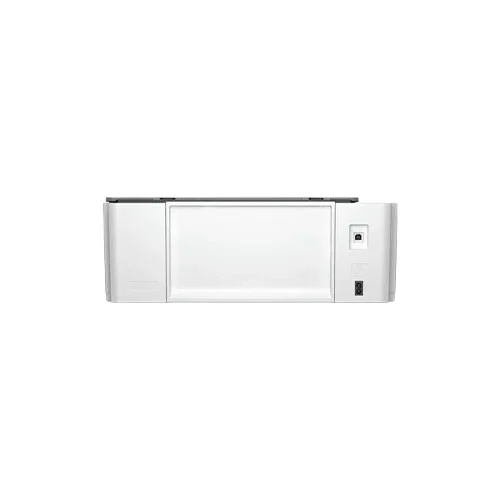
HP Smart Tank 520 All-in-One Color Ink Printer
Save: 1500৳ (8%)


HP Smart Tank 520 All-in-One Color Ink Printer
- Stock: In Stock
- Model: Smart Tank 520
- Product id: 26417
- SKU: MPN: 1F3W2A
17,300৳
18,800৳
Ex Tax: 17,300৳
- Functions - Print, Scan, Copy
- Output Color - Color
- Print Speed (Black) - Up to 12ppm (ISO), Up to 22ppm (Draft)
- Print Speed (Color) - Up to 5ppm (ISO), Up to 16ppm (Draft)
Chat Through
Quick Compare
| Product Details | ||||
| Product | HP Smart Tank 520 All-in-One Color Ink Printer | HP Ink Tank Wireless 419 Multifunction All-in-One Color Printer | Canon Pixma G2010 Ink Tank All-In-One Printer | Canon LBP 6030 Single Function Mono Laser Printer |
| Image |  |
 |
 |
 |
| Price | |
|
|
|
| Model | Smart Tank 520 | Ink Tank Wireless 419 | Canon Pixma G2010 | Canon LBP6030 |
| Brand | Hp | Hp | CANON | CANON |
| Availability | In Stock | In Stock | In Stock | In Stock |
| Rating | Based on 0 reviews. |
Based on 0 reviews. |
Based on 0 reviews. |
Based on 0 reviews. |
| Summary | HP Smart Tank 520 All-in-One Color Ink PrinterHP Smart Tank 520 All-in-One Color Ink Printer, a versatile and efficient printing solution designed to meet all your home and office needs. With its high-quality printing capabilities, user-friendly features, and cost-effective ink system, this printer offers convenience, reliability, and exceptional performance. The HP Smart Tank 520 All-in-One Color Ink Printer is equipped with a high-capacity ink tank system that eliminates the need for frequent cartridge replacements. With its innovative and mess-free ink refill system, you can easily replenish ink levels, ensuring uninterrupted printing without the hassle or expense of constantly buying new cartridges. The transparent ink tanks allow you to monitor ink levels at a glance, preventing any surprises during important printing tasks. This printer delivers crisp and vibrant prints with its advanced inkjet technology. With a maximum resolution of up to 4800 x 1200 optimized dpi, you can enjoy sharp text and vivid images, making it ideal for both professional documents and vibrant photo prints. The HP Smart Tank 520 also supports borderless printing, allowing you to create stunning prints without any white margins. The all-in-one functionality of the HP Smart Tank 520 adds versatility to your printing experience. In addition to high-quality printing, this printer also offers scanning and copying capabilities. The integrated flatbed scanner allows you to easily digitize documents and photos, while the copying function enables you to make quick and accurate copies of important documents. With wireless connectivity, the HP Smart Tank 520 allows for convenient printing from various devices. Whether you're printing from your computer, smartphone, or tablet, you can easily connect to the printer and send print jobs wirelessly. The HP Smart app further enhances your printing experience by providing additional features such as mobile scanning and printer management. The HP Smart Tank 520 is designed to be user-friendly and efficient. The intuitive control panel and LCD display make it easy to navigate through printer settings and monitor the printing status. The printer also features automatic two-sided printing, saving paper and reducing environmental impact. Upgrade your printing experience with the HP Smart Tank 520 All-in-One Color Ink Printer. Enjoy high-quality prints, cost-effective ink solutions, and versatile functionality. With its reliable performance and user-friendly features, this printer is the perfect choice for both home and office use.Features:High-capacity ink tank system for cost-effective and uninterrupted printing.Transparent ink tanks for easy monitoring of ink levels.Advanced inkjet technology for crisp and vibrant prints with a maximum resolution of up to 4800 x 1200 optimized dpi.All-in-one functionality with scanning and copying capabilities.Wireless connectivity for convenient printing from various devices.HP Smart app for additional features such as mobile scanning and printer management.Intuitive control panel and LCD display for easy navigation and monitoring.Automatic two-sided printing for paper-saving and eco-friendly printing.Suitable for both home and office use, offering high-quality prints and versatile functionality... | SpecificationDisplay7 Segment + Icon LCD DisplayPowerInput Voltage 100 To 240 VAC (+/- 10%), 50/60 Hz (+/- 3 Hz). High Voltage: Input Voltage 200 To 240 VAC (+/- 10%), 50/60 Hz (+/- 3Hz). Not Dual Voltage, Power Supply Varies By Part Number With # Option Code Identifier.ConnectivityWi-Fi: YesUSB: 1 Hi-Speed USB 2.0Resolution Technology4800 X 1200dpi (C)Print TechnologyPrint Technology: HP Thermal InkjetPrintingPrint Speed Colour (Draft, A4): Up To 15 Ppm Print Speed Color (ISO): Up To 5 Ppm Print Speed Black (ISO): Up To 8 Ppm Print Speed Black (Draft, A4): Up To 19 Ppm First-Print-Out Time: 14sec (B), 18sec (C) Resolution: 4800 X 1200dpi (C) Duplex Printing: ManualPrint Paper SizeA4; B5; A6; DL EnvelopeCopyCopy Speed: 6.5cpm (B), 2cpm (C)INKHP GT53 Black, HP GT52 Cyan, HP GT52 Yellow, HP GT51 MagentaSupported OSSupported Operating System: Windows 7, 8, 8.1, 10, XP, Vista, Server 2008, 2008 R2 And Higher, 2012, 2012 R2, 2016, OS X V10.10 Yosemite, OS X V10.11 El Capitan, MacOS Sierra V10.12ColorBlackDimension525 X 310 X 158 MmWeight4.67KgOther FeaturesInput Capacity: 60Sheet Output Capacity: 25 Sheet Monthly Print Volume: 400 To 800 Duty-Cycle: 1,000 Pages Color Output: ColorBest HP Ink Tank Wireless 419 Multifunction All-in-One Color Printer HP Ink Tank 419 Wireless Color All-in-One Inkjet Printer is designed for your convenience and has all of the features you require. Whether printing, scanning or just copying, this all-in-one printer produces exceptional results with simplicity. You may now print everything you want for a very low cost. With high-speed USB 2.0 and Wi-Fi connectivity, this wireless printer allows you to print directly from your smartphone. Print colored and black-and-white cement in less time with a print speed of up to 15 ppm for A4-sized colorful pages and up to 19 ppm for A4-sized monochrome pages. Furthermore, the printout time for monochrome papers is as fast as 14 seconds and 18 seconds for colorful documents. You may also use its driver-supported manual duplex printing to print two-sided documents. This wireless printer is equipped with HP Thermal Inkjet technology and is designed to generate high-quality documents. The print resolution of the HP Ink Tank 419 Wireless Color All-in-One Inkjet Printer is up to 4800 x 1200 optimum dpi, and the optical scan resolution is up to 1200 x 1200 dpi. It has a Contact Image Sensor (CIS) and a Flatbed scanner and is powered by a 360MHz CPU. This printer has 7 LEDs and 9 buttons, as well as one ICON LCD for display. This printer is Energy Star certified and is ideal for your home or office... | Specifications: Printing Features Print Speed Approx. 5.0ipm Resolution 4800 (horizontal)*1 x 1200 (vertical) dpi Print Technology Ink Duty cycle (monthly) 150 - 1500 pages Display LCD (1.2 inch segment mono) Interface USB 2.0 Hi-Speed Paper Handling Sizes A4, A5, B5, Letter, Legal, 4 x 6", 5 x 7", 8x 10", Envelopes (DL, COM10), Square (5 x 5"), Business Card, Custom size (width 55 - 215.9mm, length 89 - 676mm) Types Plain Paper Weight Plain Paper: 64 - 105g/m2, Canon specialty paper: max paper weight: approx.275g/m2 Photo Paper Plus Glossy II (PP-201) Copying Features Copy Speed Document: Colour sFCOT / Simplex Approx. 32secs Document: Colour sESAT / Simplex Approx. 1.7ipm Maximum Number of Copies Multiple Copy Black / Colour: 1 - 20 pages Interface USB 2.0 Hi-Speed Scan Features Scan Technology Flatbed Resolution 600 x 1200dpi Speed Reflective: A4 Colour / 300dpi Approx. 19secs. Max Document Size A4 / Letter (216 x 297mm) Physical Specification Color Black Dimensions (W x D x H) Factory configuration Approx. 445 x 330 x 135mm Output / ADF trays extended Approx. 445 x 533 x 260mm Weight Approx. 6.3kg Voltage AC 100 - 240V; 50 / 60Hz Warranty Information Warranty 01 year Canon Pixma G2010 Ink Tank All-In-One Printer Price in Bangaldesh The Canon Pixma G2010 is a refillable ink tank all-in-one printer especially meant for high volume printing purposes. The printer is meant for small businesses, schools and alike where printing a lot is a major requirement on a day-to-day basis. The Canon Pixma G2010 printer can print, scan and copy with speeds of up to 8 pages per minute in black and 5 pages per minute in colour. Photos can be printed in approximately one minute. Canon Pixma G2010 Refillable Ink Tank All-In-One Printer. Print, Scan & Copy. ISO Standard print speed (A4): up to 8.8 ipm black / 5.0 ipm colour. Hi-speed USB 2.0. Recommended print volume: 150 - 1500 pages Canon Pixma G2010 Ink Tank All-In-One Printer Features Printer Type - Ink Tank; Functionality - All-in-One (Print, Scan, Copy); Printer Output - Colour Connectivity - USB; Compatibility - Windows 8, Windows 8.1, Windows 10, Windows 7, Windows XP, and Windows Vista. Note:Mac OS is not supported 1.2 inch LCD diplay on printer(mono) Pages per minute - 8.8 ipm (Black), 5 ipm (Colour), Cost per page - 9 paise (Black & White), 32 paise (Colour) - As per ISO standards Ideal usage - Home and Small office, Regular / Heavy usage (more than 300 pages per month) Page size supported - 4.0"x6.0" till A4 / Letter / Legal / A5 / B5 ; Duplex Print - No ; Print resolution - 4800 x 1200 dpi Compatible Ink Bottle - GI-790 (BK), GI-790 (Cyan, Magenta, Yellow); Page yield - 6000 pgs (BK), 7000 pgs (color) - As per ISO standards; 1 set of all 4 ink bottles inside the box Canon Pixma G2010 Printer Review Going entirely paperless is very important, but it is still not as easy. A completely digital and paperless environment is still probably decades away and the requirement for printers is still in high demand. While most offices and homes today are investing in printers as the most needed appliance for work, the topmost concern for both segments is the running cost. Canon Pixma G2010 Printer as equipment are very cheap, but the cost involved in maintaining the same is what hits the consumer. Think of it like owning a car that has a low mileage. So if you own a printer, you have to keep it running frequently to avoid the print heads drying up, which is a costliest replaceable part. Apart from the head drying up, you have to refill the ink cartridges, which does not come in cheap either. Almost all companies who manufacture Canon Pixma G2010 printers offer a starter ink cartridge that consists of a few millilitres of ink that can print an average of 500 – 1,000 pages. These cartridges need to be replaced with original ones as refilling an ink cartridge will put your printer out of warranty. Since the warranty is the main issue here, users end up being forced to buy original cartridges that are pretty expensive. While ink cartridges do come in two variants — standard and XL, they are also prone to running out, making sure you end up lightening your pockets at least once every month. Black XL cartridges can hold up to 20ml in quantity of ink within, yield around 300 pages and cost as high as Rs 1500 to Rs 18,00, putting the cost of each black print at an average of Rs 6 per copy. Colour will be almost three times the amount. Canon Pixma G2010 Inkjet printers today also have another unique way to gauge the amount of ink balance in the cartridge tanks. No, there is absolutely no sensor inside the tanks to know the exact level of the ink remaining or used. The printer calculates the life of the cartridge based on the number of print copies passing through the printer’s mechanism. For example, if your cartridge is pronounced to yield 1,000 pages on a full tank, the printer will report the cartridge empty after exactly 1,000 pages — including paper jams being counted. So whether you print a single dot on all 1,000 pages or print a totally black page, the ink tank is estimated to give you 1,000 pages till it shows empty. In the first case, if you simply printed one dot on 1,000 pages, your cartridge will still have more than 90 per cent of ink balance, but the, printer will force you to replace the cartridge thinking that the cartridge is now blank. In the second case where you print entire black pages, your cartridge will run out of ink in around 200 pages or less, and the printer will still not allow you to replace the ink tank since it still thinks there is a lot of ink remaining. What is needed in printers today is intelligence on the amount of ink being dispersed on a page in ratio to the amount of ink inside the tank. The above examples are facts and hence printer companies are usually bad named as ‘making money via cartridge sales.’ The fact is partially true as it would be cheaper to buy original cartridges rather than void your warranty. Refilled cartridges will not give you quality prints as the ink being used varies in quality and colours as compared to original ones. Also, you end up losing warranty. However, at the end, you could come up with a possible claim too that buying a new printer is cheaper than opting for new cartridges. Another major concern is where consumers think twice to buy a printer at home or small office if the printing volume is low. There are many Canon Pixma G2010 printers that have a high yielding cartridge, but still, need a replacement after they are exhausted. However, the most expensive part of a cartridge is the print head, after the ink itself. Hence the concept of ink tank printers came into existence. While leading printer manufacturers are slowly bringing in ink tank printers for consumers with high printing volume needs, are they good enough as an investment? The answer is yes, provided you do have high print volumes. The Canon Pixma G2010 printer has a top-loading paper foldable tray that can hold up to 100 sheets at a time. The front output tray is fold able but does not close the compartment completely which allows for dust settling inside. The printer does not feature duplex printing, which leaves the user to manually flip the paper for dual-side printing. Adding a duplex printing mechanism is a huge requirement to save on paper today and Canon could have enrolled this printer with the same design too... | Specification Printer Print Speed (Black) 7.8secs. Print Resolution (Black) 600x600 dpi Paper Sizes A4 / B5 / A5 / LGL* / LTR / EXE / 16K / Custom size / COM10 / Monarch / C5 / DL / ISO-B5 Width: 76.2 - 215.9mm x Length 188 - 355.6mm Connectivity USB 2.0 Hi-Speed Warranty 1 Year Warranty Canon LBP 6030 Single Function Mono Laser Printer Canon imageCLASS LBP 6030 Single Function Mono Laser Printer , Functions - Print Only, Functions - Print Only, Speed PPM (Black) - 18 PPM Black, Print Resolution (Pixel) - 600x600 dpi, Paper - A4/B5/A5/LGL/LTR/EXE/16K/COM10/Monarch/C5/DL/ISO-B5/ Custom sizes, Interface - USB 2.0 Interface, Dimensions (WxHxD) - 359x249x198mm, Weight (Kg) - 5, Warranty (Year) - 1 Year Warranty, Others - Toner: 325 Canon LBP 6030 Printer Review Canon rates the printer at 19 pages per minute (ppm), which is the speed you should see for text documents or other files that need little to no processing. On our business applications suite, (using QualityLogic's(Opens in a new window) hardware and software for timing), the printer came in at 10.1 ppm, which makes it essentially tied with both the Samsung M2625D and Samsung M2825DW. It's also a little slower than the 11.1 ppm speed for the Canon LBP 6030 in its default duplex mode, and significantly slower than the 14.5 ppm I measured for the Canon LBP 6030 in simplex mode. The Canon LBP6030w's output quality is a bit below par for text and at the low end of what is typical for the category for graphics and photos. Fortunately, even the worst monochrome laser text output is pretty good on an absolute scale. That makes the Canon LBP 6030 text good enough for almost any business need. Most people wouldn't consider it good enough for desktop publishing applications, however. For graphics, being at the low end of what's typical for personal monochrome lasers translates to being good enough for any internal business need. Depending on how much of a perfectionist you are, you may also consider it good enough for PowerPoint handouts. The photo output is easily adequate to print recognizable images from Web pages and the like, with photos in general roughly the same quality as a black-and-white photo in a newspaper. One final issue that demands mention is the printer's running cost, at 4.4 cents per page. In comparison, the running cost for the Samsung 2625D and Samsung M2825DW is only 3 cents per page. So unless you find the Canon LBP6030 at a particularly good price, it's likely to both cost more to buy than either of those Editors' Choice printers, and cost more to use as well. Based strictly on total cost of ownership and capability, there's little reason to choose the Canon imageClass LBP6030w over either of the Samsung models, with their higher paper capacities and duplexing capability. If you want to connect by USB cable, the Samsung 2625D is a much better value. And for connecting to a network, the Samsung 2825D offers Ethernet, as well as Wi-Fi. All things considered, the Canon imageClass LBP6030w's small size can be appealing. If your print needs are distinctly light-duty, and you don't want to give up a lot of desk space, then that makes it a reasonable choice, if not a particularly compelling one. Related Printer Brands Epson Printers POS Printers HP Printers Level Printers Ricoh Printers Zebra Printers Honeywell Printers Brother Printers .. |
Related Product


Recently Viewed

