
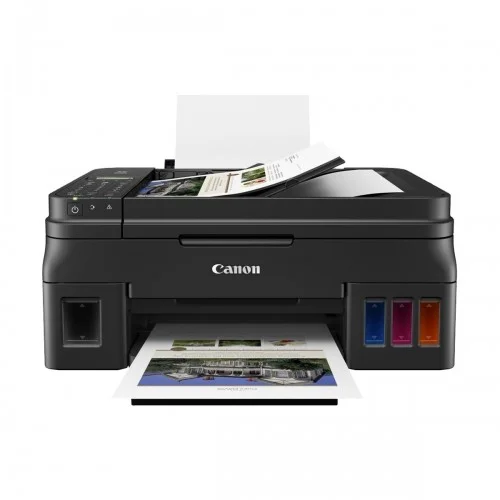
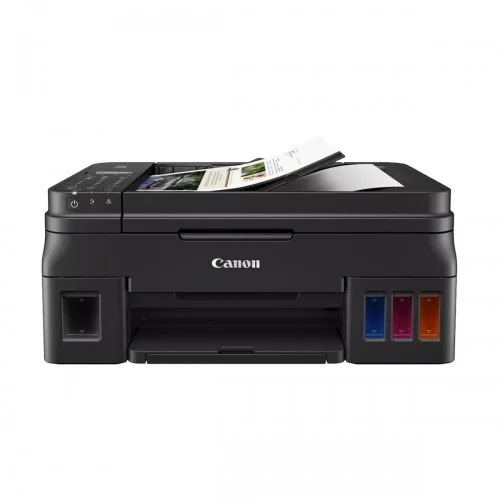
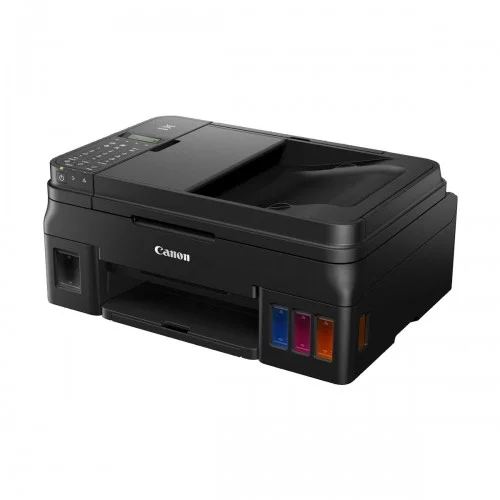
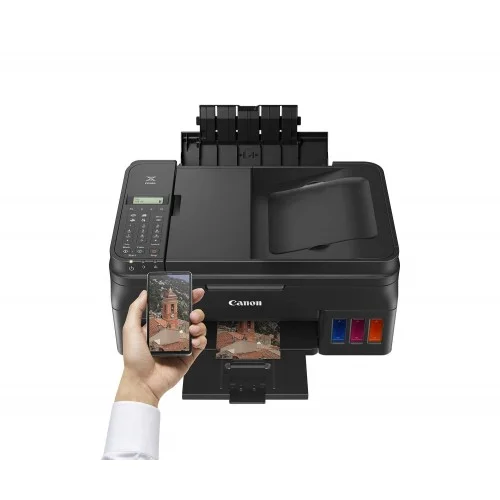
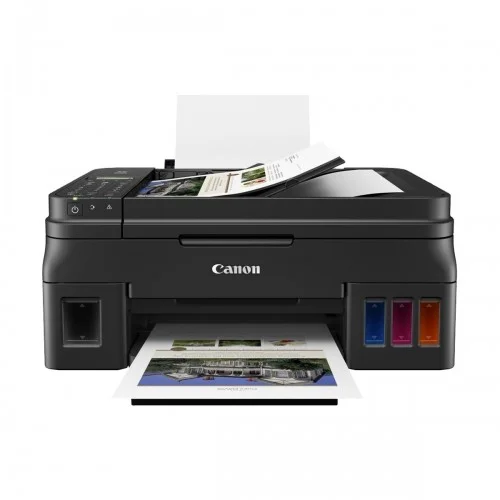
Canon Pixma G4010 All in One Wireless Ink Tank Printer
Save: 100৳ (0%)


Canon Pixma G4010 All in One Wireless Ink Tank Printer
- Stock: In Stock
- Model: Canon Pixma G4010
- Product id: 22993
28,800৳
28,900৳
Ex Tax: 28,800৳
- Print, Scan, Copy and Fax
- ISO Standard print speed
- Photo Speed (4 x 6"): 60 sec
- Print resolution : 4800 x 1200 dpi
Chat Through
Quick Compare
| Product Details | ||||
| Product | Canon Pixma G4010 All in One Wireless Ink Tank Printer | HP ScanJet Pro 2600 f1 Scanner with ADF | EPSON TM-U220B Dot Martrix POS Printer, 1YW #C31C514676 | Epson TM-U220IIB-E04 Dot Matrix POS Receipt Printer |
| Image |  |
 |
 |
 |
| Price | |
|
|
|
| Model | Canon Pixma G4010 | ScanJet Pro 2600 f1 | TM-U220B | Epson TM-U220IIB-E04 |
| Brand | CANON | Hp | EPSON | EPSON |
| Availability | In Stock | In Stock | In Stock | In Stock |
| Rating | Based on 0 reviews. |
Based on 0 reviews. |
Based on 0 reviews. |
Based on 0 reviews. |
| Summary | Specification Printing Features Print Speed Speed PPM black : 8.8ipm Speed PPM color : 5.0ipm Resolution 4800 x 1200dpi Print Technology Multi Function Color Ink Printer Duty cycle (monthly) 1500 Display 2 Line LCD Display Paper Handling Sizes Print Paper Size : A4, A5, B5, Letter, Legal, Envelopes (DL, COM10), Square, Business Card Scan Paper Size : A4, Letter Copy Paper Size : A4, Letter Types Plain Paper, Photo Paper Plus Glossy II (PP-201), Photo Paper Plus semi-gloss (SG-201), Glossy Photo Paper, Matte Photo Paper (MP-101), Photo Paper Plus Glossy II (PP-208) Number of Paper Tray(s) 1 Monthly Print Volume 1500 Pages Copying Features Copy Speed 8.0ipm (B), 2.5ipm (C) Interface USB 2.0 Hi-Speed Scan Features Bit depth Grayscale : 16 / 8-bit Colour : 48 / 24-bit (RGB each 16 / 8-bit) Scan Technology CIS (Contact Image Sensor) Resolution 600 x 1200dpi Speed Grayscale : 1.5ms/line (300dpi) Colour : 3.5ms/line (300dpi) Max Document Size Flatbed : A4 / Letter (216 x 297mm) ADF : A4 / Letter / Legal Physical Specification Color Black Dimensions (W x D x H) 445 x 197 x 330mm Weight 7.3Kg Fax Modem speed: 33.6kbps Resolution: 200 x 200dpi Warranty Information Warranty 01 Year Supplies Cartridge/ Toner Model No. GI-790 Black (6000 Pages), GI-790 Cyan, Magenta, Yellow (7000 Pages) Canon Pixma G4010 All in One Wireless Ink Tank Printer Price in BD Canon Pixma G4010 Printer feature Canon’s Genuine Refillable Ink Supply System, capable of volume printing up to 6,000 pages and 7,000 pages from a single set of black and color (cyan/magenta/yellow) ink bottles respectively. This drastically brings color document print cost down. The front facing integrated transparent ink tank design makes it easy to check the remaining ink levels. Topping up is now a quick and mess-free task simply by opening the ink bottle and pouring ink into the ink tank. The utilization of hybrid ink system and FINE print head guarantees a stable and reliable high quality printing performance, realizing prints with crisp, sharp black text and vibrant colors to ensure excellence for both document and photo printing. A wide array of mobile printing technologies brings extra convenience to users to print directly from smart phones and tablets, which are now handy tools for checking emails, photos, documents or researching on the internet. It allows users to scan directly to iOS or Android mobile devices via a Wi-Fi wireless network, and supports direct printing of photos and documents from mobile devices as well as remote cloud printing – all without the need of a computer. The new Canon Pixma G4010 Printer feature a built-in Wi-Fi 802.11b/g/n wireless network for network print/scan. Upon simple network setup in just a few easy steps, high quality and high-speed printing can be shared among multiple computers. Users can also enjoy the flexibility of working from laptop and being accessible to the printer’s function with the wireless network. The new printers feature a built-in Wi-Fi 802.11b/g/n wireless network for network print/scan. Upon simple network setup in just a few easy steps, high quality and high-speed printing can be shared among multiple computers. Users can also enjoy the flexibility of working from laptop and being accessible to the printer’s function with the wireless network.This All rounder daily using product comes with 01 year warranty facility. Which Canon tank printer is best? If you are looking for a printer that will not cost you too much and not demand too much maintenance in the long run, then ink tank printers are the way to go. These printers cost more than inkjet printers, but in the long run, it is durable, cost-effective and easy to use. Listed here are some of the best ink tank printers available in the Indian market. Most of these printers also have Wi-Fi connectivity built-in, so if you're in the market for the best Wi-Fi-enabled ink-tank printer, look no further. As a buyer, this wide range of ink tank printers and a little price difference between them can confuse you, especially if you are looking to buy your first-ever printer. What are the benefits of an ink tank printer? When it comes to printers, ink tank printers are highly affordable and allow you to avoid spending too much money on a printer. The cost of printing is low and the printing speed is decent enough for home and small office needs. Is it easy to maintain an ink tank printer? Yes, ink tank printers are physically easy to maintain and the maintenance cost is also not very high. What are the popular types of ink tank printers available online? You can find ink tank printers in both monochrome and coloured variants. So, you can easily shop as per your needs. Are ink tank printers quick in operation? The speed of an ink tank printer depends on the model that you are buying for your home or office needs. Usually, an ink tank printer works slower than a laser printer. But, you may find something highly efficient too that will work in a perfect manner for your needs. Canon Pixma G4010 Printer Review A compact, feature rich, robust and reliable printer with 'okay' printing speed. It's easy to set it up by yourself. I'm impressed with the print quality and color, on both plain white sheet and on glossy photo paper. The only negative I found on this device is the noise, but there is a 'quiet mode' on the PC app which almost solves the issue. Highly recommended if you are looking for a budget printer for low-volume home use. .. | HP ScanJet Pro 2600 f1 Scanner with ADFThe HP ScanJet Pro 2600 f1 Scanner with ADF is a powerful and efficient scanning solution designed for fast-paced office environments and businesses that require reliable document digitization. Featuring both flatbed and ADF (Automatic Document Feeder) capabilities, this scanner combines flexibility, speed, and precision in a compact form. Equipped with Contact Image Sensor (CIS) scanning technology, the ScanJet Pro 2600 f1 delivers impressive scan resolutions up to 1200 x 1200 dpi for flatbed scanning and 600 x 600 dpi for ADF scanning. It supports 24-bit external and 48-bit internal color depth, ensuring sharp, vivid image reproduction and accurate text scanning. The built-in 60-sheet ADF supports single-pass duplex scanning, making it ideal for high-volume workflows. With scan speeds of up to 25 pages per minute (ppm) or 50 images per minute (ipm) at 300 dpi in color, grayscale, or black & white, it enhances productivity and reduces turnaround time for scanning large batches. Designed for versatility, the ScanJet Pro 2600 f1 accommodates a wide range of document sizes. The flatbed supports documents up to 216 x 297 mm (A4), while the ADF can handle documents up to 216 x 3100 mm, and as small as 89 x 148 mm, making it suitable for everything from ID cards to long legal documents. The scanner includes USB 2.0 connectivity, ensuring easy integration with your workstation. Powered by a 666 MHz processor and 256 MB of memory, it ensures smooth operation and fast processing of complex scan jobs. Compact in size with dimensions of 491.5 x 325.4 x 133.3 mm and a weight of 5.4 kg, this sleek white scanner is easy to place in any office setup. Backed by a 1-year warranty, the HP ScanJet Pro 2600 f1 is a dependable choice for professional-grade scanning... | Epson TM-U220B Dot Matrix POS Printer #C31C514676The Epson TM-U220B Dot Matrix POS Printer (C31C514676) is a durable and reliable receipt printer designed for retail, hospitality, and business environments that require high-quality impact printing. Known for its speed and efficiency, this printer supports multiple paper widths and is ideal for printing receipts, orders, and transaction records. With its robust dot matrix technology, it performs consistently even in hot or humid conditions, making it a trusted choice for restaurants and retail stores. Easy paper loading and reliable operation help ensure smooth business transactions. Backed by a 1-year warranty, the Epson TM-U220B is a dependable POS solution.Main Features in Epson TM-U220B Dot Matrix POS Printer #C31C514676High-performance dot matrix receipt printerIdeal for retail, hospitality, and restaurantsSupports multiple paper widths for flexibilityFast, reliable printing with excellent clarityRobust design for long-term daily useEasy paper loading for smooth operation1-year official Epson warrantyFeatures and BenefitsReliable Printing: Consistent performance for receipts and orders.Durable Build: Withstands heavy daily use in demanding environments.Versatile Usage: Supports multiple paper sizes for various applications.Trusted Technology: Impact printing ensures clear output even on carbon copies.Business Efficiency: Designed for restaurants, shops, and POS systems.Why Choose Epson TM-U220B Dot Matrix POS Printer #C31C514676?The Epson TM-U220B is the perfect choice for businesses needing a dependable dot matrix POS printer that delivers durability, versatility, and cost-effective operation.Why Buy from Creatus Computer?Creatus Computer provides genuine Epson printers with official warranty, best prices in Bangladesh, fast delivery, and expert after-sales support you can trust.FAQQ1: What type of printer is the Epson TM-U220B?It is a dot matrix POS receipt printer.Q2: Can it handle carbon copy printing?Yes, its impact technology allows printing on multi-part forms.Q3: Where is this printer commonly used?It is widely used in restaurants, retail shops, and business counters... | Epson TM-U220IIB-E04 Dot Matrix POS Receipt Printer LAN in Bangladesh The Epson TM-U220IIB-E04 Dot Matrix POS Receipt Printer is a dependable printing solution designed for retail stores, restaurants, pharmacies, supermarkets, service centers, and various business environments across Bangladesh. Built with Epson's trusted printing technology, this LAN-enabled POS printer delivers consistent performance, reliable receipt printing, and long-term durability for businesses that require uninterrupted daily operations.Whether you operate a busy retail outlet in Dhaka, a restaurant in Chattogram, or a growing business in any district of Bangladesh, the Epson TM-U220IIB-E04 offers the reliability and efficiency needed to handle customer transactions smoothly. Its network connectivity allows multiple terminals to access a single printer, helping businesses streamline their operations and improve customer service. Reliable Dot Matrix Printing for Business Operations The Epson TM-U220IIB-E04 uses proven dot matrix impact printing technology, making it an excellent choice for businesses that need dependable receipt printing. Unlike some thermal printers that require special paper, this printer works with plain single-ply roll paper, helping businesses reduce operational costs over time.Impact printing is particularly valuable for businesses that require durable receipts or operate in environments where receipts need to remain legible for longer periods. The printer produces clear and readable output, ensuring transaction details remain visible and professional. LAN Connectivity for Multi-Terminal Environments One of the most significant advantages of the Epson TM-U220IIB-E04 is its built-in LAN connectivity. Businesses with multiple POS terminals can connect the printer to their network and share printing functions across different workstations. This feature is especially beneficial for restaurants, supermarkets, chain stores, and service centers where multiple employees need access to receipt printing.The network-ready design reduces cable clutter and simplifies installation. Business owners can efficiently manage receipt printing without needing a separate printer for every terminal, helping reduce equipment costs while improving operational efficiency. Ideal for Retail Stores and Supermarkets Retail businesses in Bangladesh require reliable POS hardware to maintain smooth customer service during peak hours. The Epson TM-U220IIB-E04 is designed to support high-traffic retail environments by delivering consistent receipt printing throughout the day.From grocery stores and fashion outlets to electronics shops and pharmacies, this printer helps ensure customers receive accurate transaction records quickly. The printer's dependable paper handling system minimizes interruptions, allowing staff to focus on serving customers rather than troubleshooting equipment. Perfect Solution for Restaurants and Food Businesses Restaurants, cafés, bakeries, and food delivery businesses often need durable printing solutions that can operate continuously throughout busy service periods. The Epson TM-U220IIB-E04 is well-suited for these environments thanks to its robust construction and reliable performance.Restaurant owners can use the printer for customer receipts, order tickets, and transaction documentation. The LAN interface also makes it easier to integrate the printer into modern restaurant management systems, ensuring efficient communication between different service points. Compact Design with Space-Saving Benefits Counter space is valuable in most business environments. The Epson TM-U220IIB-E04 features a compact footprint with dimensions of 160 x 248 x 138.5 mm, making it easy to install in limited workspaces. The black body design provides a professional appearance that complements modern retail and commercial environments.Its wall-mounting capability offers additional flexibility for businesses seeking to maximize workspace efficiency. This allows installation options that suit different store layouts and operational requirements. Durable Construction for Long-Term Performance Businesses investing in POS hardware need products that can withstand daily use. The Epson TM-U220IIB-E04 is engineered for reliability and durability, making it suitable for demanding commercial environments. With an approximate weight of 2.5 kg and a sturdy construction, the printer is designed to provide stable and dependable operation over extended periods.Its robust design helps reduce maintenance requirements and minimizes unexpected downtime, which is essential for businesses that rely on continuous customer transactions. Easy Integration with POS Systems The Epson TM-U220IIB-E04 is compatible with a wide range of POS software platforms that support Epson printers. This flexibility makes it easier for businesses to integrate the printer into existing systems without extensive configuration or technical challenges.Whether you are upgrading an older POS setup or implementing a new business management solution, this printer offers compatibility and reliability that help simplify deployment and operation. Cost-Effective Choice for Bangladeshi Businesses Business owners in Bangladesh often prioritize value, reliability, and long-term operating costs when purchasing POS equipment. The Epson TM-U220IIB-E04 addresses these concerns by offering dependable performance, affordable media compatibility, and network functionality in a single package.Its support for plain roll paper can help businesses manage printing expenses effectively, while its durable design contributes to a lower total cost of ownership over time. This combination makes it a smart investment for businesses seeking dependable receipt printing solutions. Suitable for Various Industries The Epson TM-U220IIB-E04 is suitable for a broad range of commercial applications, including: Retail shops and department stores Supermarkets and grocery stores Restaurants and cafés Pharmacies and healthcare facilities Hotels and hospitality businesses Service centers and repair shops Corporate offices and payment counters Educational institutions and canteens Its versatile functionality allows businesses across multiple industries to benefit from reliable receipt printing and network connectivity. Why Buy Epson TM-U220IIB-E04 from Creatus? When purchasing business equipment, authenticity and support are important considerations. Creatus offers genuine Epson products sourced from authorized channels, ensuring customers receive reliable products backed by manufacturer warranty support.Businesses across Bangladesh can trust Creatus for competitive pricing, professional customer service, and dependable product availability. Whether you are purchasing for a small business or a large organization, Creatus aims to provide a secure and convenient shopping experience.In addition, Creatus helps customers make informed purchasing decisions by offering accurate product information and responsive support throughout the buying process. Warranty Information The Epson TM-U220IIB-E04 comes with a 1-year warranty (without adapter), providing additional confidence for businesses investing in professional POS equipment. Buyers should always review warranty terms and conditions before purchase to understand coverage details. Final Thoughts The Epson TM-U220IIB-E04 Dot Matrix POS Receipt Printer is an excellent choice for businesses seeking reliable receipt printing, network connectivity, and long-term durability. Its LAN interface, compact design, dependable impact printing technology, and business-focused features make it a practical solution for retail stores, restaurants, service centers, and corporate environments throughout Bangladesh.If you are looking for a professional POS receipt printer that delivers consistent performance and dependable operation, the Epson TM-U220IIB-E04 is a worthwhile investment. Order from Creatus today and upgrade your business operations with a trusted Epson printing solution. Frequently Asked Questions (FAQ) 1. What is the warranty period for the Epson TM-U220IIB-E04 in Bangladesh? The printer comes with a 1-year official warranty excluding the adapter. Always verify warranty coverage at the time of purchase. 2. Can multiple POS terminals use this printer through the network? Yes. The built-in LAN connectivity allows multiple compatible POS terminals on the same network to access and use the printer efficiently. 3. Is the Epson TM-U220IIB-E04 suitable for restaurants and retail shops? Yes. It is specifically designed for high-traffic business environments such as restaurants, supermarkets, retail stores, pharmacies, and service counters where reliable receipt printing is essential... |
Related Product


Recently Viewed

