
Menu
Your Cart

Graphics Card

Graphics Card
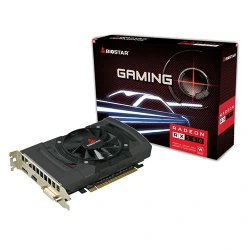
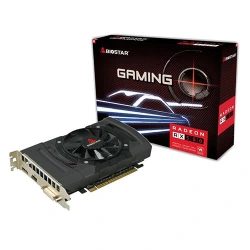
Biostar Radeon RX 550 4GB GDDR5 Graphics Card
Out Of Stock
    • PCI Express 3.0 x16 bus interface
    • Support Radeon Freesync Technology
    • DirectX 12 and Vulkan Optimized
    • AMD XConnect and HDR Ready
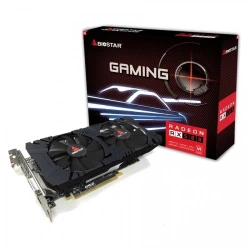
Biostar Radeon RX 580 8GB GDDR5 Dual Cooling Gaming Graphics Card
Out Of Stock
    • MPN: VA5805RV82
    • 8GB GDDR5, 256bit, Dual cooling Design
    • AMD super 2304 Stream processors
    • DVI/Triple display port/HDMI output support
    • Support Radeon Freesync Technology
BIOSTAR RADEON RX550 4GB DDR5 GRAPHICS CARD
Out Of Stock
    • Memory Size: 4GB
    • Engine Clock: 1100/1183MHz
    • Memory Type: GDDR5
    • Memory Clock: 6000MHz
    • Stream Processors: 512
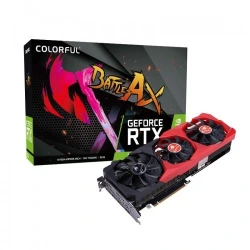
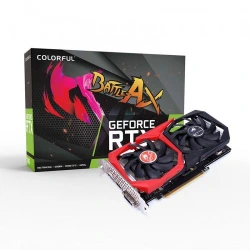
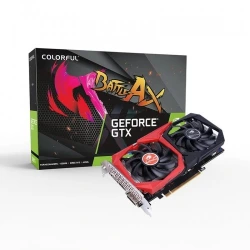
Colorful Battle Ax GeForce RTX 3070 NB-V 8GB Graphics Card
Out Of Stock
  •  
    •  Memory Size: 8GB •  CUDA Cores: 5888 •  Black + Red Design •  Core Clock: Boost:1725Mhz
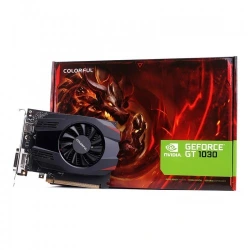
Colorful GeForce GT1030 V3 2GB Graphics Card
Out Of Stock
  • Price 7,350৳
    Regular Price 7,600৳
    Status Out Of Stock
    Product Model Colorful GeForce GT1030 V3
    Brand Colorful
    •  Single Fan •  No Power Supply •  Powered by GeForce GT1030 •  Integrated with 2GB GDDR5 64-bit
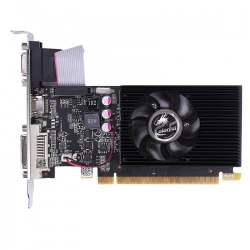
Colorful GeForce GT710-2GD3-V 2GB Graphics Card
Out Of Stock
  • •  Single Fan •  No Power Supply •  Powered by GeForce GT710 •  Integrated with 2GB GDDR5 64-bit
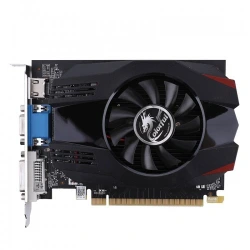
Colorful GeForce GT730K 2GD3-V 2GB Graphics Card
Out Of Stock
  • •  CUDA Cores: 384 •  Core Clock: 900 •  Memory Clock: 1800 •  Ports: DVI, VGA & HDMI
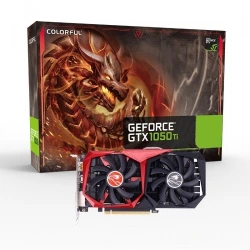
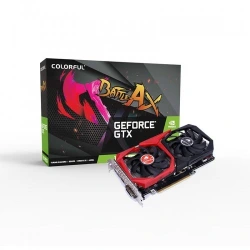
Colorful GeForce GTX 1050 Ti NB 4G-V 4GB GDDR5 Graphics Card
Out Of Stock
    • Powered by GeForce GTX 1650
    • Integrated with 4GB GDDR5 128-bit
    • Core Clock- Boost:1468Mhz
    • Memory Clock: 7000Mhz
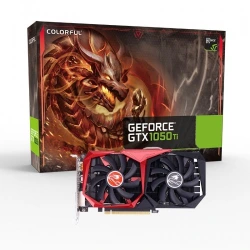
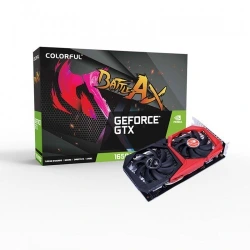
Colorful GeForce GTX 1050Ti NB 4G-V 4GB GDDR5 Graphics Card
Out Of Stock
    • Type:GDDR5
    • Size:4 GB
    • Resolution:7680 X 4320
    • Core Clock:Base: 1366Mhz; Boost:1468Mhz
    • Memory Clock:7000Mhz
COLORFUL GEFORCE GTX 1650 SUPER NB 4G-V GDDR6 GRAPHICS CARD
Out Of Stock
  • •  Ansel, GPU Boost •  Dual Fans, Compact size •  Powered by GeForce GTX 1650 •  Integrated with 4GB GDDR6 128-bit
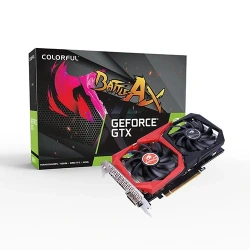
Colorful GeForce GTX 1660 Super NB 6GB-V Graphics Card
-100 % Discontinued
  • Key Feature

    • Type:GDDR6
    • Size:6 GB
    • Resolution:7680 X 4320
    • Core Clock: Base:1530Mhz;Boost:1785Mhz
    • Memory Clock:14Gbps
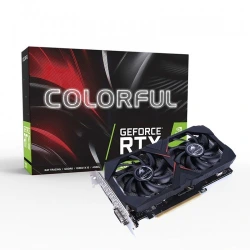
Colorful GeForce RTX 2060 6G V2-V Graphics Card
Out Of Stock
    • Dual Fans compact size Design
    • Integrated with 6GB GDDR6 192-bit
    • Powered by GeForce RTX 2060 Super
    • Core Clock- Base 1365Mhz Boost:1680Mhz
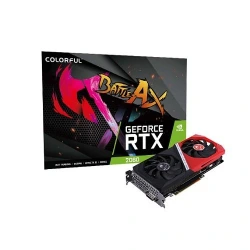
Colorful GeForce RTX 2060 NB DUO 12G-V 12GB GDDR6 Graphic Card
Out Of Stock
    • CUDA Cores: 3584
    • Base:1320Mhz; Boost:1777Mhz
    • Memory Clock: 15Gbps
    • 12GB 192bit GDDR6
Colorful GeForce RTX 2060 NB V2-V Graphics Card
Out Of Stock
    • Model: GeForce RTX 2060 NB V2-V
    • CUDA Cores: 1920, Memory Bus Width: 192bit
    • Core Clock: Base 1365Mhz; Boost 1680Mhz
    • Memory Speed Grade: 14Gbps
    • Manufacturing Process: 12nm
Colorful GeForce RTX 2060 SUPER NB 8G-V 8GB GDDR6 Graphics Card
Out Of Stock
    • Dual Fans with New Appearance Design
    • Core Clock: Base 1470Mhz; Boost 1650Mhz
    • Memory Speed Grade: 14Gbps
    • Real-Time Ray Tracing, Ansel, GPU Boost
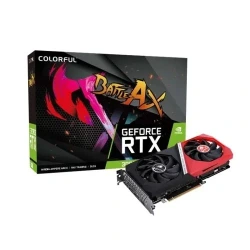
Colorful Geforce RTX 3060 NB Duo 12G V2 LV GDDR6 Graphic Card
Up Coming
  • Core Clock: Base:1320Mhz; Boost:1777Mhz
  • Memory Clock: 15Gbps
  • Memory Interface: 192bit
  • Output: 3DP+HDMI
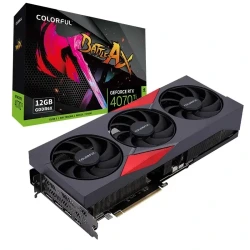
Colorful GeForce RTX 4070 Ti NB EX-V 12GB GDDR6X Graphics Card
2-3 Days
    • Core Clock: Base: 2310Mhz
    • Memory Speed Grade: 21Gbps
    • Memory Bus Width: 192bit
    • Output: 3x DP + HDMI
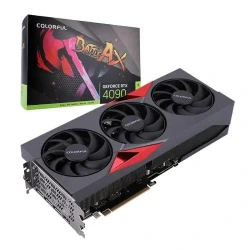
Colorful GeForce RTX 4090 NB EX-V 24GB Graphics Card
2-3 Days
    • Core Clock: Base: 2235Mhz; Boost: 2565Mhz
    • Memory Speed Grade: 14Gbps
    • Manufacturing Process: 4nm
    • Output: 3x DP + HDMI
Colorful GT1030 V5-V 2GB Graphics Card
Out Of Stock
    • Core Clock - 1228Mhz
    • Memory Clock - 6000Mhz
    • Memory Size - 2GB
    • Memory Bus Width - 64bit
Showing 181 to 200 of 859 (43 Pages)

GPU Price in BD – Buy Original Graphics Cards at Creatus Computer

A graphics card (GPU) is the component that draws everything you see on screen, from game frames and video timelines to 3D renders and AI workloads. If you are checking the latest GPU price in BD for a new gaming build, an editing workstation or an upgrade to an older PC, Creatus Computer stocks original NVIDIA GeForce RTX, AMD Radeon and Intel Arc graphics cards from trusted brands. You can compare models by VRAM, chipset and budget in one place.

Because the graphics card price in BD changes often with dollar rates, import costs and new launches, the product listing above always shows the current price and stock status. This guide explains what to look at before you buy, so you pay for the performance you actually need.

Which GPU Chipset Is Right for You: NVIDIA, AMD or Intel?

Every graphics card is built around a chip from one of three companies. Board partners such as MSI, Gigabyte, ASUS, Zotac and Sapphire then add their own cooling, clock speeds and design.

  • NVIDIA GeForce RTX: The most popular choice in Bangladesh. RTX cards are strong in ray tracing and support DLSS upscaling. They also work well with creative software and AI tools that use CUDA. Current options include the RTX 50 series alongside the still-popular RTX 40 and RTX 30 cards.
  • AMD Radeon RX: Often gives more raw performance and more VRAM for the money. Radeon cards support FSR upscaling and FreeSync. The newer RX 9000 series, including the RX 9060 XT and RX 9070 XT, has improved ray tracing a lot.
  • Intel Arc: A value-focused option for budget and mid-range builds. Arc A-series and B-series cards offer generous VRAM and good media encoding. That makes them attractive for 1080p gaming and streaming.

Graphics Card Tiers by Use Case

The easiest way to narrow down the GPU price in BD is to start with what you will use the card for and the monitor resolution you play or work on.

Tier Best For Typical VRAM Example Series
Entry-level eSports titles, office multi-display, light editing 4GB – 8GB RX 580, Arc A380, RTX 3050
Mainstream 1080p high settings, streaming, YouTube editing 8GB – 10GB RTX 5050, RTX 5060, RTX 4060, Arc B570, RX 9060 XT
Upper mid-range 1440p gaming, 4K video editing, 3D work 12GB – 16GB RTX 5070, RTX 5070 Ti, RX 9070 XT, Arc A770
High-end 4K gaming, heavy rendering, AI and deep learning 16GB – 24GB+ RTX 4080, RTX 4090 and above


You can jump straight to popular series pages such as the RTX 5060 graphics card, the RTX 5070 graphics card or the RX 9070 XT graphics card collection.

Key Specs to Check Before Buying a Graphics Card

1. VRAM (Video Memory)

VRAM holds textures and frame data. 8GB is the practical minimum for modern 1080p gaming. 12GB to 16GB is safer for 1440p, high-resolution textures and video editing. Our 8GB graphics card section is a good starting point for balanced builds.

2. Memory Type and Bus Width

Newer memory types move data faster. GDDR7 is faster than GDDR6X, and GDDR6X is faster than GDDR6. A wider memory bus, such as 192-bit or 256-bit versus 128-bit, also increases bandwidth. Two cards with the same VRAM can therefore perform very differently.

3. Upscaling and Ray Tracing Support

DLSS (NVIDIA), FSR (AMD) and XeSS (Intel) render the game at a lower resolution and then upscale it intelligently. This can raise frame rates a lot. If you want realistic lighting in newer games, check the card's ray tracing capability.

4. Power Requirement (TDP) and PSU

Every GPU lists a recommended PSU wattage and the connectors it needs, such as 8-pin or 12V-2x6. Many GPU problems are actually weak power supply problems. Check the PSU before you buy, and if it is too weak, pair the card with a reliable unit from our power supply range.

5. Card Size and Cooling

Dual and triple-fan cards run cooler and quieter, but they are longer and thicker. Measure the free space in your cabinet first. Heavy cards should be paired with a GPU support bracket to prevent sag over time.

6. Motherboard and Display Compatibility

Modern cards use PCIe 4.0 or 5.0 slots but remain backward compatible with older PCIe versions. Also match the display outputs (HDMI 2.1, DisplayPort) to your monitor. This matters most if you plan to use a high refresh rate gaming monitor.

Popular Graphics Cards at Creatus Computer

Here are some models buyers often shortlist across different budgets:

Why the GPU Price in BD Keeps Changing

Graphics card prices in Bangladesh depend on the USD exchange rate, import duties, global chip supply and new product launches. When a new generation arrives, older models often get cheaper. Sometimes they sell out instead. Brand editions also affect price: an overclocked triple-fan model costs more than a basic dual-fan version of the same chip. For that reason, it is better to decide on the performance tier first and then compare brands and coolers within that tier.

Building a Complete PC Around Your GPU?

A graphics card performs best in a balanced system. Pair it with a compatible motherboard, enough RAM and a quality PSU. Use our PC Builder tool to check compatibility and plan your full setup. If you prefer a ready system, explore our pre-configured gaming PC builds.

Why Buy Your Graphics Card from Creatus Computer?

  • Original, brand-new GPUs from NVIDIA, AMD and Intel board partners
  • A wide range from entry-level to flagship, all in one catalog
  • Easy filtering by brand, chipset, VRAM and memory type
  • Price and stock updated regularly on each product page
  • Guidance from our team to help you choose a compatible card

Frequently Asked Questions

What is the GPU price in BD right now?

The GPU price in BD ranges from affordable entry-level cards to premium flagship models. The final price depends on the chipset, VRAM, brand and cooler design. Because prices change with exchange rates and stock, check the listing on this page for the latest graphics card price in BD.

Which graphics card is best for gaming in Bangladesh on a budget?

For budget 1080p gaming, cards like the RTX 3050, RTX 5050, Intel Arc B570 or RX 9060 XT offer good value. If you mainly play eSports titles, an RX 580 or Arc A380 is enough.

How much VRAM do I need in a graphics card?

8GB is the minimum recommended for modern 1080p gaming. 12GB to 16GB is better for 1440p gaming, video editing and 3D work. 16GB or more suits 4K gaming and AI workloads.

Is NVIDIA or AMD better for gaming?

Both are good choices. NVIDIA leads in ray tracing, DLSS and creative-app support. AMD often offers more performance and VRAM for the price. Choose based on your budget, the games you play and the software you use.

What power supply do I need for my graphics card?

Check the recommended PSU wattage on the GPU's product page. Most entry-level cards run fine on a quality 450W–550W PSU. Mid-range cards usually need 600W–750W, and high-end cards may need 850W or more. Always make sure the PSU has the right power connectors.

Will a new graphics card work with my old motherboard?

In most cases, yes. Modern PCIe 4.0 and 5.0 graphics cards are backward compatible with PCIe 3.0 slots. Before buying, confirm that your case has enough space and your power supply can handle the card.