
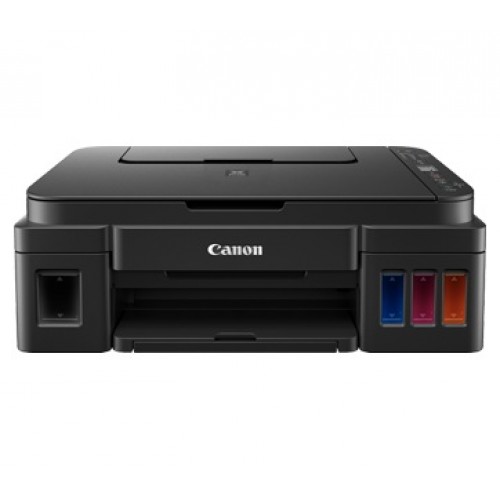
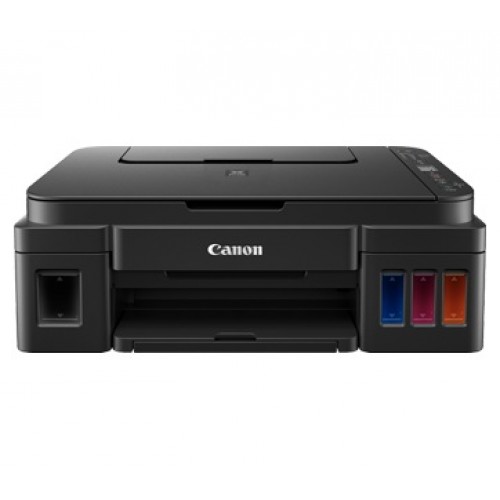
Canon Pixma G3800 Wireless All-In-One Ink Tank Printer
Save: 2600৳ (12%)
Out Of Stock


Canon Pixma G3800 Wireless All-In-One Ink Tank Printer
- Stock: Out Of Stock
- Model: Pixma G3800
- Product id: 22989
19,000৳
21,600৳
Ex Tax: 19,000৳
- Print Speed Monochrome 8.8 / Color 5.0 (sheets/minute)
- Multifunction: Print, Scan & Copy
- Print Volume: 6000 - 7000 pages
- Connectivity Hi-Speed USB 2.0 / WiFi
Chat Through
Quick Compare
| Product Details | ||||
| Product | Canon Pixma G3800 Wireless All-In-One Ink Tank Printer | Pantum M6556NW Mono Laser Printer With Network & Wi-fi 22 PPM | Epson EcoTank L3310 Multifunction InkTank Printer | Epson EcoTank L3210 Multifunction InkTank Printer |
| Image |  |  |  |  |
| Price | | | | |
| Model | Pixma G3800 | M6556NW | L3310 | EcoTank L3210 |
| Brand | CANON | Pantum | EPSON | EPSON |
| Availability | Out Of Stock | In Stock | In Stock | In Stock |
| Rating | Based on 0 reviews. | Based on 1 reviews. | Based on 0 reviews. | Based on 0 reviews. |
| Summary | SpecificationGeneralColor BlackPrintPrint Speed Monochrome 8.8ppm / Color 5.0ppmResolution up to 4800 × 1200 dpiCopyCopy Speed up to 3.5 dpiScanResolution up to 600 x 1200 dpiPaper HandlingPaper Size A4, A5, B5, LTR=100, LGL=10Input Capacity 100 sheet paper trayConnectivityWi-Fi YesUSB YesRefill SuppliesInk Canon GI-790 Bk Ink Black 6000 pages Canon GI-790 C Ink Cyan 7000 pages Canon GI-790 M Ink Magenta 7000 pages Canon GI-790 Y Ink Yellow 7000 pagesWarrantyWarranty 1 yearCanon Pixma G3800 Wireless All-In-One Ink Tank Printer Price in BD The Canon G3800 Wireless All-In-One Ink Tank Printer can print, scan and copy simultaneously. It comes in a nice matte-black finish that just looks classy, and just overall this feels like a better-built unit than most other printers in its price range. The buttons are all arranged on the right side of the printer, which is also where you’ll find the LCD display. Not a lot can be said about these buttons, other than the fact that they get the job done. The input tray is great, since it easily folds on top of the printer itself, so it can protect the internals of the Canon Pixma G3800 Printer from dust that makes it easier to store the printer when it’s not being used. The Canon Pixma G3800 Printer is also well designed in the way that Canon has arranged the ports on this thing.Rich And Practical Functions Mass Printing, Economical Saving Using Canon's Newly Developed Bottled Ink, The Print Volume Of Black Ink GI-890BK (135ml) Can Reach 6000 Pages, And The Print Volume Of Color Ink GI-890C/M/Y (70ml Each) Can Reach 7000 Pages. Economical And Economical To Meet The Daily Large-Volume Printing Needs Of Small Office Users.Simple And Easy To Use Design Canon Pixma G3800 Built-In Integrated Ink Tank Design, The Ink Tank Is Designed Inside The Machine, Which Is Beautiful And Saves Space, And At The Same Time, Canon Pixma G3800 Can More Intuitively Observe The Remaining State Of Ink.Convenient Wireless Printing Wi-Fi Wireless Printing Connect To Wi-Fi Wireless LAN Through The Wireless Router And Then Connect Computers Or Smart Devices In The Local Area Network To Realize Wireless Printing. Whether Canon Pixma G3800 Is Photo Printing Or Document Printing, You Can Get Rid Of Cumbersome USB Cable Or Ethernet Cable Connections And Print More Freely.Enjoy Fun Printing My Image Garden ("Printed" Like A Garden)The Photo Management And Printing Software Is Embedded With Canon Image Recognition Technology, Allowing You To Manage Large Amounts Of Photo Data More Conveniently And Quickly. The Intelligent Recommendation Function Automatically Creates Rich And Interesting Photo Layouts, Collages, Cards, And Calendars For You, And With The Rich And Interesting Photo Printing Functions, It Will Stimulate Your Inspiration For Creating Photo Works Which Canon tank printer is best? Ink Tank printers or Super Tank printers as they’re commonly known in some markets are basically inkjet printers that come with a massive ink reservoir built into the printer chassis. These printers are usually meant for high-volume printing since the hassle of switching out cartridges every 100-200 pages is eliminated by incorporating an ink tank. Ink tank printers are priced a little higher than cartridge based inkjet printers but that easily pays off considering how the cost of printing per page goes down significantly. Most of the ink tank printers meant for home use or even office use only cost about 10 paise per page when printing in black and white or about 20 paise when printing in colour. So they’re very economical in that sense as long as you use them regularly and don’t let the ink dry out. In this list, we’ve tried to include ink tank printers with wifi, without wifi and even those that come with ethernet. The best ink tank printers come with all of the above connectivity features but they also cost upwards of INR 20K. Around INR 16-14K, you will get the more affordable wireless ink tank printers and beyond that, you will barely get any connectivity options other than USB. Although the prices of the products mentioned in the list given below have been updated as of 20th Aug 2022, the list itself may have changed since it was last published due to the launch of new products in the market since then. Canon G3800 Printer Review The Canon G3800 Printer is attractive in a very business-like fashion. It is matte black with nicely rounded corners and it is fairly compact, given the huge ink tanks it contains. It will fit easily in all computer stations. And, since it connects wirelessly, it can be located in any convenient space – it does not need to be next to the PC it is serving. This is ideal for small offices since you can also use this great device as a supplemental copier.The more I use the Canon G3800 Printer /Copier/Scanner, the more I like it. When I first set it up I was going to give it just four stars because of the terrible control panel display. But as I got to know and appreciate its outstanding economics and its many other fine features, my aggravation with the control panel became such a minor issue that I can honestly give this great printer a full five stars and my unqualified endorsement. Buy it without qualms!The best Canon printer for monochrome printing we've tested is the Canon image CLASS MF445dw. This all-in-one laser printer is a fantastic choice if you don't need to print in color. Although its toner cartridges can be expensive to replace, this model can print many pages before the toner runs out. It helps you save money in the long run since you won't need to spend time and effort on maintenance, even if you print a lot. It prints long documents very quickly, and it also doesn't take much time to print out just one page, even if you haven't used the printer for a few hours. If you need to scan often, it has both a flatbed scanner and an automatic document feeder, which should cover all your needs. It even has a built-in fax in case you need it. You can print in many ways, like via Wi-Fi, Wi-Fi Direct, Air Print, and Mopria Print Service. If you prefer a more secure, wired connection, you can print directly from USB flash drives, connect it to your network via Ethernet, or plug it into your computer directly.Unfortunately, you have to have the computer hard-wired to a PC to use the Scanner MF Utility for duplex scanning, which can be inconvenient and limit where you can place it. Also, reaching for paper jams might be impossible if you have large hands since the back panel doesn't open fully. That said, it's a remarkably well-built and solid-feeling printer that's an outstanding choice for black and white printing, and it's among the best printers for small businesses that we've tested... | Pantum M6556NW Mono Laser Printer With Network & Wi-fi 22 PPMThe Pantum M6556NW Mono Laser Printer with Network and Wi-Fi capabilities offers a comprehensive solution for printing, scanning, and copying tasks in small offices and home environments. With its versatile features and reliable performance, this multi-function printer delivers high-quality black and white prints at a fast pace. Equipped with laser printing technology, the Pantum M6556NW produces sharp and clear prints with a maximum resolution of 1200×1200dpi, ensuring professional-quality results for documents, reports, and presentations. With print speeds of 22ppm for A4 and 23ppm for letter-sized documents, users can efficiently handle their printing tasks without delays. The printer boasts a quick first print out time of less than 7 seconds, allowing users to get their prints promptly. Its manual duplex printing feature enables double-sided printing, helping users save paper and reduce costs. In addition to printing, the Pantum M6556NW offers scanning and copying functionalities. With a flatbed scanner and sheet feeding capability, users can easily scan documents up to 216×297mm on the flatbed and 216×356mm with the automatic document feeder (ADF). The scanner provides a maximum resolution of 1200×1200dpi for the flatbed and 600×600dpi for the ADF, ensuring clear and accurate scans. The printer supports a wide range of paper sizes and types, including A4, A5, envelopes, and more, making it suitable for various printing needs. It has an input capacity of 150 pages and an output capacity of 100 pages, ensuring uninterrupted printing. Connectivity options include USB, LAN, and Wi-Fi, allowing users to easily connect the printer to their devices and networks. With its compact and stylish white design, the Pantum M6556NW fits seamlessly into any workspace. The printer is supported by the Pantum NT-C216B toner cartridge, which offers a yield of up to 1600 pages. Additionally, it comes with a 1-year warranty, providing users with peace of mind and assurance of quality. Overall, the Pantum M6556NW Mono Laser Printer offers reliable performance, versatile features, and convenient connectivity options, making it an ideal choice for small offices and home users looking for an efficient printing solution.Features:Print, Scan, Copy Functions: This printer offers the capability to print, scan, and copy documents, providing users with all-in-one convenience.Printer Type: It is a multi-function mono laser printer, ensuring high-quality black and white output for various printing tasks.Print Technology: Utilizing laser printing technology, the Pantum M6556NW delivers sharp and clear prints with a maximum resolution of 1200×1200dpi.Print Speed: With print speeds of 22ppm for A4 and 23ppm for letter-sized documents, users can efficiently handle their printing tasks without delays.First Print Out Time: The printer has a quick first print out time of less than 7 seconds, enabling users to get their prints promptly.Duplex Printing: Supports manual duplex printing, allowing users to print on both sides of the page and save on paper costs.Copy Speed and Resolution: Offers copy speeds of 22cpm for A4 and 23cpm for letter-sized documents, with a copy resolution of 1200×1200dpi for clear and accurate copies.Scan Features: Features both flatbed and sheet feeding scanning capabilities, with scan resolutions of 1200×1200dpi for flatbed and 600×600dpi for the automatic document feeder (ADF).Paper Handling: Supports a wide range of paper sizes and types, including envelopes, labels, and various paper weights, with an input capacity of 150 pages and an output capacity of 100 pages.Connectivity Options: Offers USB, LAN, and Wi-Fi connectivity options, allowing users to easily connect the printer to their devices and networks.Power Consumption: With average power consumption of 370W while printing, 45W in ready mode, and less than 3.5W in standby mode, it ensures energy efficiency.Physical Specs: Features a sleek white design with dimensions of 417 x 305 x 301mm and a weight of 8.5 Kg, making it suitable for various office setups.Support and Warranty: Compatible with Pantum NT-C216B toner cartridges, with a yield of up to 1600 pages, and backed by a 1-year warranty for peace of mind and quality assurance... | GeneralFunctions Print, Scan, CopyPrinter Type Multi Function Color Ink PrinterOutput Color Color and Black & WhitePrintTechnology InkjetPrint Speed (Black)- 33ppm, (Color)- 15ppmPrint Resolution 5760 x 1440 dpiDuty Cycle up to (Yield) 15,000 pagesDuplex ManualPaper InformationPaper Size 8.5 x 13 Inch, 100 mm x 148 mm, 195 mm x 270 mm, 4 x 6 Inch, 5 x 7 Inch, A4, A6, B5, B6, C6, DL, Envelopes: #10 (4.125 x 9.5 Inch), LetterPaper Type Plain Paper, Premium Glossy Photo Paper, EnvelopesPaper Weight 80 g/m2Input Capacity Up to 100 sheets of Plain Paper (80 g/m2), Up to 20 sheets of Premium Glossy Photo PaperOutput Capacity Up to 30 sheets of Plain Paper (80 g/m2), Up to 20 sheets of Premium Glossy Photo PaperTechnical SpecsConnectivity USBPower Consumption AC 220-240 V, Power Consumption: 14.0 W (Operating), 0.4 W (Sleep), 0.2 W (Power off), 4.0 W (Standby)SupportToner/ Cartridge/ Refill Black Ink Bottle: 4,500 Pages, 003 (C13T00V198), Cyan Ink Bottle: 7,500 Pages, 003 (C13T00V298), Magenta Ink Bottle: 7,500 Pages, 003 (C13T00V398), Yellow Ink Bottle: 7,500 Pages, 003 (C13T00V498)Software Windows XP / XP Professional / Vista / 7 / 8 / 8.1 / 10, Windows Server 2003 / 2008 / 2012 / 2016 / 2019 Mac OS X 10.6.8 or laterPhysical SpecificationWeight 3.9 kgColor BlackDimensions 317x 361x 162mmWarranty InformationWarranty 1-year Limited warranty, an Adapter/Power Cable with no warranty, and also a Box Mandatory While Claiming. (1 year or 15,000 pages which comes first) Epson EcoTank L3310 Multifunction InkTank Printer: Smart Choice for Home and Office For businesses, students, and home users in Bangladesh, finding a reliable printer that balances performance and running costs is a significant challenge. The Epson EcoTank L3310 Multifunction InkTank Printer emerges as a perfect solution, offering high-quality printing, scanning, and copying in one compact device. At creatus.com.bd, we understand the need for durable and cost-effective office equipment. This printer is specifically designed to handle high-volume tasks while keeping the cost per page exceptionally low, making it an ideal investment for the budget-conscious Bangladeshi consumer.Unmatched Printing Quality and Speed When it comes to productivity, speed is crucial in a fast-paced environment. The Epson EcoTank L3310 boasts impressive print speeds of up to 33 pages per minute (ppm) for black and 15 ppm for color documents. Whether you are printing academic assignments, corporate reports, or colorful flyers, this printer ensures you never have to wait long. With a remarkable print resolution of 5760 x 1440 dpi, every document features sharp text and vibrant images. The first print out time is just 10 seconds for color and 16 seconds for black, ensuring smooth workflow management for busy professionals in Dhaka and across the country.Cost-Effective Ink Tank System for Maximum Savings One of the biggest pain points for Bangladeshi printer users is the high recurring cost of original cartridges. The EcoTank L3310 solves this permanently with its integrated, high-yield ink tank system. The genuine Epson ink bottles are designed for spill-free, error-free refilling, eliminating the mess typically associated with traditional ink systems. A single set of ink bottles yields up to 4,500 pages for black and 7,500 pages for color. This drastically reduces the cost per print, offering massive savings for freelancers, tuition centers, and small to medium enterprises. At creatus.com.bd, we guarantee authentic Epson ink bottles to ensure you get the best performance, color accuracy, and longevity from your device.Versatile Functionality: Print, Scan, and Copy with Precision The Epson L3310 is not just a printer; it is a complete document management station. It functions seamlessly as a printer, flatbed color image scanner, and copier. The scanning resolution stands at 600 x 1200 dpi, capturing fine details with high accuracy. The optical resolution of 1200 x 2400 dpi ensures that scanned documents and photos retain their original clarity, making it perfect for archiving important paperwork. With borderless printing up to 4R, you can print professional-quality photos right from your home or office, a feature highly appreciated by photography enthusiasts and design students in Bangladesh.User-Friendly Design and Seamless Connectivity Designed with the user in mind, this multifunction printer features a compact footprint with dimensions of 317 x 361 x 162mm and a lightweight body of just 3.9 kg. It easily fits on a standard desk without taking up much space, making it perfect for home offices, dorm rooms, and small retail spaces. Connectivity is straightforward with a standard USB interface, ensuring stable and fast data transfer without the hassle of network drops or wireless configuration issues. It supports various paper sizes including A4, Letter, Legal, and photo paper sizes, with an input capacity of up to 100 sheets, minimizing the need for frequent paper refills during long printing sessions.Energy Efficient and Built for Bangladesh Power outages and voltage fluctuations are common in Bangladesh, but the Epson EcoTank L3310 is built to be highly energy efficient. It consumes only 14.0 W during operation and drops to a mere 0.2 W in power-off mode, with a standby power consumption of just 4.0 W. This low power consumption translates to lower electricity bills, a big plus for home users and offices trying to cut operational costs. When you purchase from creatus.com.bd, you are backed by a 1-year limited warranty or 15,000 pages, whichever comes first. We ensure that your box and adapter are checked, keeping your warranty claims smooth and hassle-free. This warranty assurance provides peace of mind to buyers who may have trust issues with online electronics shopping.Value for Money and Final Verdict The Epson EcoTank L3310 is tailored for environments where efficiency, low running costs, and reliability are paramount. Its ability to handle diverse paper types and deliver consistent, high-quality output makes it a smart choice for the Bangladeshi market. Whether you are a student printing lecture notes, a small business owner generating invoices, or a household needing occasional high-quality photo prints, this printer exceeds expectations without straining your budget. Investing in this ink tank printer means investing in long-term productivity and affordability. It is truly a workhorse that delivers professional results every single time.Frequently Asked Questions1. What is the actual page yield of the ink bottles for the Epson L3310 in Bangladesh? The black ink bottle (C13T00V198) yields up to 4,500 pages, while the color ink bottles (Cyan, Magenta, Yellow) yield up to 7,500 pages each. This high yield makes it an extremely cost-effective choice for heavy daily users.2. Does the Epson EcoTank L3310 support wireless or network printing? No, the Epson L3310 model offers standard USB connectivity. It is designed for direct PC or laptop connection, ensuring a stable and secure printing experience without the interference of network drops common in shared office spaces.3. What is the warranty policy for this printer? The printer comes with a 1-year limited warranty or a page yield limit of 15,000 pages, whichever comes first. Please keep the original box mandatory while claiming, and note that the adapter and power cable do not carry any warranty.4. Can I print borderless photos with this printer? Yes, the Epson EcoTank L3310 supports borderless printing up to 4R size. You can print high-quality, edge-to-edge photos for personal projects, client portfolios, or professional use without any white borders.5. Is the ink refilling process messy? No, the printer features Epson's specialized spill-free, error-free refilling mechanism. The ink bottles are uniquely designed to fit perfectly into the designated color-coded tanks, preventing spills and ensuring a clean refilling experience every time. .. | Epson EcoTank L3210 Multifunction InkTank PrinterEpson EcoTank L3210 is Multifunction InkTank Printer. This printer is designed to improve business cost savings and print productivity. Expect a high print yield of up to 4,500 pages for black-and-white, and 7,500 pages for colour. You can even print border less photos up to 4R size. The integrated ink tanks and designated nozzles ensure spill-free and error-free refilling. This printer supports with Legal (8.5 x 14 inch), Indian-Legal (215 x 345 mm), 8.5 x 13 inch, Letter, A4, 16K (195 x 270 mm), B5, A5, B6, A6, Hagaki (100 x 148 mm), 5 x 7 inch, 5 x 8 inch, 4 x 6 inch, Envelopes: 10, DL, C6 Print Paper. The Printer is compitable with Black Ink Bottle: 4,500 Pages, 003 (C13T00V100 / C13T00V199, Cyan Ink Bottle: 7,500 Pages, 003 (C13T00V200 / C13T00V299, Magenta Ink Bottle: 7,500 Pages, 003 (C13T00V300 / C13T00V399, Yellow Ink Bottle: 7,500 Pages, 003 (C13T00V400 / C13T00V499 ink bottles.Epson EcoTank L3210 Printer FeaturesUltra-low-cost printing: Save up to 90% on printing costs Up to 3 years of ink included: Includes 8,100 pages in black and white and 6,500 in colour High-yield replacement ink bottles: Up to 66 cartridges worth of ink from a single set of ink bottles Hassle-free ink tank system: Enjoy mess-free refills with key-lock bottles and front-facing tanks Multifunction printer: Print, copy & scan and border less photo printing.Epson ecotank l3210 printer priceThe Epson EcoTank L3210 is a multifunction InkTank printer offering printing, scanning, and copying capabilities.Its price varies across retailers. For instance, Creatus Computer lists it at 18,000৳. These prices are subject to change and may vary based on promotions or availability. The L3210 is known for its ultra-low-cost printing, allowing users to save up to 90% on printing costs. It supports borderless printing up to 4R size and features a spill-free, error-free refilling system. With a print speed of 33 ppm for black and 15 ppm for color, and a resolution of 5760 x 1440 dpi, it ensures efficient and high-quality output. Its compact design makes it suitable for both home and office environments.Multifunctional CapabilitiesApart from printing, the EcoTank L3210 is also equipped with scanning and copying features. The flatbed scanner delivers high-resolution scans, ensuring clear and detailed digital copies of documents and images. The copier function is equally efficient, providing quick and accurate reproductions without compromising quality. These multifunctional capabilities make the printer a versatile addition to any workspace.Connectivity and CompatibilityAlthough the EcoTank L3210 primarily relies on a USB connection, it ensures seamless compatibility with various operating systems, including Windows and macOS. The plug-and-play functionality allows users to set up the printer effortlessly without requiring complex installation procedures. While it lacks wireless connectivity, its efficient wired connection ensures stable and uninterrupted printing.Epson EcoTank L3210 Printer ReviewIf you need a printer for home use, we recommend the Epson EcoTank L3210. Like our top business pick, the Epson EcoTank L3210, it's also an inkjet model with refillable ink tanks. However, it's significantly cheaper, making it more accessible to the average household. Its ink tank still yields a large number of prints, and you can simply replenish the tanks with bottles of ink as you go. The cost-per-print is very low, so you don't have to worry about maintenance costs over time, even if you print a lot. It prints great-looking photos with reasonable color accuracy, though there's some graininess in the pictures. Naturally, there are some downsides to this cheaper and simpler model. First, its overall printing speed is slow as it can only churn out eight black or four color pages per minute, and it can't print double-sided sheets automatically, which means you need to print out one set of pages, then flip over the sheets when prompted to print the second side. Second, the scanner doesn't have an automatic document feeder, so you'll have to scan each page of a long document manually. You still get USB and Wi-Fi connectivity as well as mobile app support, making it easier for everyone in the household to access the printer... |
Related Product


Recently Viewed


