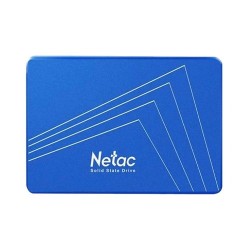
SSD Price in BD – Buy Genuine SSD Online at Creatus Computer
If your computer takes forever to boot, freezes when you open a few tabs, or
groans every time you copy a large file, the problem usually isn't your
processor or your RAM. Nine times out of ten, it's the hard drive doing all
the heavy lifting the old-fashioned way — spinning a physical disk while
everything else in your machine waits around for it. Swapping that drive for
an SSD is, without exaggeration, the single most noticeable upgrade you can
make to an aging PC, and it's exactly why so many people searching for SSD
price in BD end up here at Creatus Computer.
We're not going to throw a wall of numbers at you and call it a buying
guide. Prices move week to week depending on import costs, currency shifts,
and stock availability, so instead of chasing a figure that'll be outdated
by the time you read this, we'd rather walk you through what actually
matters when picking an SSD — so that whatever you land on, it's the right
drive for your machine and your budget, not just the one that happened to be
on sale.
What Exactly Changes When You Move to an SSD
A solid state drive stores your data on flash memory chips instead of a
spinning magnetic disk. There's nothing mechanically moving inside it, which
sounds like a small detail until you realize what that actually means in
day-to-day use: near-instant boot times, applications that open the moment
you click them, file transfers that finish before you've had time to look
away, and a machine that runs cooler, quieter, and takes far less punishment
from the occasional bump or drop. For laptop users especially, that last
point matters more than people expect — a drive with no moving parts simply
survives travel and daily handling better than a hard disk ever could.
SATA, M.2, or NVMe — Which One Actually Fits Your PC?
This is the part most buyers skip past, and it's the part that causes the
most returns. Not every SSD works with every computer, so before anything
else, it helps to know which of these three you're actually shopping for.
A 2.5" SATA SSD is the safest, most universal choice — it
slots into the same connector a hard drive would use, which makes it the
easiest way to breathe life into an older desktop or laptop. An
M.2 SATA SSD runs at the same speed but in a slim, gum-stick
shaped module designed for slimmer laptops and modern motherboards with an
M.2 slot. Then there's NVMe M.2, which uses the PCIe lane
instead of SATA and delivers speeds several times faster than either of the
other two — this is the one gamers, editors, and anyone working with large
files should be aiming for, provided their board actually supports it.
If you're not sure which your device takes, check the manufacturer's specs
sheet or just ask us before ordering. It's a two-minute check that saves you
the hassle of sending a drive back because it physically doesn't fit.
How Much Storage Do You Actually Need?
Capacity is where a lot of people either overspend out of caution or
underbuy to save a little now and regret it in six months. Here's a more
honest way to think about it, based on how the drive will actually be used
rather than round numbers that sound impressive:
| Capacity Range | Who It's Really For | Interface to Look For |
|---|
| 120GB – 240GB | Reviving an old PC, basic browsing, an OS-only drive | SATA or M.2 SATA |
| 256GB – 512GB | Students, everyday multitasking, light gaming | SATA or entry NVMe |
| 1TB | Gamers, freelancers, anyone juggling several large apps | NVMe M.2 strongly preferred |
| 2TB and up | Video editors, large game libraries, professional workstations | High-speed NVMe M.2 |
A simple rule that holds up well in practice: buy for how you'll be using
the machine a year from now, not just what fits your files today. Storage
demands only grow.
Brands We Actually Trust Enough to Stock
We don't carry every brand that exists — we carry the ones that hold up.
Samsung, Crucial, Kingston, and Western Digital
lead the pack for anyone who wants dependable, high-performance NVMe drives
for gaming or creative work. If you're working with a tighter budget,
Netac, HP, and Adata offer SATA and
entry-level M.2 options that punch well above what you'd expect for the
cost. Team, Patriot, and Gigabyte round out
the lineup for buyers who want something in between — a bit more speed
without stepping into flagship territory.
A Few Drives Worth Actually Looking At
Rather than leaving you to scroll through hundreds of listings, here are a
handful of models our customers keep coming back to, across a few different
use cases:
So, What's the SSD Price in BD?
Here's the honest answer: SSD prices in Bangladesh currently range from
roughly the low thousands for a basic 120GB SATA drive up to well over
twenty thousand taka for high-capacity NVMe drives, and that range shifts
often enough that we keep it live at the top of this page rather than
quoting it here — so you're always seeing what's actually available today,
not a number that's already gone stale.
Is It Actually Worth Upgrading From an HDD?
For almost everyone, yes. A hard disk still makes sense as cheap bulk
storage for files you rarely touch, but as your primary drive, it's simply
holding your entire system hostage to its slowest component. Most of our
customers end up running a smaller SSD for the operating system and their
most-used programs, paired with a larger HDD for photos, videos, and
backups — you get the speed where it counts and the space where it's cheap.
If you're planning that kind of setup, our
Hard Disk Drive and
Desktop RAM categories
are worth a look alongside this page, and if the whole machine is due for a
refresh, browse our Laptop
collection too.
Before You Check Out — A Few Things Worth Knowing
- Confirm your device's supported interface before ordering — SATA and NVMe M.2 drives can look nearly identical but aren't interchangeable on every board.
- For gaming or editing, prioritize NVMe speed over squeezing out extra capacity on a slower SATA drive.
- Buy only from authorized retailers to make sure your manufacturer warranty is actually honored in Bangladesh.
- Keep a little headroom on any SSD — running one consistently near full capacity slows it down over time.
Common Questions Before Buying
Which is better for my laptop — SATA or NVMe?
NVMe is considerably faster, but only if your laptop's motherboard actually
supports it. Check your device specs first — if it only has a SATA slot, an
NVMe drive won't work no matter how good the deal looks.
Is 256GB enough for daily use?
For browsing, office work, and casual use, yes, comfortably. If you game
regularly or store a lot of media, you'll want to look at 512GB or 1TB
instead so you're not constantly clearing space.
Can I keep my old hard drive after installing an SSD?
Absolutely, and we'd recommend it. Most desktops and many laptops support
running both — SSD for speed, HDD for storage — without any conflict.
Do these SSDs come with a warranty?
Yes. Every SSD we sell is genuine and covered by manufacturer warranty,
usually between 3 and 5 years depending on the brand and model.
Which brand should I trust for a gaming build?
Samsung, Crucial, Kingston, and Western Digital are the names our gaming
customers reach for most often, thanks to consistent NVMe performance and
warranty support that actually holds up when you need it.