Top Performance Creator Monitors for Modern Workflows
Creator monitors are specially designed for professional designers, video editors, photographers, and content creators who need high color accuracy and detailed visual clarity. These monitors usually feature 4K resolution, wide color gamut support, HDR technology, and IPS or OLED panels, ensuring precise color reproduction and smooth visual transitions. Many creator monitors also include eye-care technology, anti-glare coating, and adjustable ergonomic stands for comfortable long working sessions. Connectivity options like HDMI 2.1, DisplayPort, and USB-C with power delivery make them compatible with modern laptops and workstations. These features help improve productivity and provide professional-level display quality for creative tasks. Affordability makes the Creator Monitor Price in BD begin at around ৳38,000, depending on brand, screen size, and technical specifications. Higher-end creator monitors with advanced panel technology, faster refresh rates, and professional color calibration features may cost more but deliver superior visual performance. Choosing a creator monitor is a smart investment for designers, video editors, and professionals, as it enhances productivity, improves color accuracy, and provides a more immersive and comfortable viewing experience for long working sessions in Bangladesh.
How to Select the Best Creator Monitor for Professional Creative Workflows
Choosing the best creator monitor requires careful evaluation of display technology, color accuracy, resolution, and connectivity options. Creator monitors are mainly used by designers, photographers, and video editors who need precise color reproduction and sharp image quality. Panel type plays an important role, with IPS and OLED panels offering better color consistency and viewing angles. Resolution and refresh rate should match your work requirements, especially if you work with high-resolution video or graphics design projects.
Performance Selection Points
-
Color Accuracy: Look for high sRGB, Adobe RGB, or DCI-P3 coverage
-
Resolution: 4K resolution is ideal for professional work
-
Panel Type: IPS or OLED recommended for creators
-
Refresh Rate: 60Hz–144Hz for smooth visuals
-
HDR Support: Improves brightness and contrast quality
-
Connectivity: HDMI, DisplayPort, USB-C support
-
Brightness Level: 300–600 nits preferred
-
Screen Size: 27–32 inches best for creative work
-
Calibration Tools: Hardware calibration support
-
Eye Care Technology: Reduces eye strain during long sessions
Following these factors helps you choose the best creator monitor for professional productivity and visual precision.
Best Entry-Level Creator Monitors for Everyday Computing in Bangladesh
Entry-level creator monitors are perfect for users who need good display quality, productivity support, and comfortable viewing without spending on premium models. These monitors usually feature IPS panels, Full HD or 2K resolution, and decent color accuracy, making them suitable for office work, web browsing, and basic design tasks. Many entry-level creator monitors also include eye-care technology, anti-glare screens, and adjustable stands to improve user comfort during long working hours. Connectivity options like HDMI and DisplayPort ensure compatibility with laptops and desktops. These monitors offer a balanced combination of performance, affordability, and usability, making them ideal for students, office workers, and beginner creators looking for reliable everyday computing solutions.
Top Creator Monitor Features That Matter Most for Professionals
-
High Color Accuracy: Supports sRGB, Adobe RGB, and DCI-P3 color spaces
-
4K Resolution Support: Provides ultra-clear and detailed visuals
-
OLED / IPS Panel Technology: Ensures better viewing angles and color consistency
-
HDR Support: Improves brightness, contrast, and visual depth
-
Wide Color Gamut: Essential for professional design work
-
High Refresh Rate: 60Hz–144Hz for smoother motion
-
Low Response Time: Reduces motion blur in video editing and gaming
-
USB-C Connectivity: Supports power delivery and fast data transfer
-
Factory Color Calibration: Ensures accurate color reproduction
-
Eye Care Technology: Reduces eye strain during long sessions
-
Anti-Glare Screen Coating: Improves visibility under strong lighting
-
Ergonomic Stand Design: Allows height, tilt, and swivel adjustments
-
Wide Viewing Angles: Better visibility from different positions
-
Energy Efficient Design: Reduces power consumption
-
Multi-Device Connectivity: Supports modern workflow setups
These features help professionals achieve better productivity, visual clarity, and long-term reliability.
MSI Business & Gaming Monitor Price Comparison in Bangladesh
| Model |
Size |
Refresh Rate |
Panel Type |
Price (BDT) |
Best For |
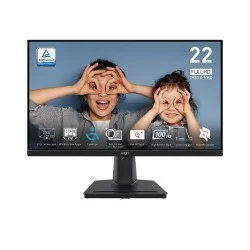
| MSI PRO MP225 |
21.5 Inch |
100Hz |
IPS FHD |
10,000৳-20,000৳ |
Budget office & home use |
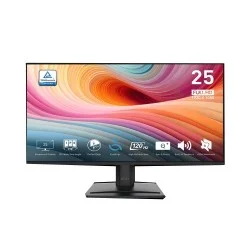
| MSI PRO MP251 E2 |
24.5 Inch |
120Hz |
IPS FHD |
10,000৳-20,000৳ |
Productivity & smooth work |
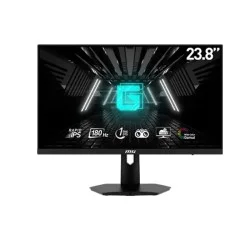
| MSI G244F E2 |
23.8 Inch |
180Hz |
Rapid IPS |
20,000৳-30,000৳ |
Competitive gaming |
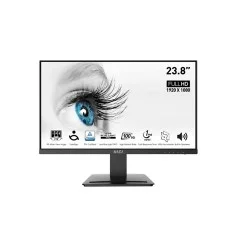
| MSI PRO MP243X |
23.8 Inch |
100Hz |
IPS FHD |
10,000৳-20,000৳ |
Business productivity |
| MSI PRO MP243W E14 |
23.8 Inch |
100Hz |
IPS FHD |
10,000৳-20,000৳ |
Office & daily computing |
Why Professionals Prefer Creatus for Creator Monitors
Creatus Computer is a trusted destination for buying creator monitors in Bangladesh. They provide genuine products, competitive pricing, and official warranty support, ensuring safe and reliable purchases. Creatus offers a wide range of professional displays with 4K resolution, high color accuracy, and advanced panel technologies suitable for designers, photographers, and video editors. Customers also receive expert product guidance to choose the best monitor based on workflow requirements. With fast delivery, reliable customer service, and authentic stock availability, Creatus makes shopping convenient and secure. Their commitment to quality products and technical support makes them a preferred choice for professional creator monitor buyers in Bangladesh.
What is the Creator Monitor price in Bangladesh?
Prices start from around ৳10,000, depending on brand, size, and features.
Where can I buy genuine Creator Monitors in BD?
Available at Creatus Computer with warranty and authentic products.
What features should I check in a Creator Monitor?
Look for high color accuracy, 4K resolution, and HDR support.
Are Creator Monitors good for video editing and design?
Yes, they provide wide color gamut and better visual precision.
Do Creator Monitors support modern connectivity?
Yes, many models offer HDMI, DisplayPort, and USB-C connectivity.